













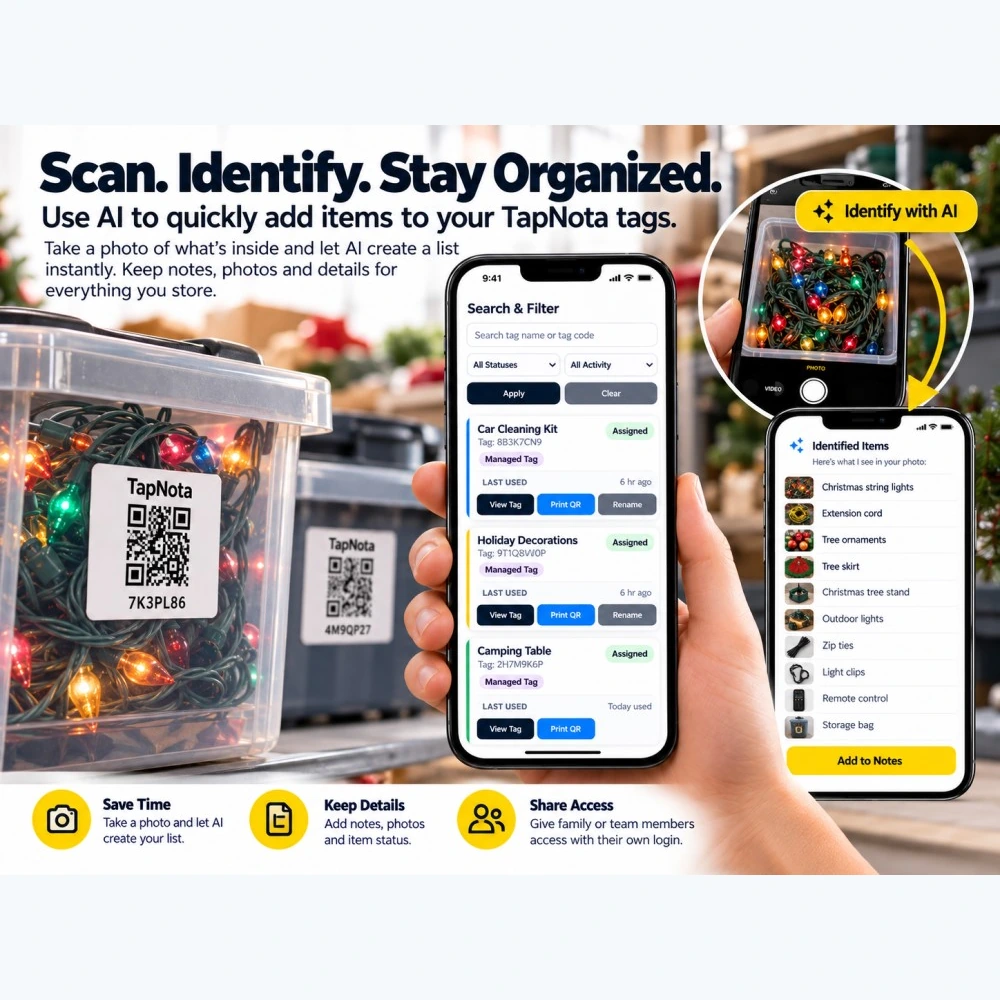
Managing storage items can quickly become overwhelming, especially when dealing with multiple bins, boxes, or cases filled with a variety of contents. TapNota’s smart QR label system already transforms how you track and organize your possessions by linking each physical item to a digital, editable Item Page. But the addition of AI-powered item identification takes this to the next level, helping you save time and improve accuracy by suggesting item lists from photos.
What Is TapNota’s AI Item Identification Feature?
TapNota’s AI feature is an optional tool available to signed-in account owners on the Item Page. By taking or selecting a photo of visible items inside a container or storage bin, the AI analyzes the image and generates a suggested list of items. This list appears in the Note box for your review, editing, and saving. It’s important to understand that the AI does not automatically detect contents just by scanning a QR label—it requires a user-initiated photo of visible objects to work.
This feature is designed to help you quickly build or update your inventory records without manually typing every item. For example, if you have a bin of holiday decorations, snapping a photo of the contents can prompt the AI to suggest items like “Christmas string lights,” “tree ornaments,” or “extension cords,” which you can then confirm or modify before saving.
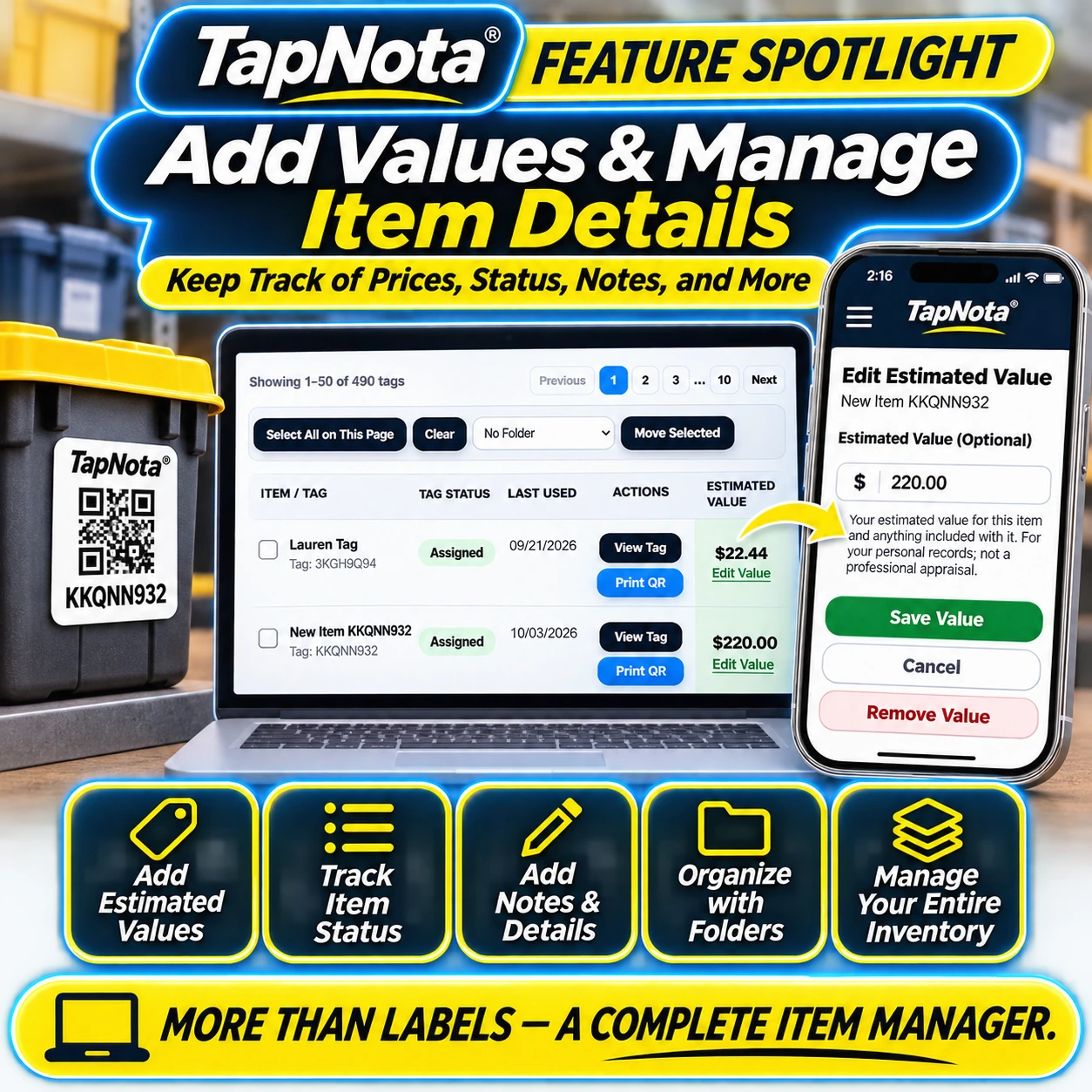
Step-by-Step: Using AI to Identify and Organize Storage Items
- Attach a TapNota QR Label: Start by placing a pre-coded TapNota QR label on your storage bin, box, or item grouping.
- Scan the Label: Use any QR code scanner or your device’s camera to open the specific Item Page linked to that label.
- Open the AI Identification Tool: On the Item Page, tap the “Identify with AI” button to activate the photo capture interface.
- Take or Select a Photo: Capture a clear, well-lit photo of the visible contents inside the container. The AI requires a good view of the items to generate accurate suggestions.
- Review AI Suggestions: Once the AI processes the photo, it presents a list of identified items in the Note box. Review, edit, add, or remove items as needed.
- Save the List: Save the note with the AI-generated item list to your Item Page. This information becomes searchable and can be updated anytime without changing the physical label.
Benefits of AI-Assisted Item Identification
- Save Time: Instead of manually entering every item, the AI jumpstarts your note-taking by suggesting a list based on the photo.
- Keep Details Accurate: The AI helps capture the variety of items stored, reducing the chance of forgetting or overlooking contents.
- Evolve Your Records: Your Item Pages remain dynamic; you can add photos, notes, serial numbers, instructions, and update details as your storage changes over time.
- Enhance Searchability: The saved AI-generated notes are searchable in the TapNota Portal, letting you find items quickly even without having the physical label or container in front of you.
- Share and Collaborate: Share access with family or team members who can view or edit records with their own login credentials, making group inventory management easy.
Important Considerations When Using AI Recognition
While TapNota’s AI is a powerful assistant, it’s not infallible. It cannot see through closed boxes or containers, so ensure you photograph visible contents clearly. The AI analysis photo is temporary and deleted after processing; permanent photos should be added separately if you want to keep them on the Item Page.
The AI feature consumes credits, which vary depending on your TapNota plan or label pack. Also, the AI-generated list requires your review and approval; it does not automatically update your records without your confirmation.
Beyond AI: Managing Your Inventory with TapNota
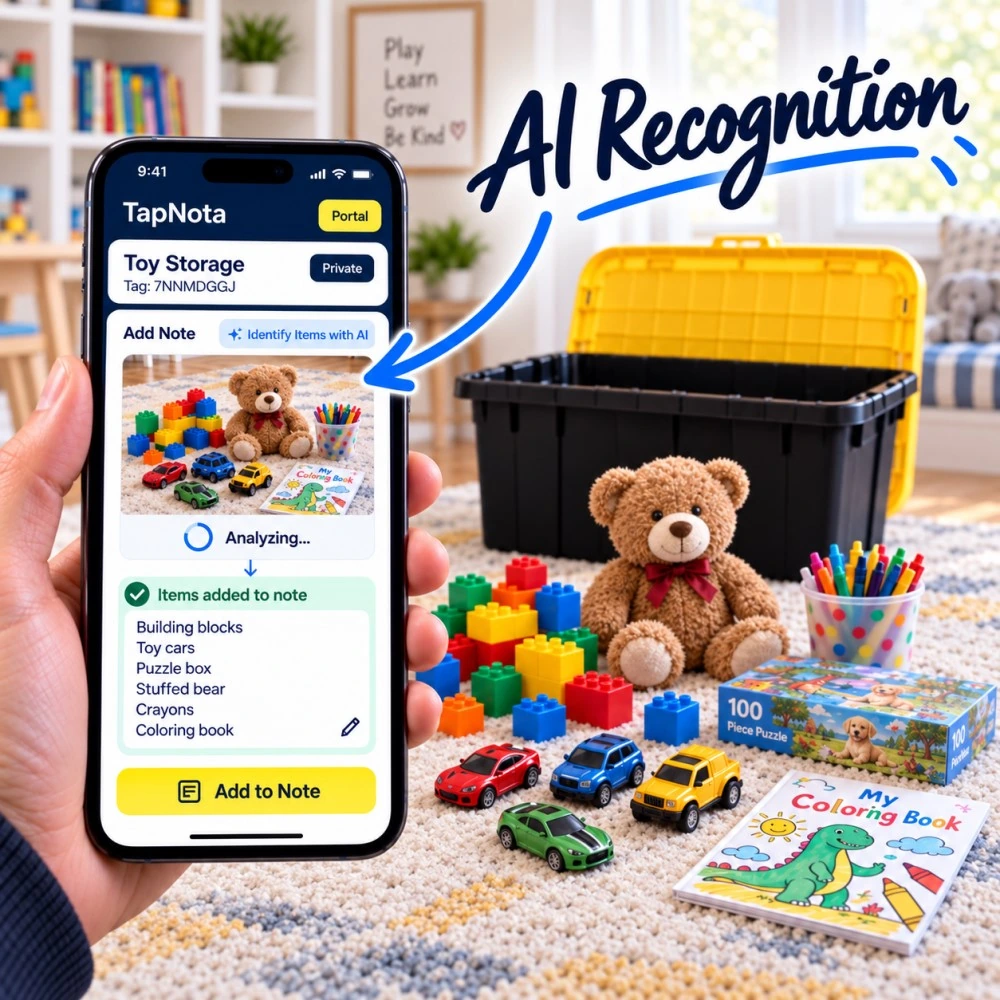
TapNota is more than just smart QR labels and AI recognition. The Portal offers a comprehensive inventory management system where you can:
- Add Estimated Values: Manually enter estimated values for insurance or personal recordkeeping.
- Track Item Status: Mark items as In Storage, In Use, Loaned Out, Missing, and more.
- Organize with Folders: Group related items logically for easier browsing.
- Maintain History: Keep track of changes and activity on each Item Page over time.
For more on managing item details and values, see TapNota’s Asset Tracking System. To dive deeper into AI-powered item recognition, check out How to Use TapNota’s AI-Powered Item Recognition to Build Your Inventory Fast. And for a broader overview of TapNota’s inventory management software, visit Inventory Management Software with QR & NFC Tags | TapNota.
Frequently Asked Questions
Can TapNota’s AI recognize items inside closed boxes?
No, the AI requires a clear photo of visible items. It cannot see through closed containers, so open the box or bin to capture the contents before using AI identification.
Do I need to activate each TapNota QR label individually to use AI features?
No. When you scan and activate one label from a purchased pre-coded pack and verify your email, the entire pack links to your account. You can then use AI and other features on any label in that pack.
Is the AI-generated item list automatically saved to my inventory?
No. The AI suggests a list based on the photo, but you must review, edit, and manually save the note to the Item Page. This ensures accuracy and control over your records.
Does using AI recognition consume any credits or cost extra?
Yes. AI identification consumes credits that depend on your TapNota plan or the label pack you own. Check your account details for available credits.
Can I share my TapNota inventory and AI-identified notes with family or team members?
Yes. TapNota supports Shared Account Access, allowing approved members to log in with their own credentials to view or collaborate on your inventory while you retain full control.


