













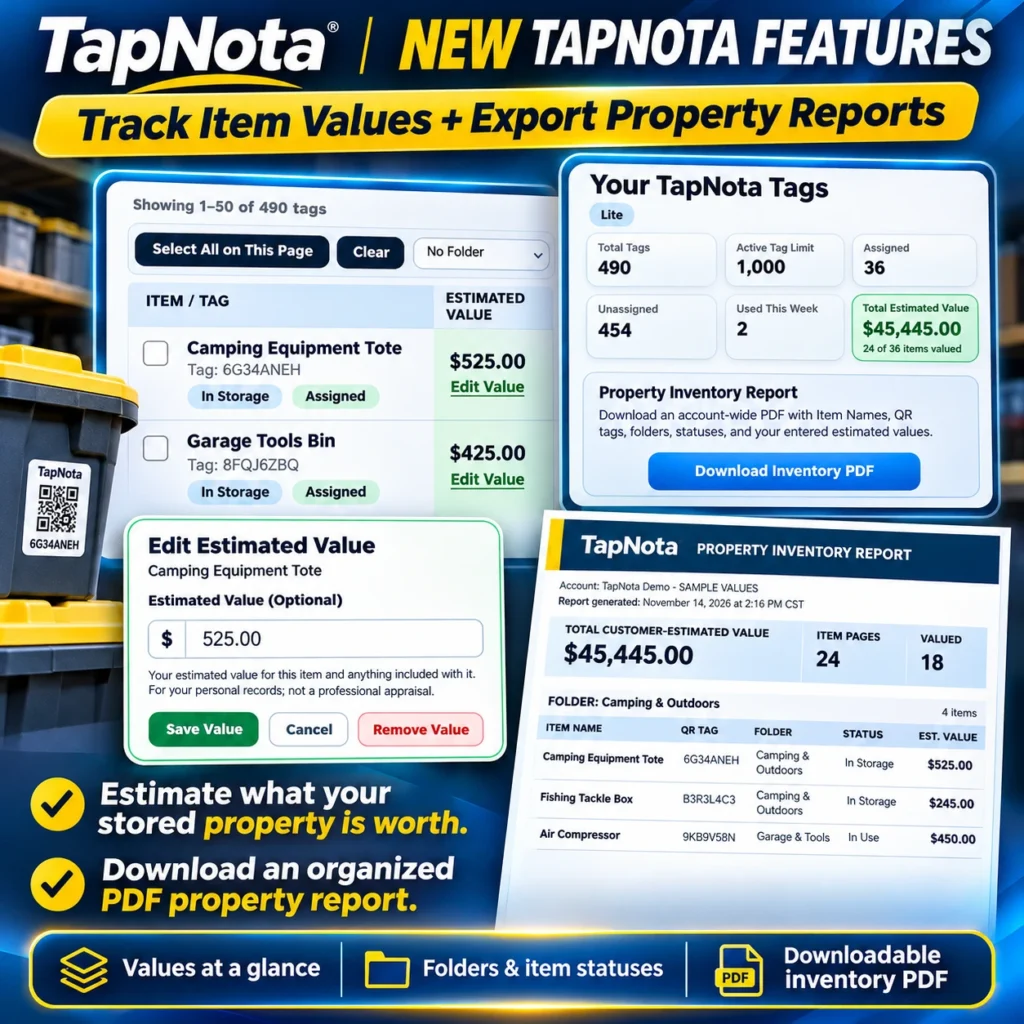
TapNota offers a powerful, physical-to-digital inventory system that goes beyond simple QR labels. One of its newest features allows you to add estimated values to your stored items, helping you keep track of what your property is worth at a glance. Whether you’re organizing your home inventory, business assets, or seasonal storage, tracking estimated values can provide useful insights for personal records or insurance preparation.
Why Add Estimated Values to Inventory Records?
Adding estimated values to your TapNota Item Pages helps you maintain an organized and detailed inventory. It allows you to:
- Know the approximate worth of your stored items without cluttering your physical space with price tags.
- Generate a comprehensive Property Inventory Report PDF that includes all item names, QR tags, folders, statuses, and your entered values.
- Group and subtotal values by folders such as “Camping Gear” or “Garage Tools” for clearer financial overviews.
- Prepare for insurance claims by having a detailed, exportable list of your valuables and their estimated worth.
How to Add Estimated Values in TapNota
Adding estimated values is simple and flexible. Follow these steps:
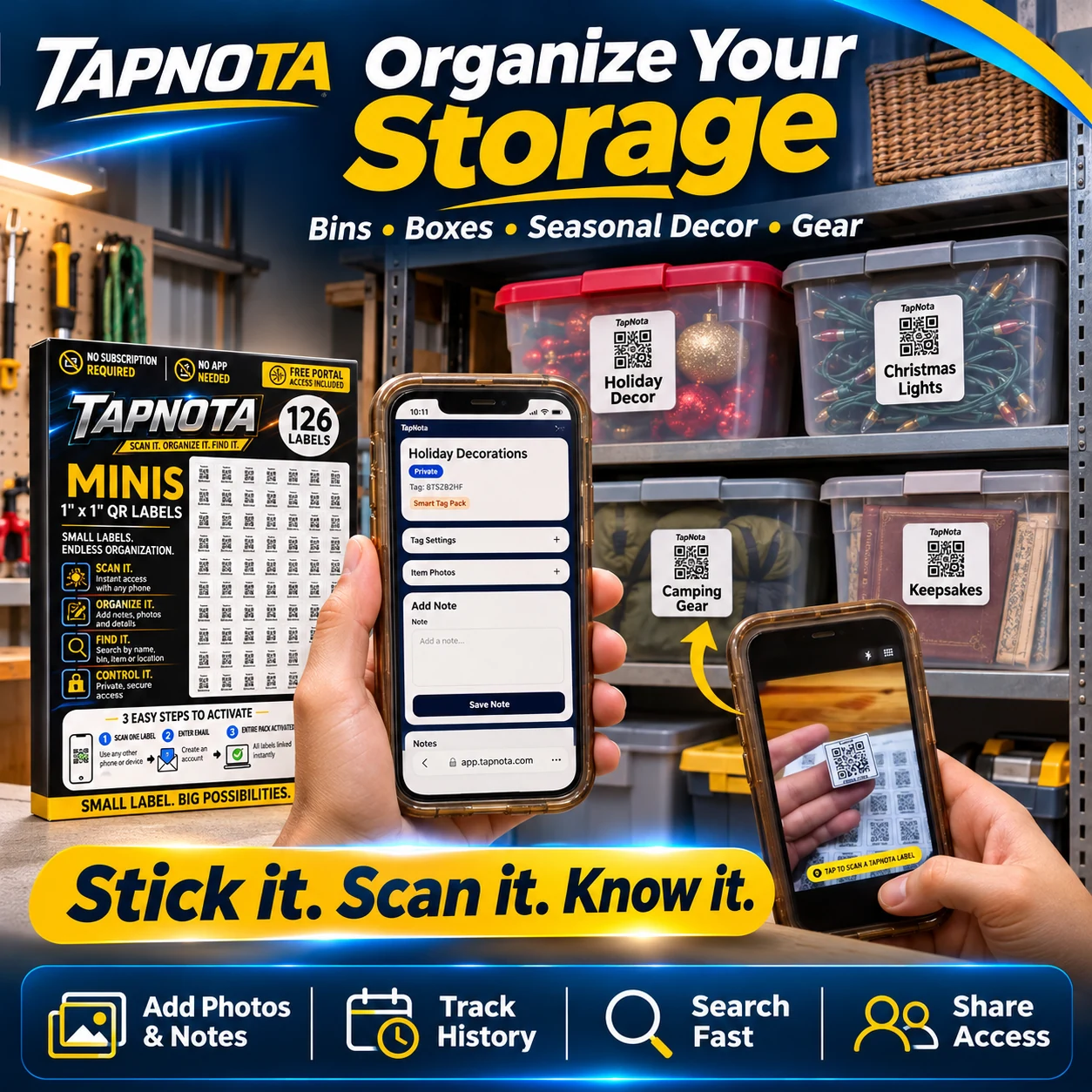
- Scan the QR label on your item, bin, or storage container to open its unique Item Page in your TapNota account.
- Locate the Estimated Value field on the page. This field is optional and meant for your personal recordkeeping.
- Click Edit Value to open the input box.
- Enter the estimated dollar amount for the item or container contents.
- Click Save Value to store this information. You can also remove or update the value anytime.
Remember, the estimated value is for your use and does not serve as a professional appraisal. It’s a handy way to keep track of what your items are roughly worth.
Manage and View Estimated Values Across Your Inventory
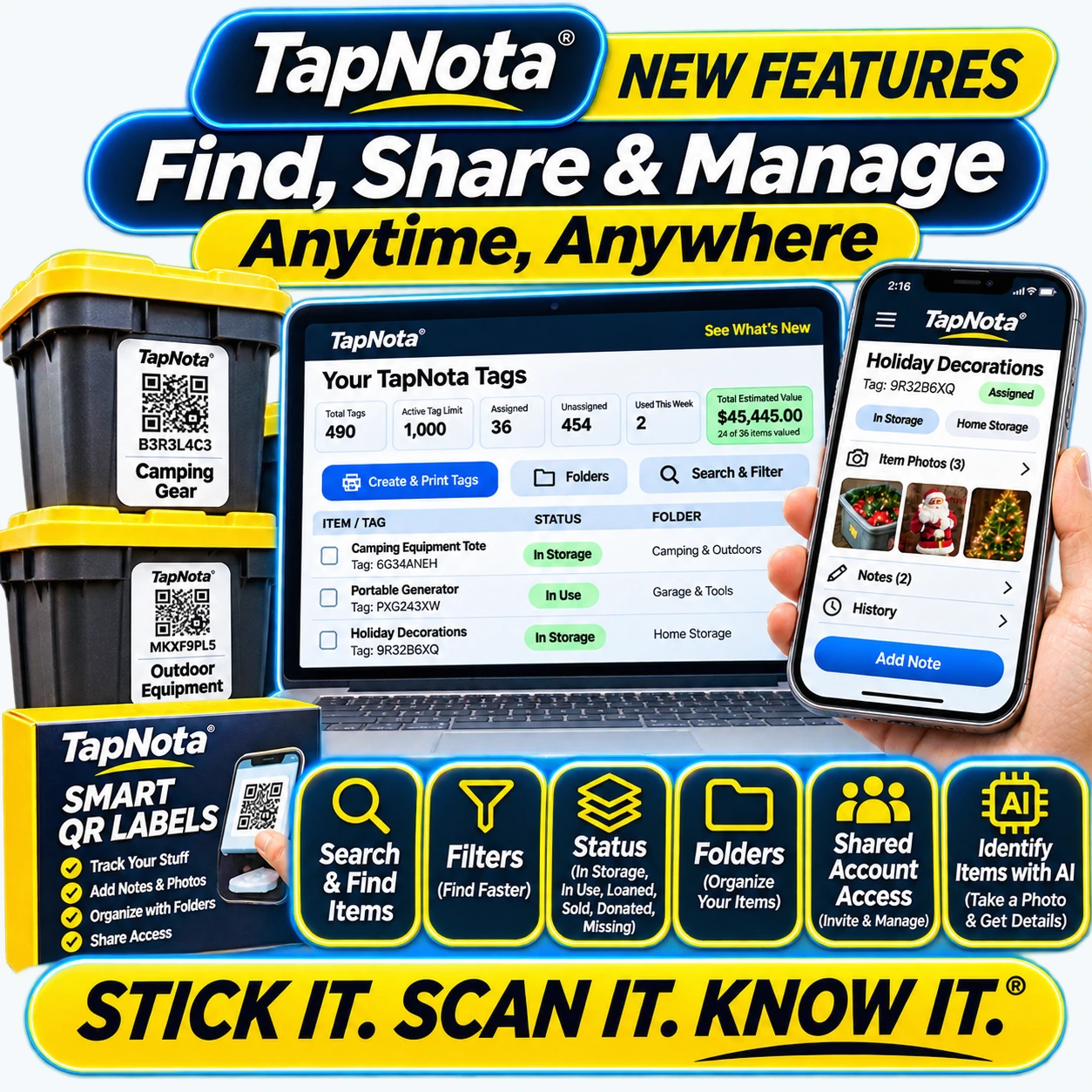
Within the TapNota web Portal, you can view all your tags and their estimated values at a glance. The dashboard shows:
- Total Tags in your account and how many have assigned values.
- Total Estimated Value summing all entered amounts.
- Assigned vs. Unassigned tags so you can manage what still needs valuation.
You can also organize items into folders and assign statuses such as In Storage, In Use, or Loaned Out. This helps you filter and focus on subsets of your inventory when reviewing values.
Exporting Your Property Inventory Report
Once you’ve added estimated values, TapNota lets you download an organized PDF report summarizing your inventory. This report includes:
- Item names and QR tag codes.
- Folder groupings with item counts.
- Item statuses like In Storage or In Use.
- Your manually entered estimated values with subtotals per folder.
- The overall total estimated value for your entire inventory.
This PDF is ideal for personal financial tracking or sharing with insurance providers to document your belongings.
Additional Tips for Using Estimated Values Effectively
- Keep values updated: Review and adjust estimated values as you acquire new items or your possessions change in worth.
- Use folders strategically: Group similar items to get clearer financial snapshots by category.
- Leverage search and filters: Quickly find items by name, folder, or status to update or verify values.
- Share selectively: Use TapNota’s sharing options to provide access to trusted family members or helpers without compromising your entire account.
Conclusion
Adding estimated values to your TapNota inventory records enhances your ability to track and organize your belongings with financial context. Combined with TapNota’s smart QR labels, searchable Portal, and exportable reports, it’s a comprehensive solution for managing your home or business assets.
Start adding values today to get a clear picture of what your stored property is worth and keep your inventory organized and accessible anytime, anywhere.
For more on generating and using property reports, see How to Use TapNota’s Property Inventory Report to Track and Value Your Valuables.
Explore more on organizing storage bins efficiently at Storage Bin Organization and smart moving solutions at Moving & Packing.
Frequently Asked Questions
Can I add estimated values to any TapNota label?
Yes, you can add estimated values to any assigned TapNota Item Page. Unassigned labels first need to be linked to an Item Page before adding values.
Do I need to enter estimated values for every item?
No, entering estimated values is optional. You can add values only for items you want to track financially.
Where do I edit or remove an estimated value?
Open the Item Page via the label scan or Portal, then click 'Edit Value' near the current estimate to update or remove it.
Is the estimated value a professional appraisal?
No, the estimated value is for your personal recordkeeping and organization. It is not a professional appraisal or insurance valuation.
How do I export a list of all item values?
Use the 'Download Inventory PDF' button in the TapNota Portal to create a Property Inventory Report that includes all saved estimated values.


