













Streamline Inventory Organization with TapNota’s AI Recognition
Keeping track of stored items, whether holiday decorations, tools, or seasonal gear, can be challenging. Traditional labeling and manual note-taking often lead to clutter and forgotten contents. TapNota’s AI-powered inventory system transforms this process by allowing you to snap a photo of visible items and instantly generate editable notes linked to smart QR labels.
What Makes TapNota Different?
Unlike simple QR stickers or static spreadsheets, TapNota connects each physical label to a dynamic digital Item Page accessible via scanning or through the web Portal. This evolving record can hold photos, notes, serial numbers, manuals, and more, all searchable across your entire account.
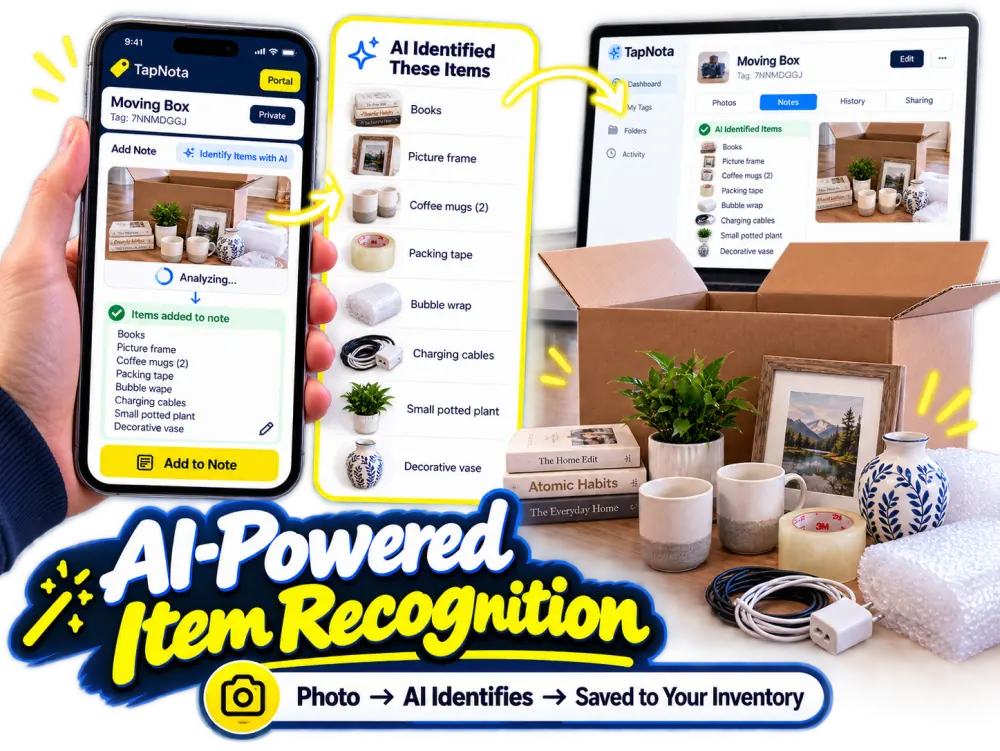
How the AI Recognition Feature Works
- Attach a TapNota QR label to a bin, box, or item.
- Scan the label with your smartphone to open its unique Item Page. (NOTE: You MUST be logged into your portal recently for the “Identify with AI” button to appear.)
- Snap a photo of the visible contents before closing the container.
- Use the AI recognition tool to analyze the photo and receive a suggested list of items detected.
- Review, edit, and save the list as notes on the Item Page.
This process helps you build accurate, searchable records quickly without typing extensive lists manually. Keep in mind the AI only sees visible objects and requires your review for accuracy.
Practical Example: Holiday Decoration Storage
Imagine you have multiple bins filled with holiday decorations, camping gear, and kids’ toys. Previously, you might struggle to remember which bin holds what. With TapNota, you scan the QR label on a bin, snap a photo of the visible contents, and the AI suggests a list like “wreath, ornaments, string lights, extension cord.” You confirm or adjust the list, then save it. Now, anytime you want to find that bin, you can search your portal for “wreath” or “string lights” and immediately know which bin to grab.
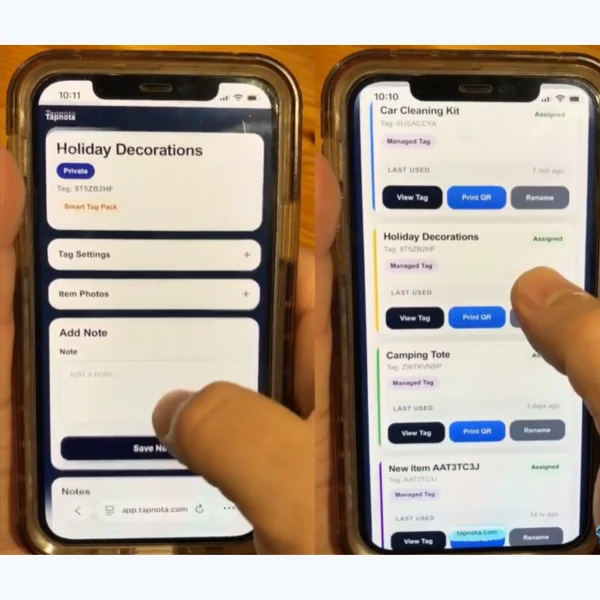
Adding and Managing Notes in Your Portal
The TapNota web Portal lets you add detailed notes, photos, and status updates for each item or bin. You can also assign folders, track usage history, and rename tags as needed. This flexibility means your inventory stays current and useful over time.
Benefits of Using TapNota’s AI Feature
- Save time: Quickly generate item lists without manual entry.
- Improve accuracy: Visual AI recognition helps capture what’s really inside.
- Stay organized: Search across all your labeled items instantly.
- Collaborate easily: Share individual Item Pages or invite helpers via account access.
- Flexible and evolving: Update notes and photos as your inventory changes.
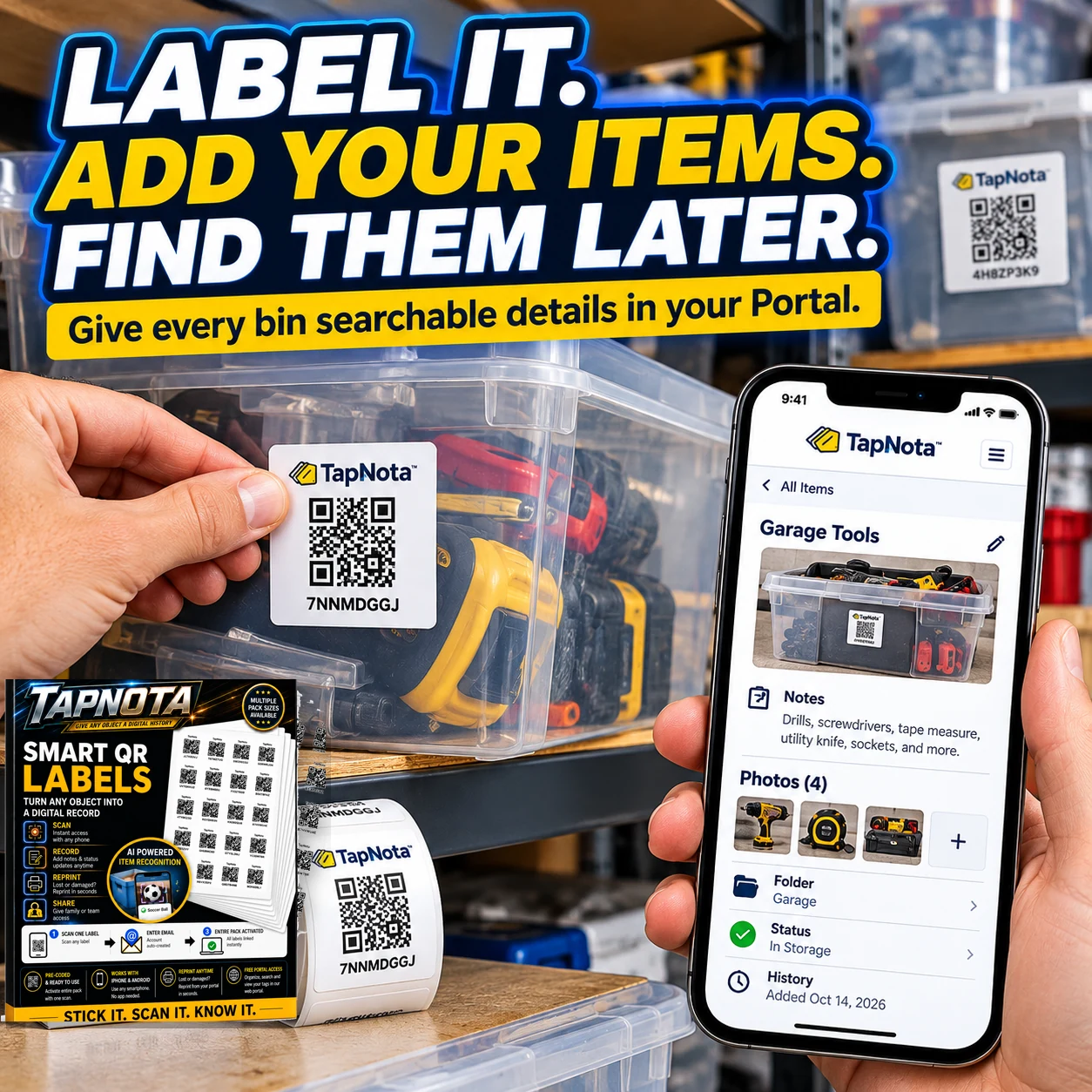
Getting Started with TapNota AI Recognition
To activate your TapNota labels, simply scan any label in your purchased pack and verify your email. The entire pack links to your account, so you don’t have to activate labels one by one. Then attach labels to your storage bins or items, scan, and start adding notes with AI assistance.
For more detailed setup instructions and tips, visit the TapNota Product Support & Setup Guide.
Keep Your Inventory Searchable and Up to Date
Remember, scanning a label only opens the Item Page; it doesn’t automatically detect contents inside closed boxes. Use the AI photo feature before packing or while contents are visible to build your notes. Later, you can search your entire inventory by item names, tags, or notes directly in the Portal without needing the physical label.
Whether for home, business, or hobby collections, TapNota’s AI recognition combined with smart QR labels helps you organize today and find tomorrow.
Explore how AI can simplify your storage and inventory management with TapNota’s smart system.
Learn more about AI-Powered Storage Organizer with Smart QR Labels and How to Organize Storage Bins for Easy Access.
Frequently Asked Questions
Does TapNota AI recognition see inside closed boxes?
No, the AI recognition feature only analyzes visible objects in photos you take before closing the container. It cannot see through closed boxes or bins.
Do I need to activate each TapNota label individually?
No, scanning and verifying your email with any one label in a purchased pack activates the entire pack for your account.
Can I edit the AI-generated item list before saving?
Yes, after the AI suggests a list based on the photo, you can review, modify, and add or remove items before saving the notes.
Is a dedicated mobile app required to use TapNota?
No, TapNota works through standard QR scanning and a browser-based web Portal without needing any dedicated mobile app.
Can I search my inventory without scanning labels?
Yes, you can search item names, notes, tags, and folders directly in the TapNota web Portal without having the physical label handy.


