













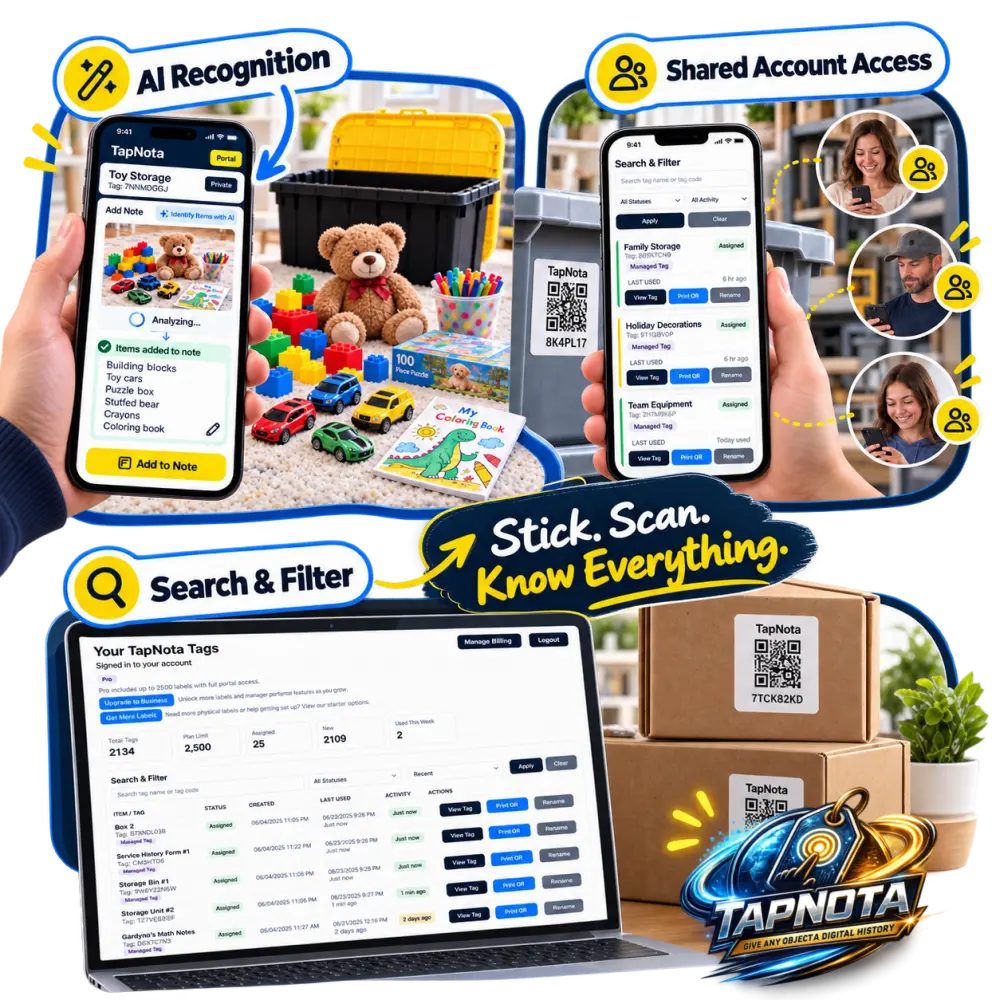
Organizing collections like toy dinosaurs can quickly become a challenge, especially when you want to keep track of all the pieces without losing time searching through bins. TapNota’s innovative physical-to-digital record system offers a smart solution that goes beyond traditional labeling. With its AI-powered feature, TapNota helps you instantly identify items in your storage and add detailed notes, making it easier than ever to manage and find your toy dinosaurs.
What Makes TapNota Different for Toy Storage?
TapNota uses pre-coded smart QR labels that attach to bins, shelves, or cases. Each label links to a unique, evolving Item Page in the TapNota web Portal. Unlike static labels or spreadsheets, this system allows you to add and update detailed information about the contents over time, including photos, notes, manuals, and condition reports. The AI feature enhances this by suggesting item lists from photos you take of visible contents, saving you time and effort.
Using TapNota AI to Identify Toy Dinosaurs Instantly
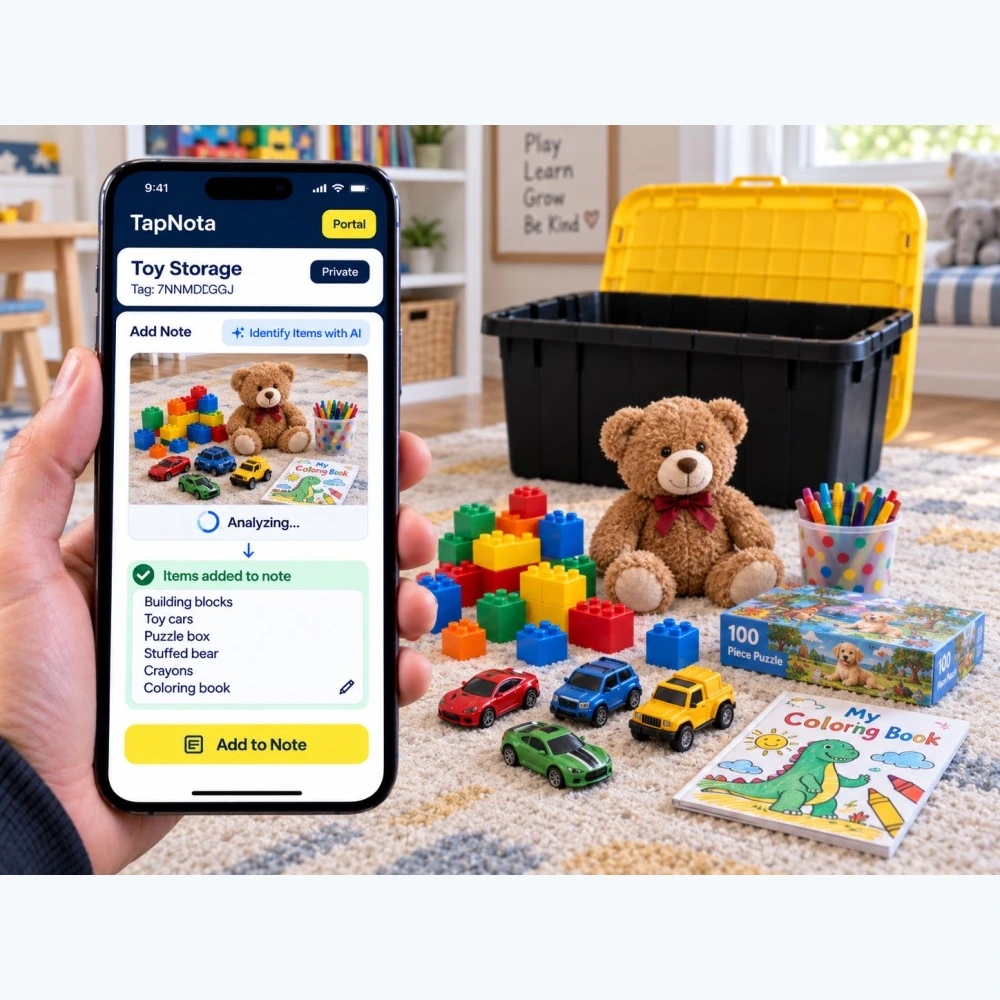
Imagine you’ve gathered a bin full of toy dinosaurs, building blocks, cars, and coloring books. Instead of manually typing out the contents, you can use TapNota’s AI feature to do the heavy lifting. Simply scan the QR label on the bin to open its Item Page, then take or select a photo of the visible items. The AI analyzes the image and suggests a list of items it recognizes, such as “building blocks,” “toy cars,” “stuffed bear,” and “coloring book.” You can review, edit, and save this list directly to the note section, instantly creating a detailed record of your bin’s contents.
Step-by-Step AI Identification Process
- Scan the TapNota QR label on the toy storage bin.
- Open the Item Page in the TapNota Portal.
- Select the option to identify items with AI.
- Take a clear photo of the visible contents inside the bin.
- Review the AI-generated list of items and make any edits.
- Save the note to update the Item Page.
This process not only saves time but also helps create a searchable, accurate inventory that reflects what’s actually inside the bin at that moment.
Sharing and Collaborating on Your Toy Collection
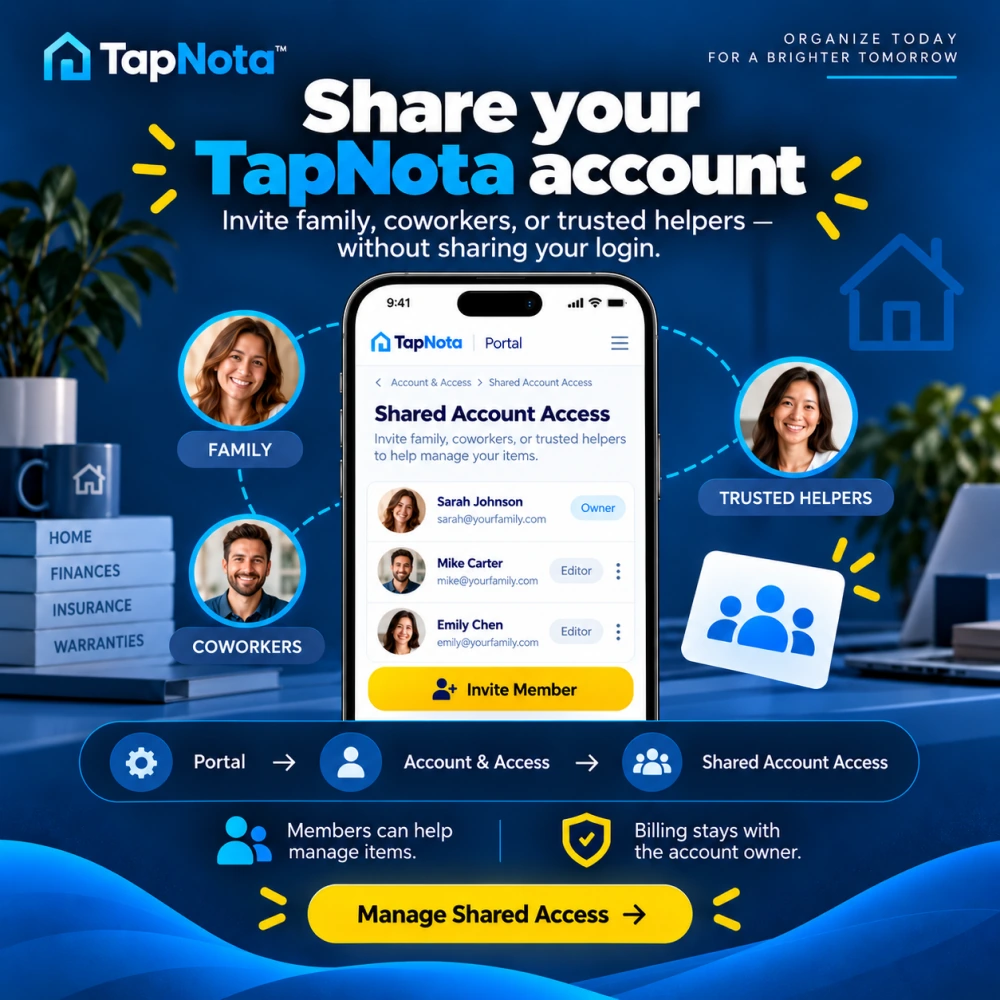
TapNota’s new Share Portal Access feature lets you invite trusted family members, helpers, or team members to collaborate on managing your inventory without sharing your login credentials. This is perfect for households where multiple people are involved in organizing or accessing the toy collection. Authorized members can add notes, update records, and help keep the inventory current, all within one shared TapNota account.
Sharing access is controlled by the account owner, who manages billing and membership. This collaboration feature enhances teamwork and ensures everyone stays on the same page regarding the toy dinosaurs and other stored items.
Finding Your Toy Dinosaurs Quickly with TapNota’s Search
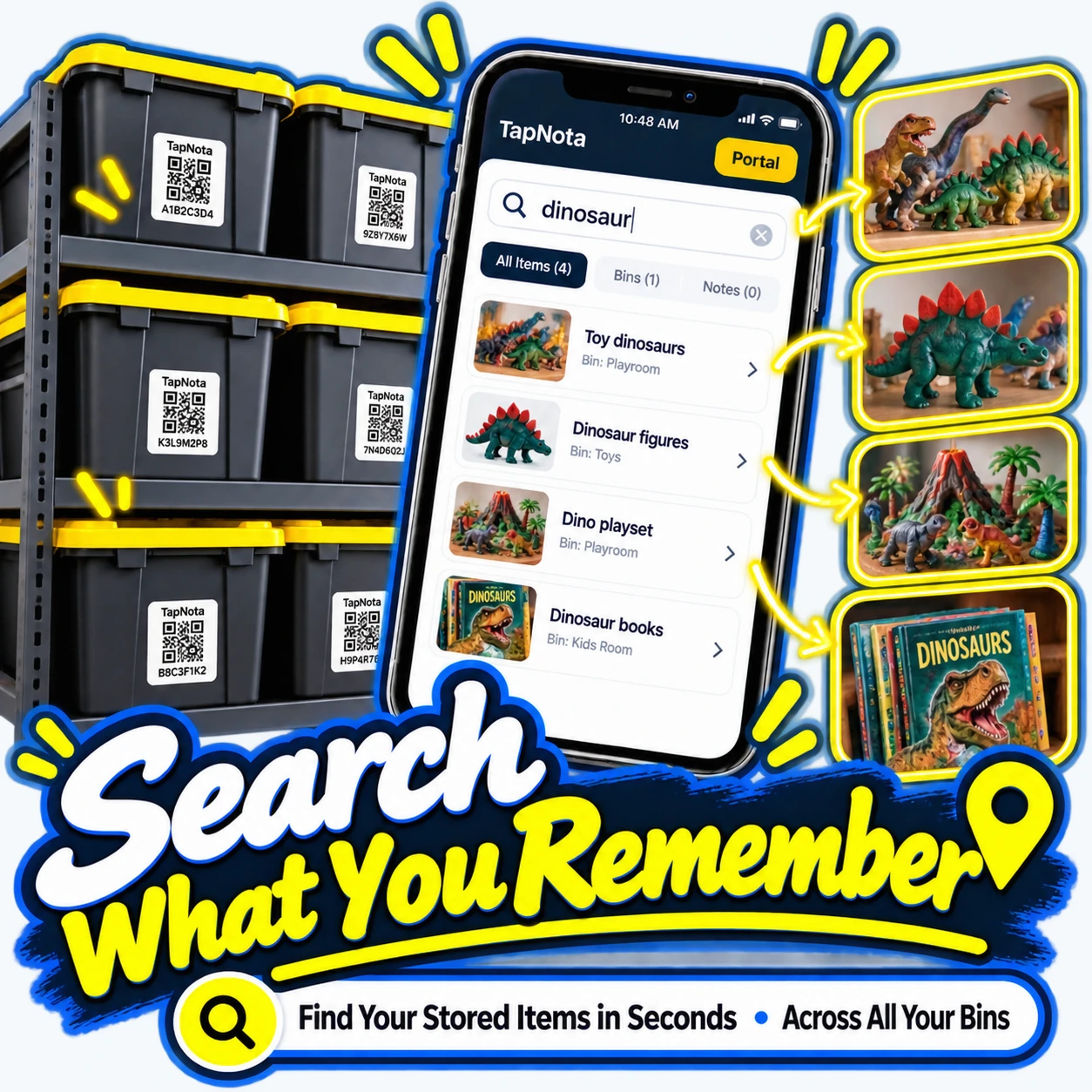
One of the biggest frustrations with traditional storage is not knowing which bin holds a particular item. TapNota solves this with its powerful search functionality within the Portal. You don’t need to scan a label to find items; just open the Portal and search by name, notes, or tags.
For example, searching for “dinosaur” instantly displays all related bins, notes, and photos, such as “toy dinosaurs” in the playroom bin, “dinosaur figures” in the toy bin, or “dinosaur books” in the kids’ room. This cross-bin search capability saves you from opening multiple bins and guessing where your favorite dinosaur toy might be.
Benefits of TapNota Search for Toy Collections
- Search across all bins and folders without needing physical labels.
- Find items by keywords, tags, or saved notes.
- View photos and detailed descriptions to confirm contents.
- Save time and reduce frustration during cleanup or playtime.
By combining AI identification, detailed notes, sharing, and powerful search, TapNota offers a comprehensive system that transforms how you organize and access your toy dinosaur collection.
Additional Tips for Organizing Toy Dinosaurs with TapNota
- Label bins clearly: Attach TapNota QR labels to each bin or shelf to create a unique Item Page.
- Use photos: Add permanent photos of the bin contents for quick visual reference.
- Update regularly: Use the AI feature whenever you add or remove items to keep records accurate.
- Group by type or room: Create folders in the Portal to organize bins by playroom, type of toy, or child.
- Invite helpers: Share account access with family members to keep everyone involved in maintaining the inventory.
With these practices, your toy dinosaur collection stays organized, easy to find, and fun to manage.
For more insights on smart storage and inventory management, explore How to Organize Storage Bins for Easy Access and Collection Inventory System with QR Labels.
Frequently Asked Questions
How does TapNota’s AI feature identify items in a storage bin?
The AI feature analyzes a photo you take of the visible items inside a bin and suggests a list of recognized objects. You can review, edit, and save this list as notes on the Item Page.
Can I share my TapNota inventory with family members?
Yes, TapNota offers Shared Account Access that lets you invite trusted family or helpers to collaborate on managing your inventory without sharing your login credentials.
Do I need to scan each label to search for items?
No, searching is done directly in the TapNota web Portal by item names, notes, tags, or folder names. You don’t need the physical label to search your inventory.
Is TapNota a mobile app I need to download?
No, TapNota operates through a browser-based web Portal. There is no dedicated mobile app to install.
Can AI identify items inside closed boxes?
No, the AI can only analyze visible items in photos. It cannot see inside closed containers or unopened boxes.


