













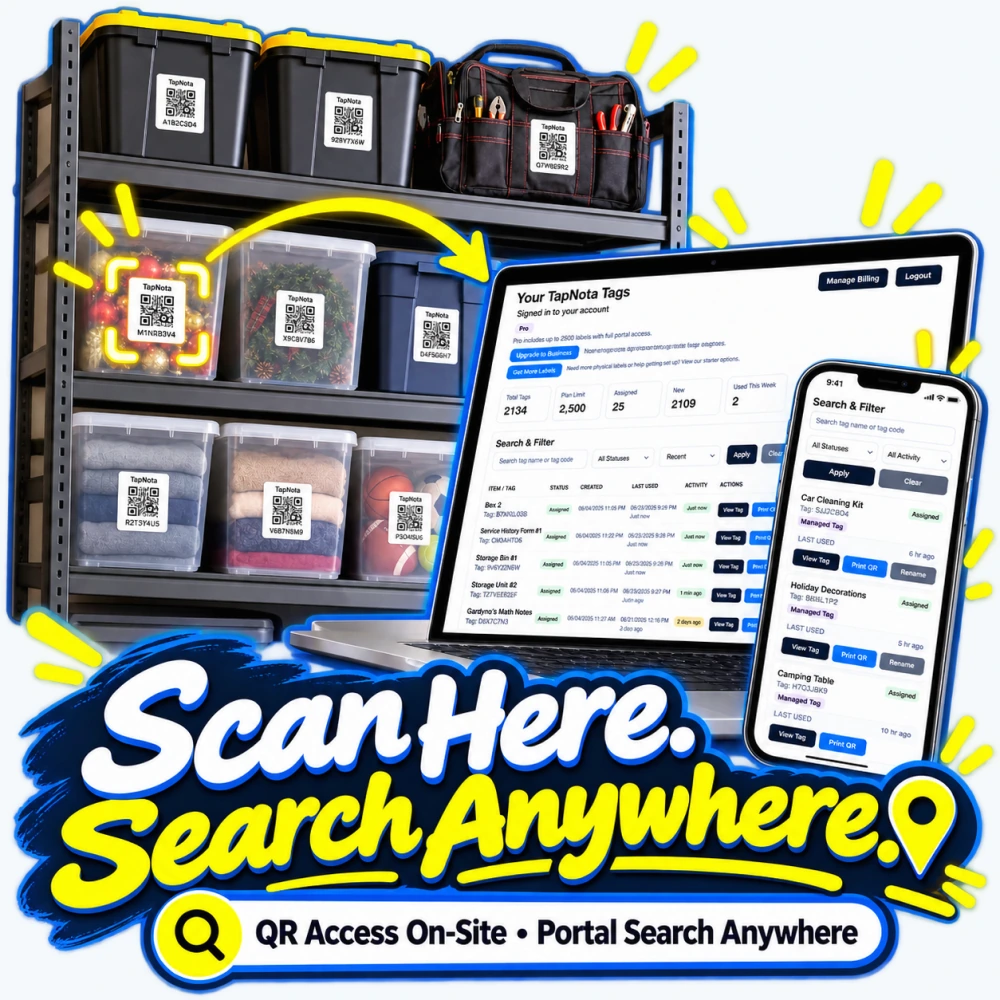
Organizing storage bins, moving boxes, tools, or seasonal decorations can quickly become overwhelming without a reliable system to track what’s inside each container. TapNota offers a unique solution that bridges the physical and digital worlds using pre-coded smart QR labels attached to your items. This system not only simplifies on-site access but also provides powerful search capabilities from anywhere via a browser-based Portal—no dedicated app required.
How TapNota’s Scan Here, Search Anywhere Approach Works
Each TapNota label is a gateway to an evolving digital Item Page. When you attach a label to a storage bin, toolbox, or any item, you can scan the QR code with your phone’s camera to instantly open its specific record. This record is where you add details like item name, notes, photos, serial numbers, manuals, and condition updates. Unlike static paper labels or spreadsheets, the Item Page can be updated anytime without changing the physical label.
What sets TapNota apart is the account-wide web Portal that stores and manages all your records. Once you activate a purchased pack by scanning any one label and verifying your email, your entire set of labels is linked to your account. This means you don’t need to activate each sticker individually. Later, you can access the Portal from any device with internet access to search your inventory by item names, notes, tags, or folder groupings, even without having the physical labels on hand.
Search What You Remember, Not Just What’s on the Label
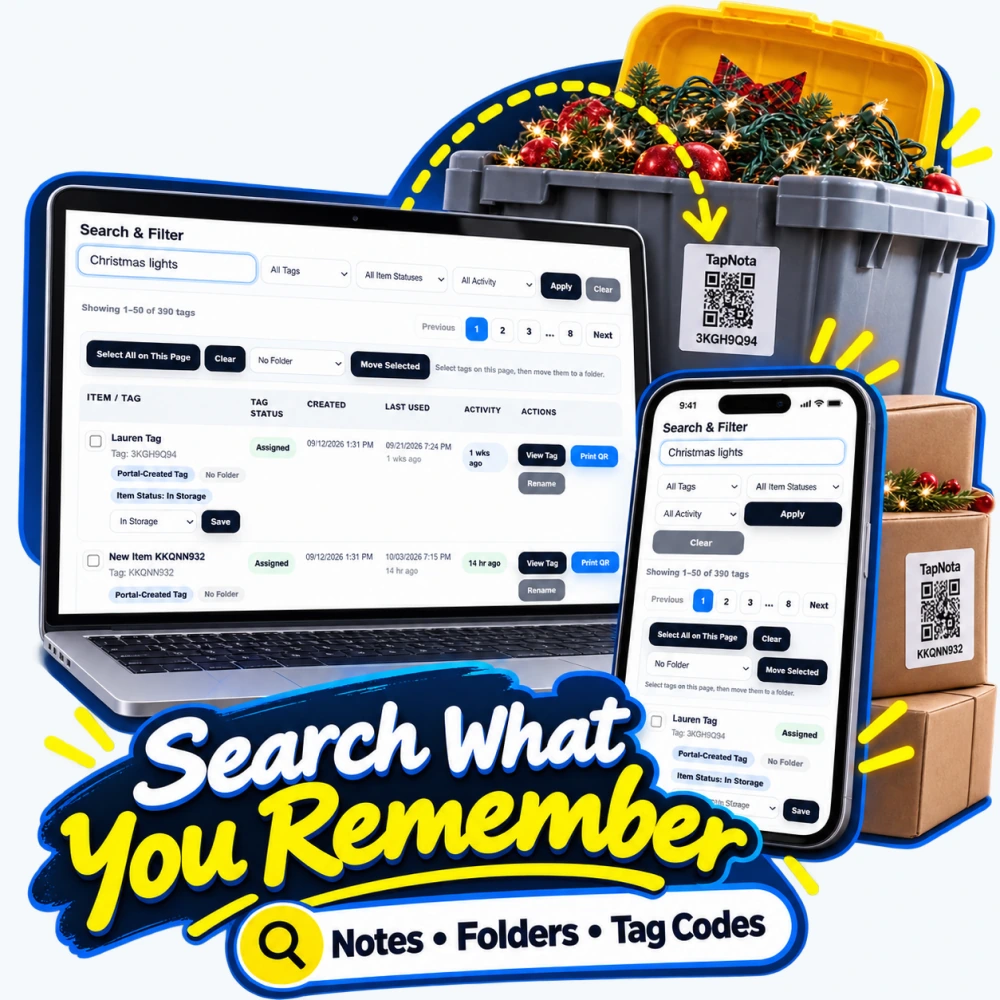
Often, you may forget exactly which box or bin holds the item you need, but you remember details like the contents or a related note. TapNota’s Portal search lets you enter keywords from your saved notes, tag codes, or folder names to find matching Item Pages instantly. For example, typing “Christmas lights” in the search bar will display all tagged containers or boxes associated with holiday decorations, regardless of label code.
This search flexibility is invaluable for seasonal storage, workshop tools, or home inventories where contents change or are added over time. It eliminates the need to physically scan each label to locate an item, saving time and reducing frustration.
No App Required: Simple Scanning and Activation
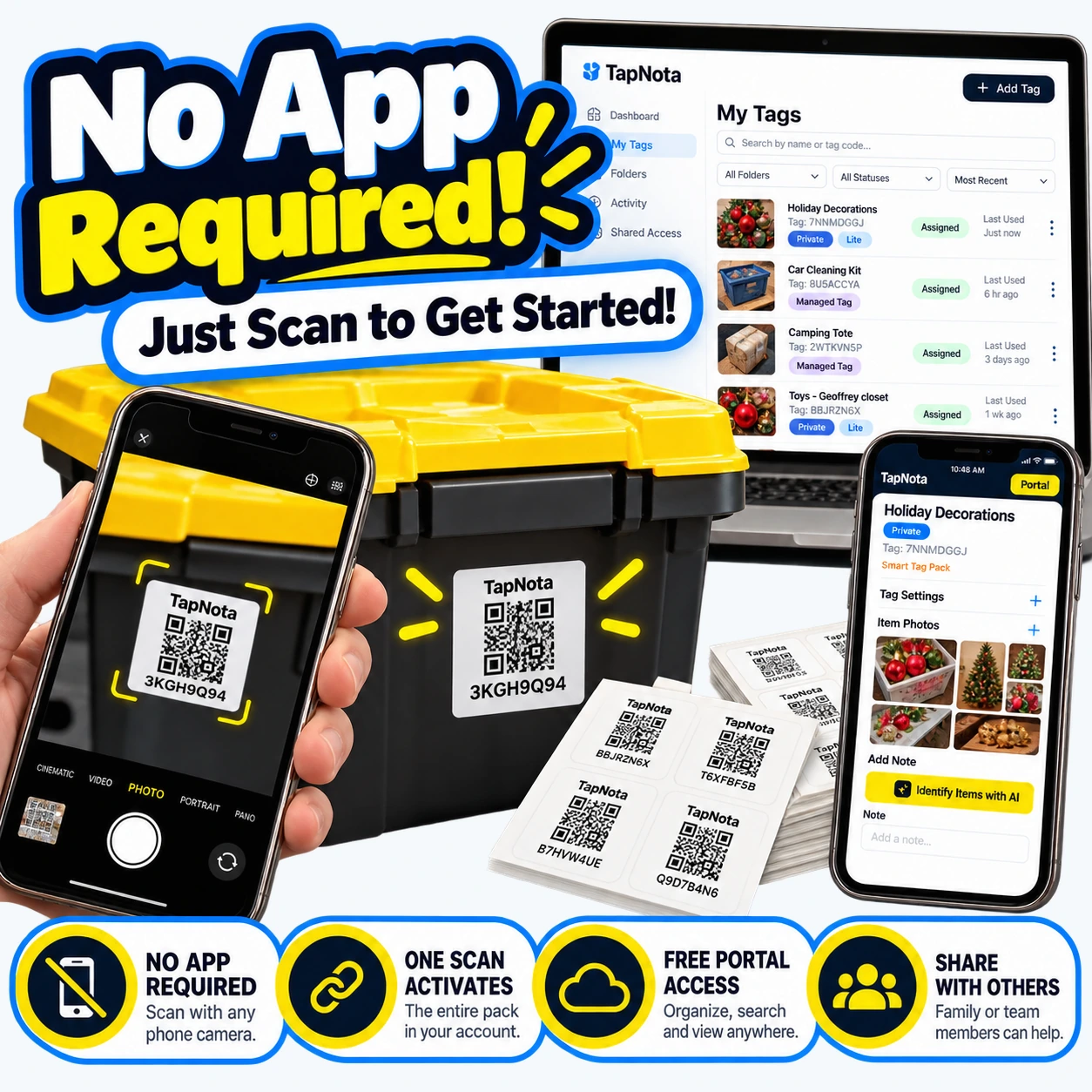
One common hurdle with inventory systems is the need to download and manage a specific app. TapNota avoids this by leveraging the native camera on your smartphone or tablet. Just scan a QR label, and your device opens the Item Page in your browser—no app installation necessary.
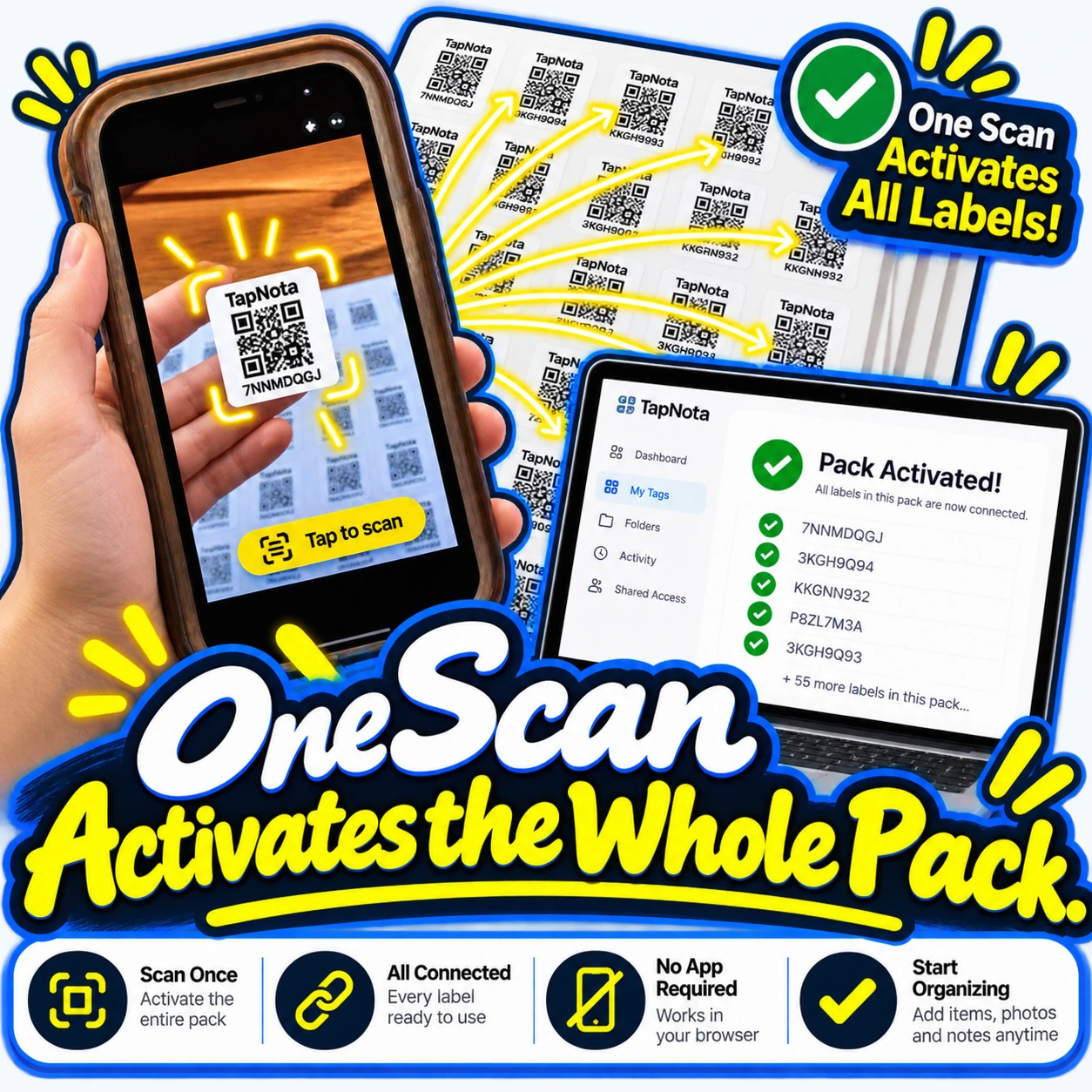
Activation is equally straightforward. When you buy a pack of TapNota labels, scanning any one label and verifying your email activates the entire pack in your account. This means all labels in that pack are instantly ready for use. You can start organizing immediately by adding names, photos, or notes to each Item Page.
Sharing is built in, too. You can invite family members, helpers, or team members to access the same inventory with their own logins, allowing collaborative management without sharing your personal credentials.
Practical Steps to Get Started with TapNota
- Attach Labels: Affix a TapNota smart QR label to each bin, box, tool case, or item you want to track.
- Activate Your Pack: Scan any label from your purchased pack, verify your email, and link the entire pack to your account.
- Add Item Details: Scan a label to open its Item Page, then add a descriptive name, notes, photos, manuals, or condition info.
- Search Anytime, Anywhere: Log into the TapNota web Portal to search your inventory by keywords, tags, or folders without scanning labels.
- Update and Share: Keep your records current as items change, and invite trusted people to collaborate on your inventory.
Optional AI Identification
For users with AI credits, TapNota offers a feature to help identify visible items in a photo taken before packing or organizing. The AI suggests an initial list of contents for you to review and save, streamlining note entry. It’s important to remember this feature does not automatically detect contents by scanning the QR code alone and requires user review.
Why TapNota Is Different from Other Inventory Solutions
Unlike standalone QR stickers or static spreadsheets, TapNota connects each physical label to a dynamic, editable digital record accessible via a centralized Portal. This integration means your inventory evolves with your needs, with powerful search and sharing capabilities that traditional labels or apps can’t match.
Moreover, TapNota’s system is designed for ease of use: no app downloads, simple one-scan activation, and flexible web access. Whether you’re organizing a home storage room, managing business equipment, or tracking seasonal decorations, TapNota adapts to your workflow.
Summary
TapNota’s “Scan Here, Search Anywhere” approach offers a modern, efficient way to organize and manage your physical items through smart QR labels and a robust online Portal. By linking each item to an evolving digital record and enabling powerful remote searching, TapNota transforms how you find and track your belongings—whether at home, in storage, or on the go.
Start your inventory journey today by activating a TapNota pack with one simple scan, then experience the freedom to organize and search your items anytime, anywhere.
For more tips on organizing storage bins and home inventories, visit How to Organize Storage Bins for Easy Access and Home Inventory System with Smart QR Labels.
Frequently Asked Questions
Do I need to download an app to use TapNota?
No, TapNota works entirely through your phone or tablet’s native camera and a web browser. You simply scan the QR label to open the Item Page without installing any app.
How do I activate my TapNota label pack?
Scan any one label from your purchased pack and verify your email address. This action activates the entire pack in your account, so you don’t need to activate each label individually.
Can I search my inventory without scanning labels?
Yes, you can log into the TapNota web Portal and search by item names, notes, tag codes, or folders from anywhere without needing to scan any physical label.
Is it possible to share my inventory with family or team members?
Yes, TapNota allows you to invite authorized users to access your inventory with their own login credentials while you retain administrative control.
How does the AI identification feature work?
With AI credits, you can take a photo of visible items before packing. The AI suggests a list of identified objects to review and save on the Item Page. This is optional and requires user confirmation.


