













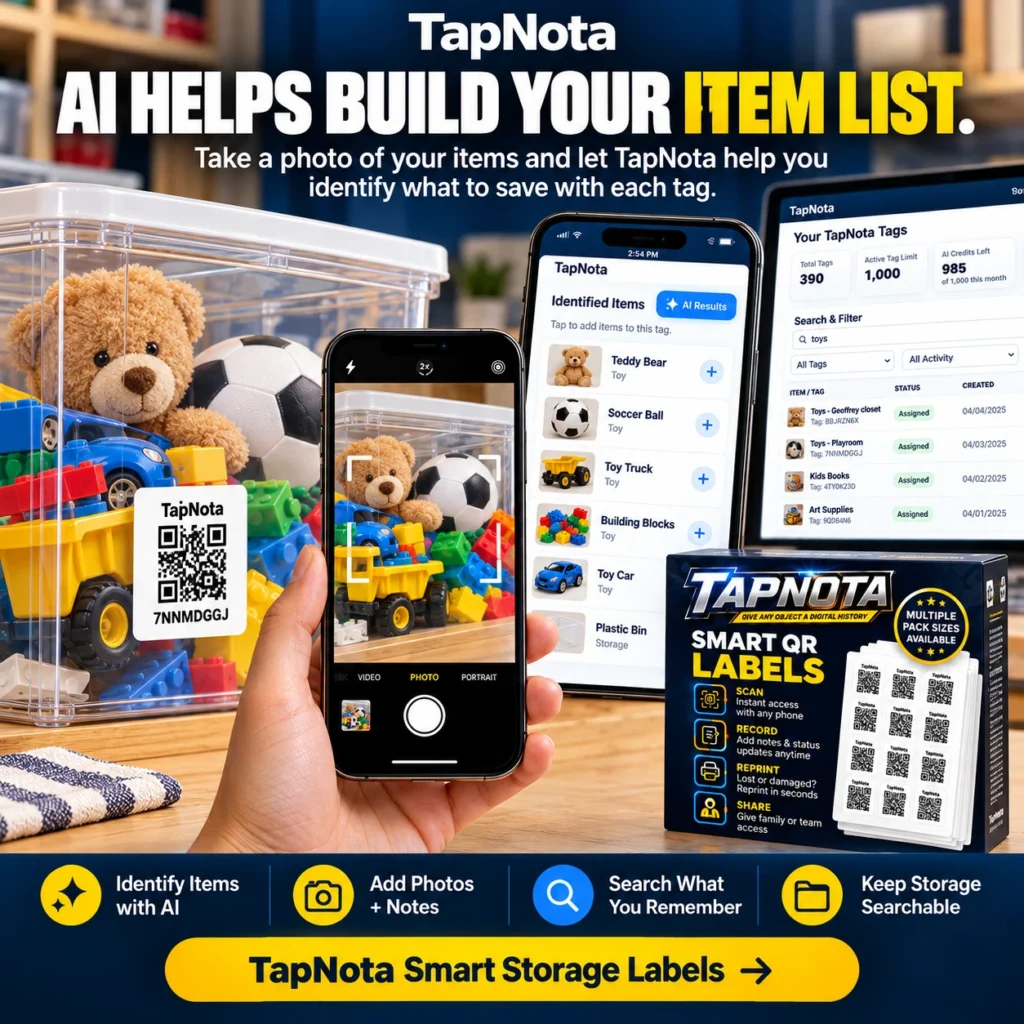
Organizing storage bins, moving boxes, or seasonal decorations can quickly become overwhelming without a clear and efficient system. TapNota offers a unique solution that bridges physical items with digital records through smart QR labels. Its newest AI-powered feature takes this system a step further by helping you identify the contents of your storage containers simply by snapping a photo.
What Makes TapNota Different?
Unlike traditional labeling or spreadsheet-based inventory methods, TapNota combines a physical-to-digital record system using pre-coded smart QR labels. Each label is linked to a unique online Item Page accessible via any smartphone camera scan without needing a dedicated app. This Item Page evolves over time as you add notes, photos, serial numbers, and more.
One key advantage is that you only need to activate one label per purchased pack with your email, and the entire pack becomes tied to your account. This makes managing multiple items seamless without activating each label individually.
How TapNota’s AI Feature Works to Identify Storage Items
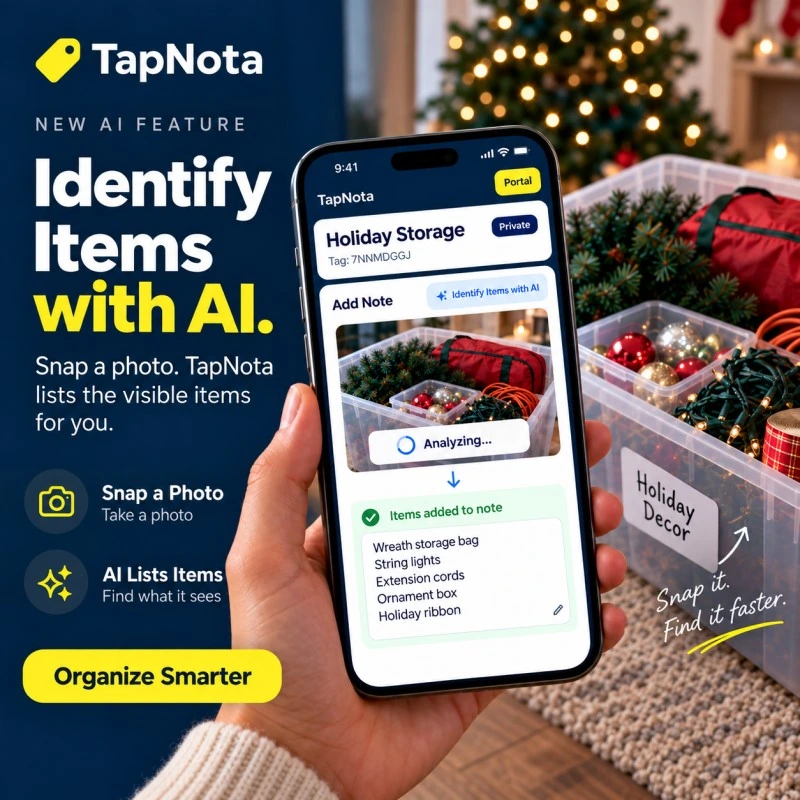
The new AI feature is an optional tool accessible on the Item Page by signed-in owners. When you are ready to catalog what’s inside a bin or box, you simply take or select a photo showing the visible items. TapNota’s AI analyzes the image and suggests a list of identified items that you can review, edit, and save directly into the item’s notes.
This process helps build your item list quickly without manually typing every detail. It is especially useful for containers with multiple small or similar items, such as toys, holiday decorations, or craft supplies.
Keep in mind that the AI only sees visible objects in the photo; it cannot detect contents inside closed or opaque containers. Also, AI suggestions are a helpful starting point and may require your review for accuracy.
Step-by-Step Example: Organizing Holiday Storage
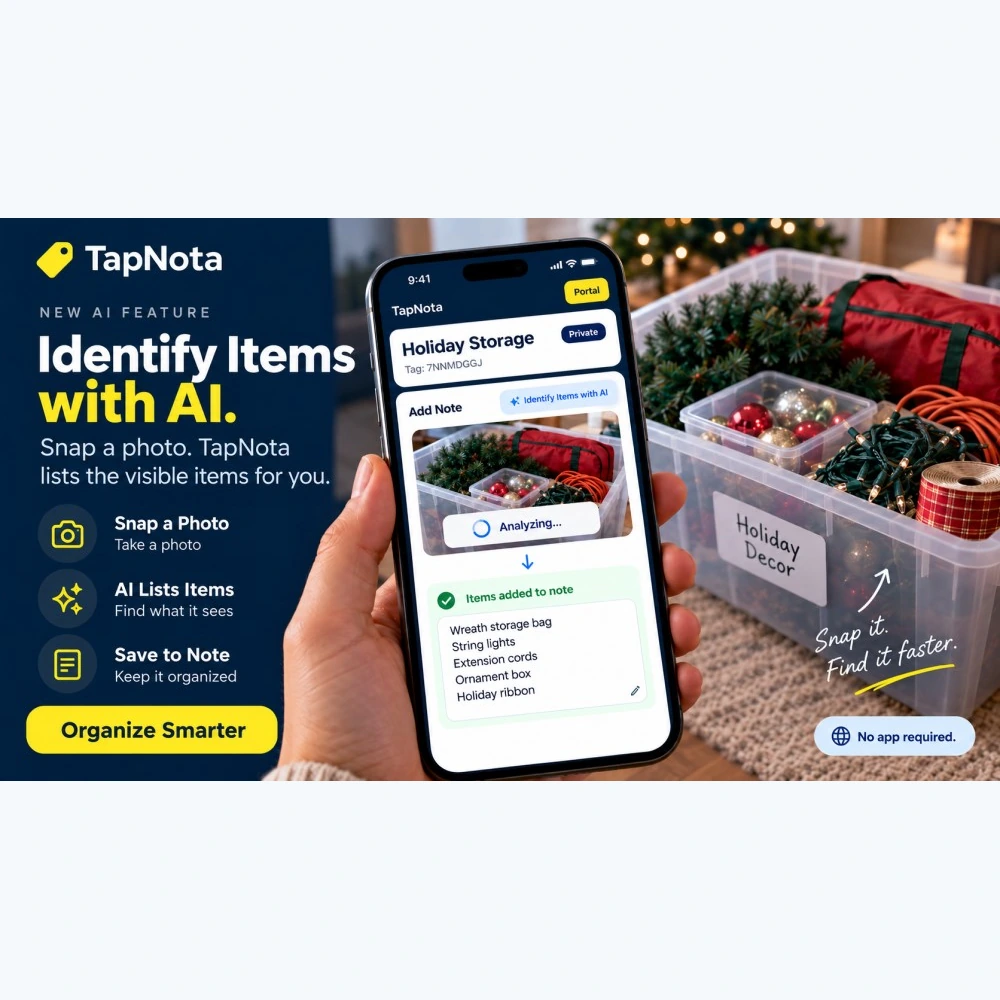
Imagine you have a plastic storage bin filled with various holiday decorations like string lights, wreaths, ribbons, and ornament boxes. Here’s how TapNota’s AI feature can simplify your organization:
- Attach a TapNota smart QR label to the storage bin.
- Scan the label with your phone to open the unique Item Page in the TapNota web Portal.
- Take a clear photo showing the visible contents of the bin before closing it.
- Tap the “Identify Items with AI” button on the Item Page.
- Wait for the AI to analyze the photo and generate a suggested list of items like “Wreath storage bag,” “String lights,” “Extension cords,” “Ornament box,” and “Holiday ribbon.”
- Review the list, add or remove items as needed, then save it to the note section.
- From now on, scanning the same QR label will open the updated Item Page with your saved list, photos, and notes.
This method saves time and effort while keeping your storage searchable and organized.
Additional Benefits of Using TapNota AI for Storage Organization
- Search Without Scanning: You can search your entire inventory by item names, notes, or tags directly in the Portal without needing the physical label.
- Dynamic Records: Update your Item Pages anytime with new photos, condition notes, or instructions without printing new labels.
- Sharing & Privacy: Share individual Item Pages with family or helpers via secure links, or invite them to collaborate using Shared Account Access.
- Reprint Labels: If a label is damaged or lost, you can reprint it without losing any linked data or history.
- Multiple Pack Sizes: Choose from original 2×2 inch or mini 1×1 inch labels depending on your storage needs.
Tips for Getting the Best AI Identification Results
- Take clear, well-lit photos showing as many visible items as possible.
- Open containers or bins before photographing to let the AI see inside.
- Review and edit AI suggestions carefully to ensure accuracy.
- Use consistent naming and tagging conventions in your notes for easier searching.
- Regularly update your records to reflect any changes in contents or condition.
By combining TapNota’s smart QR labels with AI-powered identification, you gain a powerful tool to keep your storage organized, searchable, and easily manageable over time.
Explore more about how TapNota can transform your storage and inventory management by visiting the How to Organize Storage Bins for Easy Access and AI-Powered Storage Organizer with Smart QR Labels pages.
Frequently Asked Questions
Do I need to install an app to use TapNota’s AI feature?
No, TapNota’s system works entirely through your phone’s web browser. There is no dedicated app to install.
Can the AI see inside closed boxes or bins?
No, the AI can only identify visible items in the photo. You need to open containers to let the AI analyze their contents.
Is the AI identification automatic when scanning a label?
No, AI identification is an optional feature that you activate by taking or selecting a photo on the Item Page after signing in.
Can I share my inventory with family or team members?
Yes, TapNota supports sharing individual Item Pages via links and also allows Shared Account Access for approved collaborators with separate logins.
What happens if I lose or damage a QR label?
You can easily reprint the label from the Portal without losing any linked data or history.


