













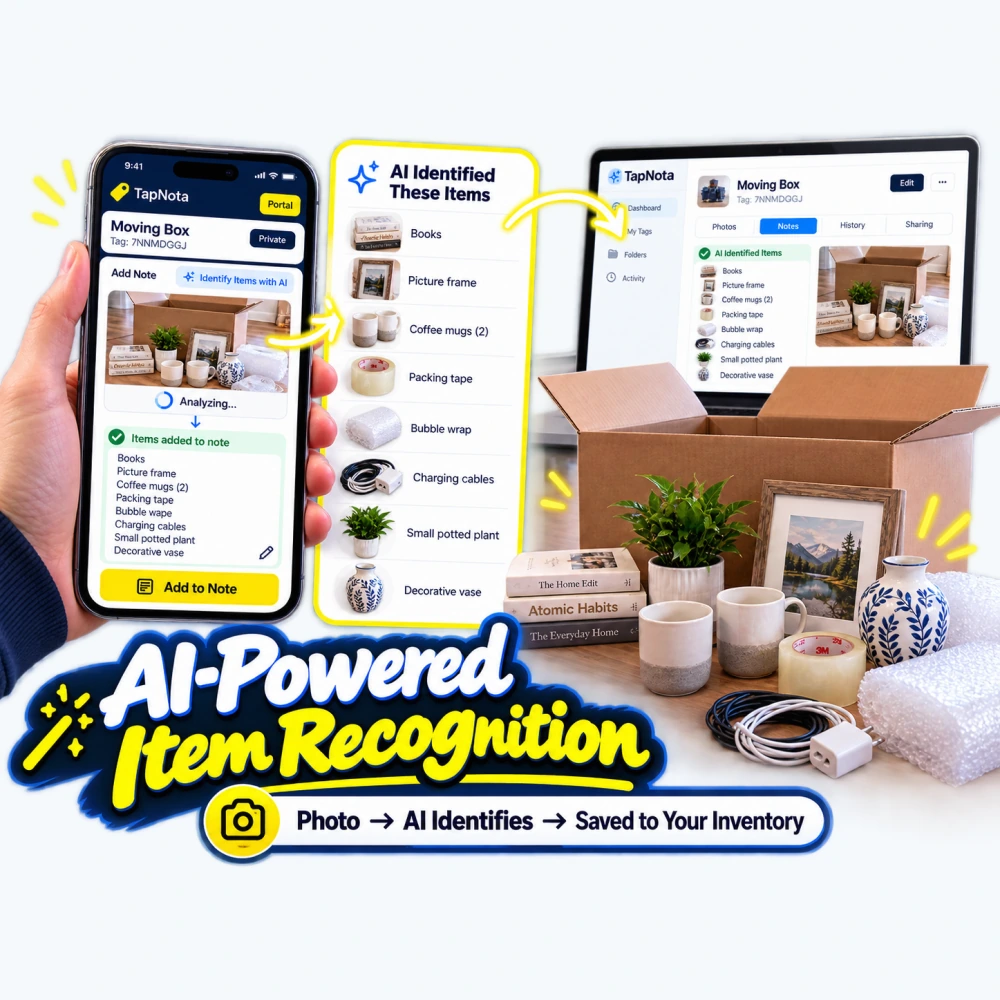
Managing and organizing your inventory can be a daunting task, especially when dealing with numerous items stored in boxes, bins, or shelves. TapNota’s AI-powered item recognition feature is designed to simplify this process by helping you build detailed, searchable digital records quickly and accurately. This article walks you through how to use TapNota’s AI to identify items from photos, add notes, and organize your inventory efficiently.
What is TapNota’s AI-Powered Item Recognition?
TapNota is a physical-to-digital record system that uses pre-coded smart QR labels attached to your items or containers. Each label opens an evolving Item Page in the TapNota web Portal, where you can add and update information over time. The AI-powered item recognition feature is an optional tool that helps you identify visible objects in a photo, providing a starting list of items that you can review, edit, and save to your inventory record.
Unlike automatic scanning, AI recognition requires you to take or select a clear photo of visible items—ideally before packing or while contents are visible. The AI then analyzes the image and suggests item names, which you can confirm or modify. This feature helps you save time entering detailed information and creates a more accurate digital inventory.
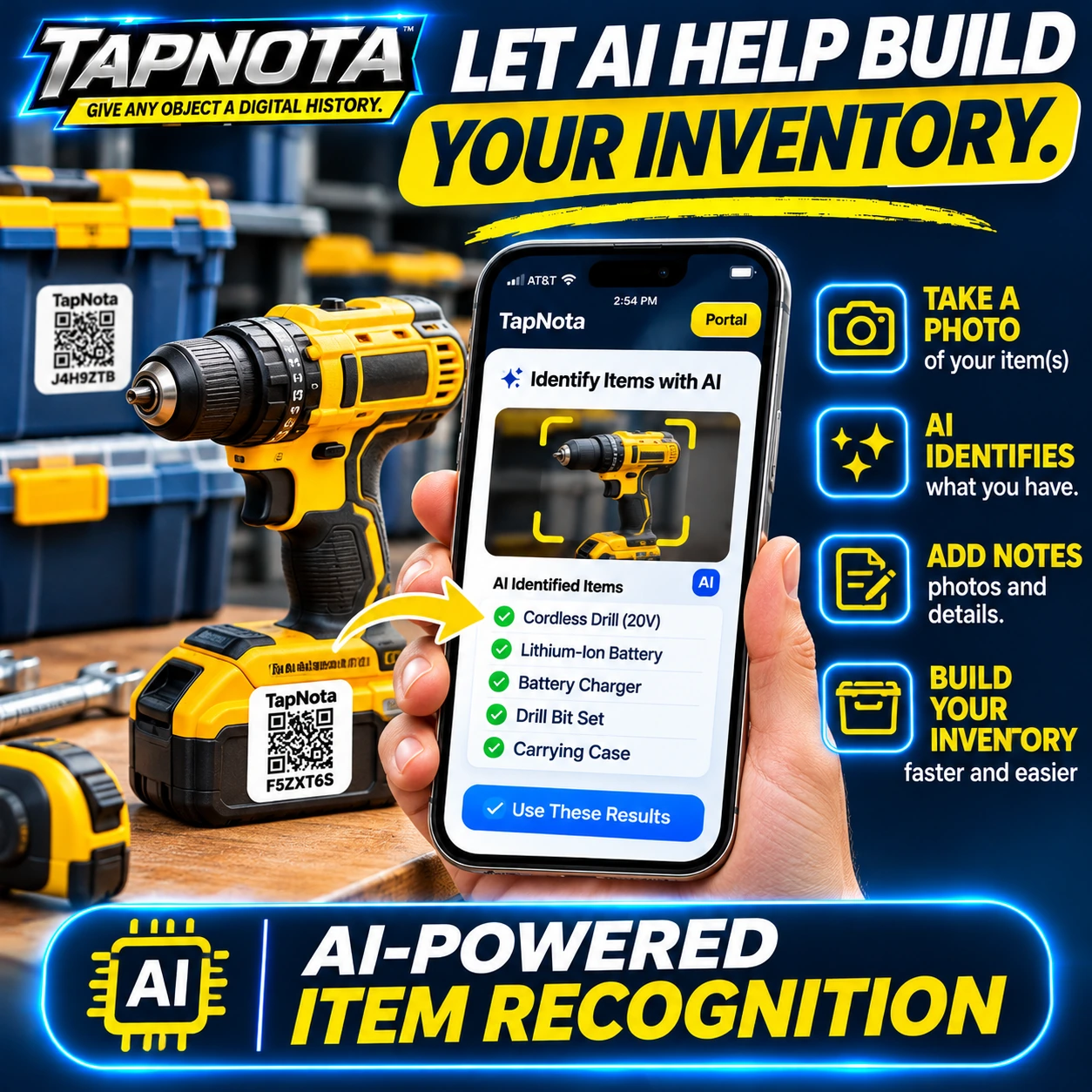
Step-by-Step Guide to Using TapNota AI for Inventory Building
- Attach a TapNota Smart QR Label: Start by attaching a pre-coded TapNota QR label to your item, box, bin, or grouping. If you purchased a pack, activating one label with your email associates the entire pack to your account.
- Open the Item Page: Scan the label or open the TapNota web Portal and enter the tag code manually to access the specific Item Page.
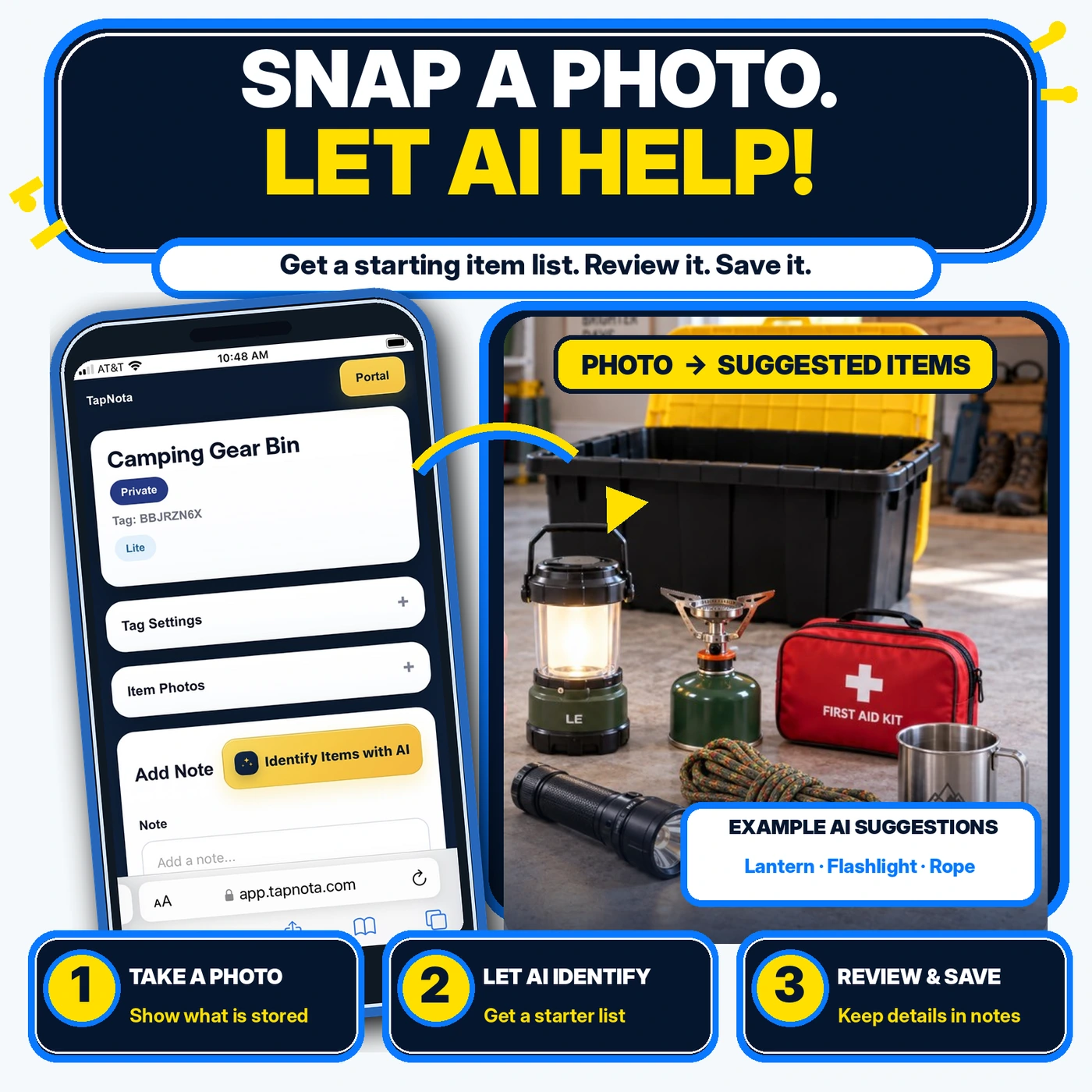
- Take a Photo of Visible Items: Use the “Identify Items with AI” button on the Item Page to take or upload a photo showing the contents clearly. This photo is used solely for AI analysis and is not automatically saved as a permanent photo.
- Let AI Identify Items: The AI processes the image and generates a list of recognized items, such as “Books,” “Coffee Mugs,” “Packing Tape,” and more. This list appears on your device for review.
- Review and Edit: Carefully review the suggested items. You can add missing items, remove incorrect suggestions, or adjust quantities before saving.
- Add Notes and Details: Enhance your record by adding permanent photos, serial numbers, manuals, instructions, or condition notes. The AI list is a starting point, but your input ensures accuracy and completeness.
- Save to Your Inventory: Once satisfied, save the note with the AI-identified items. Your inventory is now searchable by these item names, making it easy to find later through the Portal without needing the physical label.
This workflow dramatically reduces the manual effort of typing out contents and helps maintain up-to-date records that evolve as you add more details or update conditions.
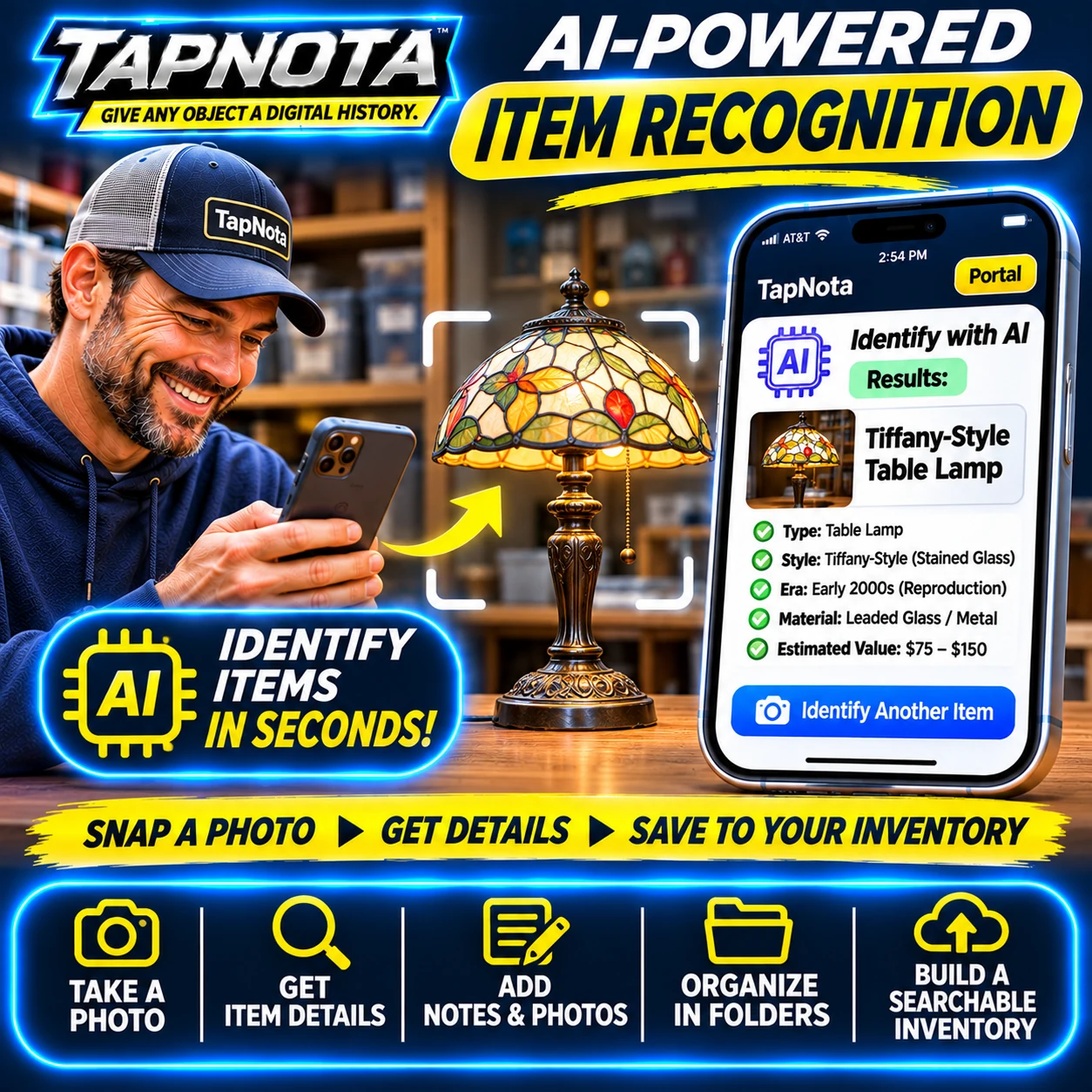
Practical Examples of AI-Powered Inventory Building
Consider a scenario where you are packing a moving box filled with household items. Instead of manually listing each item, you take a photo of the contents—books, a picture frame, coffee mugs, bubble wrap, cables, and a decorative vase. TapNota’s AI quickly identifies these items and suggests a list, which you verify and save. Later, when you search your inventory, you can find this box by any of these keywords without opening it.
Similarly, for business equipment like a cordless drill kit, AI can identify the drill, battery, charger, drill bits, and carrying case. This speeds up asset tracking and maintenance logging, ensuring you have detailed digital records linked to physical tools.
For collectors or hobbyists, such as vintage lamp enthusiasts, AI recognition can provide detailed descriptions including style, era, materials, and estimated value, helping you document and manage your collections more effectively.
Best Practices for Using TapNota AI Item Recognition
- Use Clear, Well-Lit Photos: For best AI results, ensure your photos show items clearly with minimal clutter and good lighting.
- Review AI Suggestions Carefully: AI recognition is a helpful starting point but not infallible. Always check and edit the list before saving.
- Keep Photos Updated: Add permanent photos separately on the Item Page to maintain a visual record beyond the temporary AI analysis image.
- Leverage Search and Folders: Use TapNota’s search function in the Portal to find items by name, note text, or tags, even without scanning the physical label.
- Share Selectively: Use sharing options to provide access to individual Item Pages or invite trusted collaborators via Shared Account Access for team inventory management.
By integrating AI-powered recognition with TapNota’s smart QR labels and web Portal, you gain a powerful tool to build, organize, and maintain your inventory faster and with greater detail.
Learn More About TapNota Features
Explore how TapNota’s AI-powered smart QR labels simplify storage and inventory management in our detailed guide How TapNota’s AI-Powered Smart QR Labels Simplify Storage and Inventory. For an overview of the entire system, visit How QR Asset Tracking Works with Digital Item History. To explore AI-driven storage organization, see AI-Powered Storage Organizer with Smart QR Labels.
Frequently Asked Questions
Does TapNota’s AI automatically identify items when I scan a QR label?
No, AI item recognition is an optional feature you activate on the Item Page by taking or uploading a photo of visible items. Scanning a label alone opens the record but does not automatically identify contents.
Can the AI see inside closed boxes or containers?
No, the AI only identifies visible objects in the photo you provide. It cannot see through closed containers or unopened boxes.
Is the AI-generated item list permanent on my inventory record?
The AI suggestion is added as a note that you save on the Item Page. You can edit, expand, or remove it anytime. The original AI analysis photo is temporary and not saved permanently unless you add it separately.
Do I need a paid plan to use AI item recognition with TapNota?
AI recognition is optional and requires signing into your TapNota account. Usage depends on your current plan or label pack, as AI identifications consume credits. Basic label activation and core functions do not require a paid plan.
Can I share AI-identified item records with family or team members?
Yes, you can share individual Item Pages via revocable links or invite collaborators through Shared Account Access, which allows multiple users to manage the same inventory with separate logins.


