













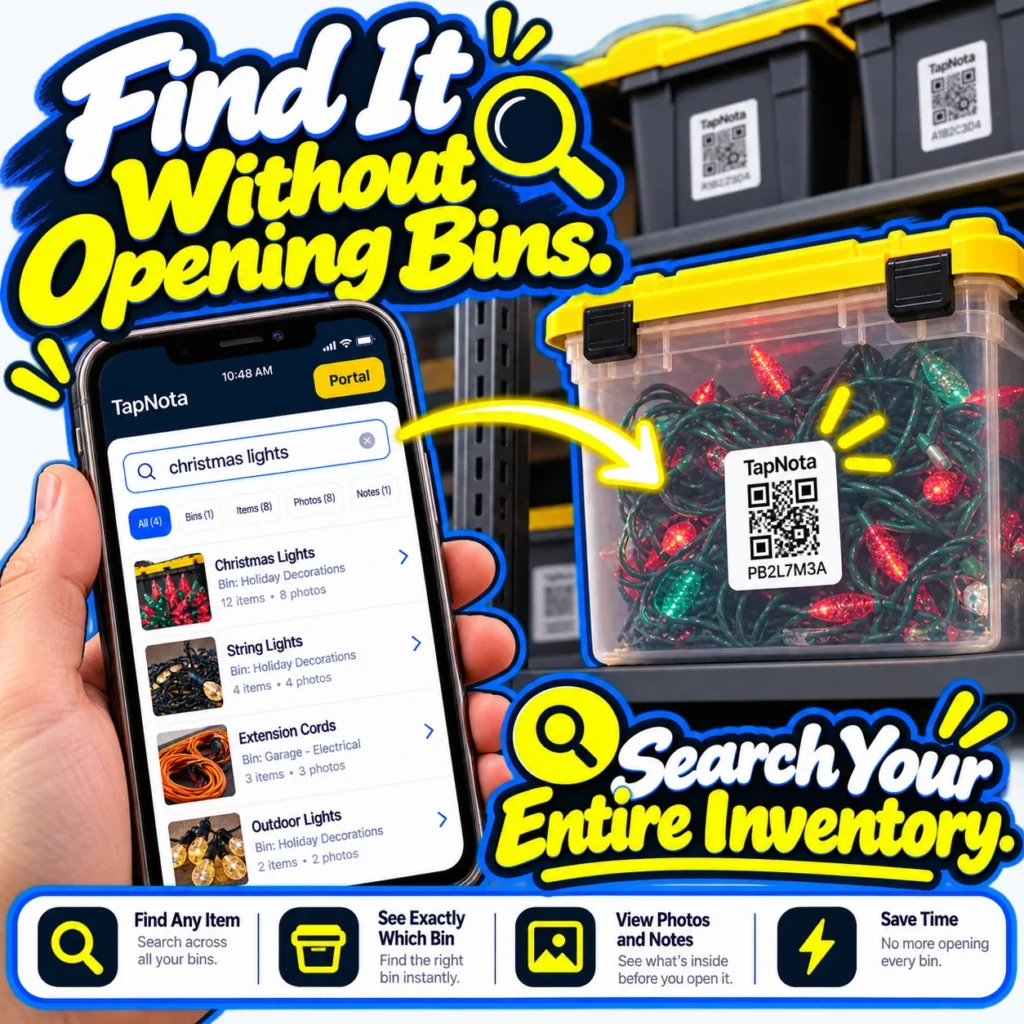
Storing seasonal decorations, tools, or hobby gear in bins is a common way to keep your space tidy. But when you need something specific, opening each bin to find it can be frustrating and time-consuming. TapNota offers a modern solution that lets you find items without opening bins by combining smart QR labels with a powerful, searchable web Portal.
How TapNota Helps You Find Items Without Opening Bins
TapNota’s system uses pre-coded smart QR labels that you attach to each bin or storage container. Each label opens a unique, evolving Item Page in your TapNota web Portal, where you can add detailed information about the bin’s contents. This means you can:
- Search your entire inventory by item names, tags, or notes without needing to scan a label first.
- See exactly which bin contains the item you want, including photos and notes describing the contents.
- Save time and avoid frustration by knowing what’s inside before you open any bin.
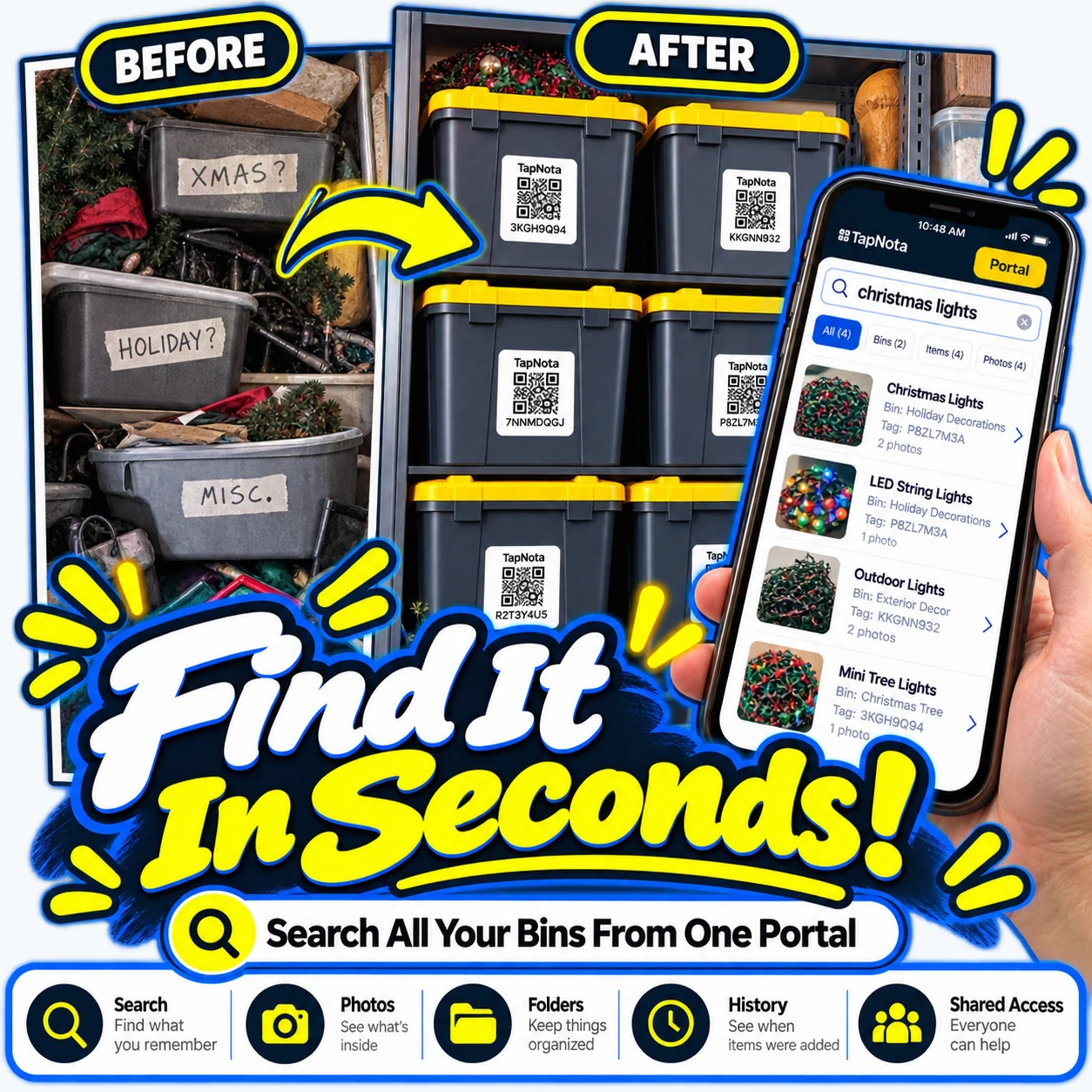
Step-by-Step: Finding Items Instantly
Here’s how you can find what you need in seconds with TapNota:
- Attach a TapNota QR label to each bin or container you want to organize.
- Scan the label once to activate the pack and open its Item Page.
- Add detailed information such as the bin’s name, contents, photos, serial numbers, or notes about condition or usage.
- Use the TapNota web Portal to search your entire inventory by typing keywords like “christmas lights” or “extension cords.”
- View search results showing the exact bin and item details, including photos, so you know what’s inside without opening anything.
This workflow means you don’t need to scan each label or open bins to find what you’re looking for. The searchable Portal is your command center for all stored items.
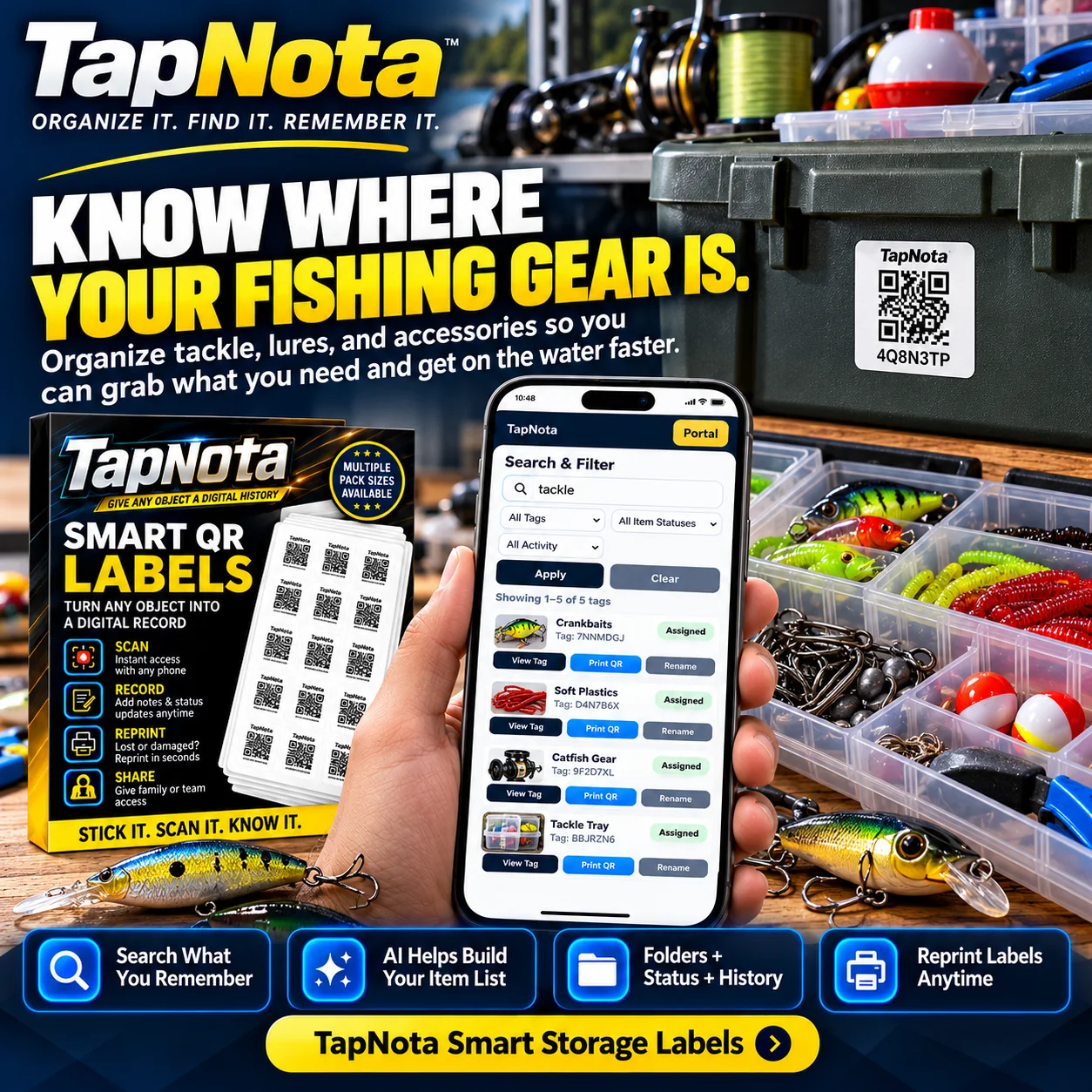
Organize Any Collection or Tool Set
TapNota isn’t just for holiday storage. It works equally well for organizing fishing gear, tools, workshop supplies, or hobby collections. For example, a fishing tackle box can have its own QR label with an Item Page listing lures, lines, and accessories. When you need a specific item, a quick search reveals its exact location.
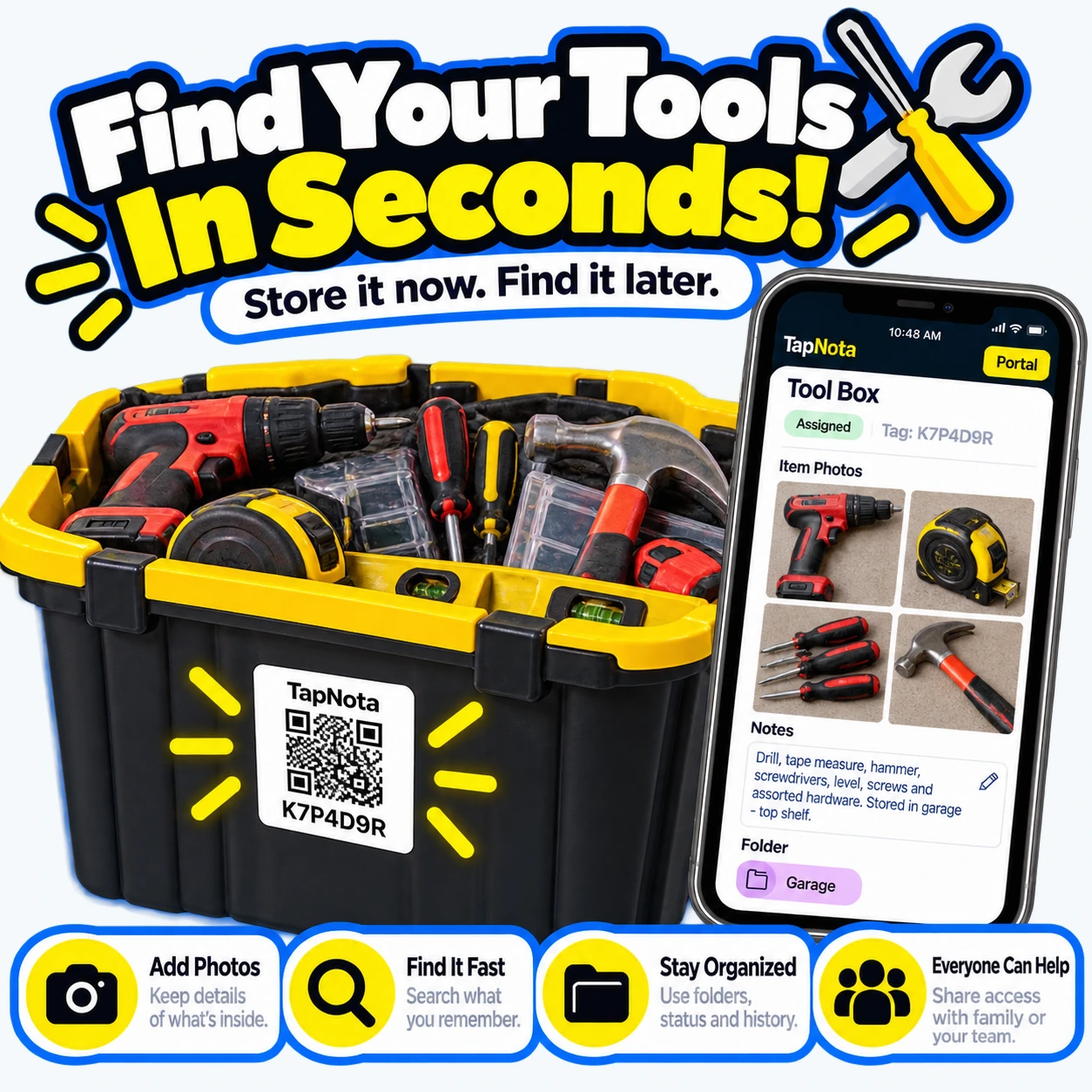
Similarly, a tool bin labeled with TapNota lets you catalog each tool with photos and notes. This makes it easy to check if everything is accounted for, track usage history, or share access with family or team members.
Additional Features That Make Finding Items Easier
- Folders and Tags: Group related bins or items for faster browsing and better organization.
- Activity History: See when items were added or updated to keep your inventory current.
- Shared Access: Invite family or coworkers to collaborate on the inventory with their own logins while you maintain control.
- Reprint Labels: Quickly replace damaged QR labels without losing your saved data or history.
- Optional AI Identification: Take photos of visible items to get AI-generated suggestions for notes—review and save to enhance your records.
Why TapNota Is Different from Traditional Labels or Spreadsheets
Unlike handwritten labels or static spreadsheets, TapNota links a physical QR label to a dynamic, editable digital record. Your Item Pages evolve over time, letting you update contents, add photos, and track changes without printing new labels. The powerful search and folder system lets you find items instantly without needing the physical label in hand.
Many solutions require scanning each label before searching or lack detailed photo and note capabilities. TapNota’s approach saves time, reduces errors, and makes managing your stored items effortless.
Getting Started with TapNota
To begin, purchase a pre-coded pack of TapNota labels. Scan any one label and verify your email address to activate the entire pack under your account—no need to activate each sticker individually. Attach labels to your bins, scan each once to open its Item Page, then add your inventory details.
From there, use the web Portal on any device to search your entire inventory by keywords, tags, or folder names. You can instantly find the bin containing the item you want, view photos and notes, and plan your next steps without opening a single container.
For more detailed setup help, visit the TapNota Product Support & Setup Guide.
Conclusion
Whether you’re organizing holiday decorations, fishing gear, tools, or any other stored items, TapNota’s smart QR labels and searchable Portal make finding what you need fast and easy. Say goodbye to frustrating bin searches and hello to instant access, detailed records, and shared organization.
Start finding items without opening bins today with TapNota.
Explore related topics like How to Organize Storage Bins for Easy Access and QR Inventory Labels for Smart Inventory Tracking to maximize your storage efficiency.
Frequently Asked Questions
Can I search my TapNota inventory without scanning a label?
Yes, you can open the TapNota web Portal and search your entire inventory by item names, notes, tags, or folder names without needing to scan any physical label.
Do I need to activate each TapNota label individually?
No, when you scan and activate any one label in a purchased pack and verify your email, the entire pack becomes associated with your account automatically.
Can I add photos and notes to my storage bins?
Absolutely. Each Item Page lets you add permanent photos, detailed notes, serial numbers, and other information to clearly document what’s inside each bin.
Is there a mobile app required to use TapNota?
No, TapNota works entirely through scanning QR labels with any phone and managing your inventory via the browser-based web Portal—no dedicated app installation is needed.
Can I share my inventory with family or team members?
Yes, TapNota supports Shared Account Access, allowing approved members to log in with their own credentials to collaborate on the inventory while you retain administrative control.


