













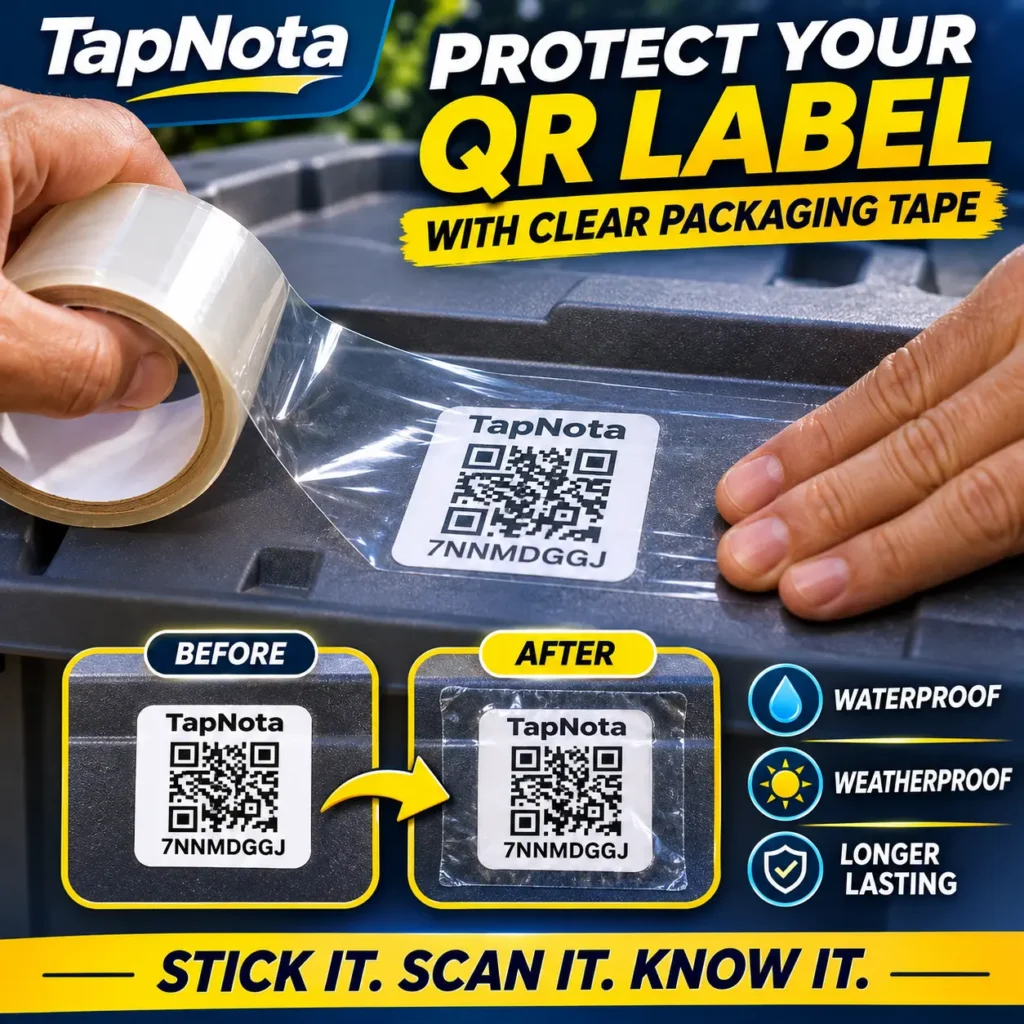
Protect your TapNota AI-Smart QR Storage Labels from moisture, weather, and everyday wear with one simple step.
Outdoor storage presents a challenge that many people overlook: keeping storage labels readable over time.
Whether you store holiday decorations in a backyard shed, camping supplies in a garage, tools in a storage building, or seasonal equipment in outdoor containers, your labels may encounter rain, condensation, humidity, dust, sunlight, and changing temperatures.
Traditional handwritten labels can become difficult to read. Some adhesive labels deteriorate when exposed to moisture. Direct-thermal labels can fade or discolor when subjected to prolonged heat and sunlight.
TapNota AI-Smart QR Storage Labels offer a smarter approach to storage organization, and a simple layer of clear shipping tape can provide additional protection when those labels are used in demanding environments.
Even better, TapNota labels are printed on conventional paper label stock rather than using the heat-sensitive printing process found in many direct-thermal shipping labels.
Combine that with TapNota’s searchable digital Portal, AI-powered item identification, photos, notes, folders, and inventory tracking, and you have much more than a traditional storage label.
You have a digital organization system that helps you know what’s inside your containers without opening them.
Watch: How to Protect TapNota QR Storage Labels With Clear Shipping Tape
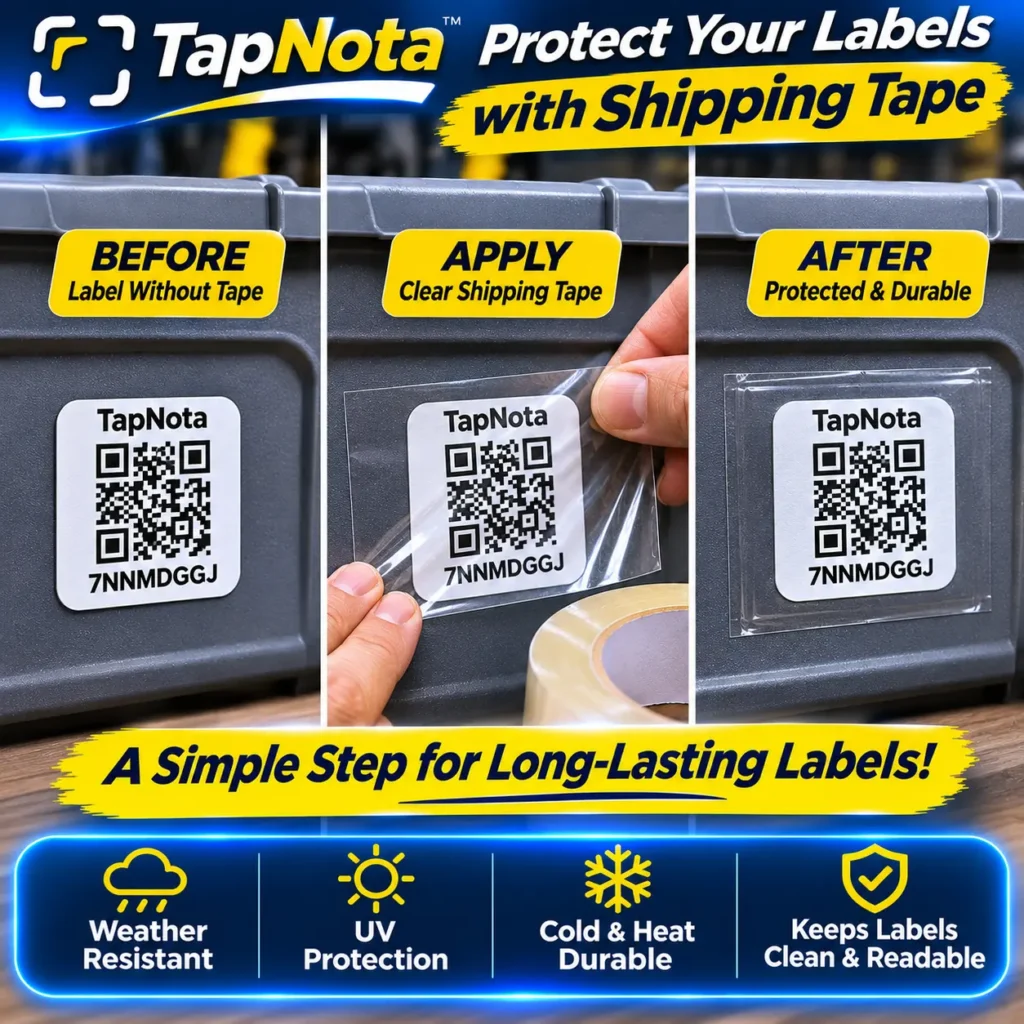
Our demonstration shows a straightforward method for adding a protective layer over a TapNota QR label using common clear packaging tape.
The process takes only a few moments and requires no specialized equipment.
Apply the label to a clean, dry storage container, place a sufficiently large piece of clear shipping tape over it, smooth out air bubbles, and verify that the QR code still scans properly.
The tape acts as an additional barrier between the printed label and everyday moisture, splashes, dirt, and handling.
This can be particularly useful for garage storage, covered patios, sheds, outdoor storage containers, and similar environments.
Why TapNota Uses Printed Paper Labels Instead of Direct-Thermal Labels
One of the important differences between TapNota labels and many common shipping or barcode labels is how the QR code is printed.
Not all printed labels are designed for long-term use.
The Problem With Direct-Thermal Labels
Direct-thermal printing is commonly used for shipping labels, receipts, temporary identification stickers, and other short-term applications.
These printers create images by applying heat to chemically treated, heat-sensitive label material.
Unlike laser or inkjet printing, direct-thermal printing does not deposit traditional ink or toner onto the paper.
This makes the technology convenient and inexpensive for temporary labeling, but it introduces limitations for long-term storage.
Over time, direct-thermal labels may:
- Fade or lose contrast with exposure to sunlight and ultraviolet light.
- Darken when exposed to excessive heat.
- Become discolored during extended storage.
- Lose barcode or QR code readability as the background changes.
- Become difficult to scan when the printed pattern deteriorates.
Imagine labeling a storage tote with a conventional direct-thermal shipping label and placing it in a hot shed for an extended period.
Eventually, the QR code may lose sufficient contrast to be read reliably.
That is an inconvenience when the entire purpose of the label is to identify the container and retrieve important stored information.
Direct-thermal technology works well for its intended applications, but standard direct-thermal labels are not necessarily the ideal choice for long-term storage identification.
Why TapNota’s Conventional Printed Paper Labels Make Sense
TapNota takes a different approach.
Instead of depending on chemically treated, heat-sensitive direct-thermal paper, TapNota QR labels are printed onto conventional paper label material.
With laser printing, the QR code is produced using toner bonded to the label surface rather than an image created by darkening a thermal coating.
This offers several practical advantages.
1. Better suitability for long-term identification
Properly printed conventional labels do not depend on the same heat-reactive coating used by standard direct-thermal labels. As a result, they avoid an important cause of thermal-label deterioration.
2. Clear black-and-white QR codes
QR codes depend on strong visual contrast between their dark and light areas. Quality printing produces well-defined patterns that smartphones can recognize.
3. Reduced sensitivity to thermal darkening
Because a conventional laser-printed QR image is not created by chemically darkening thermal paper, it does not experience that same heat-sensitive background-darkening mechanism.
4. Practical for long-term storage organization
Storage bins frequently remain untouched for months or years. A QR label intended for this purpose should prioritize continued readability rather than the short lifespan typical of disposable shipping labels.
5. Additional protection is easy to apply
A conventional paper label can be covered with suitable transparent tape to provide an extra layer of protection against moisture, dirt, and abrasion.
6. Reprinting is possible
If a TapNota label eventually becomes damaged, the connected QR code can be reprinted from the TapNota Portal without recreating the digital inventory record.
This means your notes, photos, and stored information can remain available even when the physical label needs replacing.
An Important Distinction: Printed Paper Is Not Automatically Waterproof
Conventional printed paper labels have advantages, but paper is still vulnerable to moisture.
Laser printing also does not automatically make a label UV-proof, scratch-proof, or suitable for indefinite outdoor exposure.
That is why adding a protective covering can be useful.
For outdoor environments, the combination of a clear printed QR code, an appropriate adhesive surface, careful application, and a moisture-resistant covering helps improve the chances that the label will remain readable.
For prolonged direct sun, heavy rain, or severe exposure, purpose-made outdoor-rated labels and laminates may be a better option.
How to Make TapNota QR Storage Labels More Water-Resistant With Clear Shipping Tape
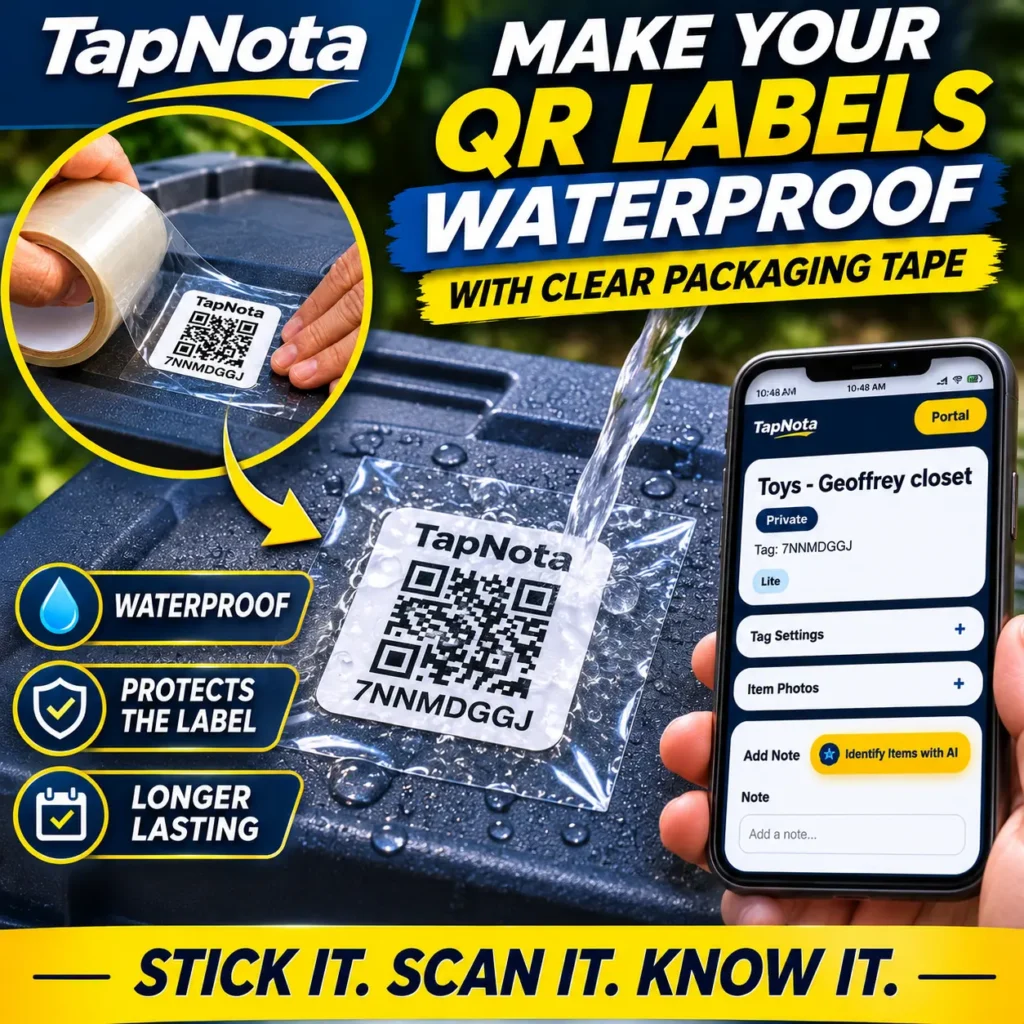
You do not need an expensive laminating machine to add some protection to an ordinary storage label.
For many household storage applications, common clear packaging tape provides a practical, affordable solution.
Step 1: Choose Your Storage Container
Start with the container you want to organize.
TapNota labels work especially well on plastic storage totes, moving boxes, tool containers, seasonal storage bins, and other containers with a suitable smooth surface.
Whenever possible, choose a flat area where the QR code can be scanned easily.
Avoid deep grooves, textured surfaces, or areas that experience constant bending and friction.
Step 2: Clean and Dry the Surface
Before attaching the label, remove dirt, dust, grease, and moisture from the container.
Allow the surface to dry completely.
A clean, dry surface helps the label adhesive bond more effectively and reduces the chance that moisture will become trapped underneath the label.
This is especially important for outdoor containers that may already have condensation on them.
Step 3: Apply Your TapNota AI-Smart QR Label
Peel the backing from your TapNota label and carefully apply it to the chosen location.
Press it firmly against the container, smoothing from the center outward.
Make sure the entire label lies flat against the surface.
Avoid wrinkles, folds, and bubbles around the QR code.
A flat QR code is generally easier to scan and easier to cover with tape.
Step 4: Cut a Piece of Clear Shipping Tape
Use good-quality, transparent packaging tape.
The tape should be wider than the label, or you should use overlapping strips when necessary.
For best results, allow the tape to extend approximately ¼ to ½ inch beyond the label on every side where the container surface permits.
This creates a border around the printed paper rather than simply covering the QR pattern itself.
The goal is to reduce the opportunity for water to enter at the label edges.
Step 5: Apply the Tape Over the Label
Start at one side and gradually lay the tape across the label while smoothing it down.
Press firmly to remove air pockets.
Avoid stretching the tape excessively or creating folds directly over the QR code.
The finished covering should be as smooth and transparent as possible.
Important: Apply tape before the label becomes wet. Do not try to seal moisture underneath it.
Step 6: Press Down the Edges
Inspect the tape around the entire label.
Press all edges firmly against the container.
Pay particular attention to corners because they may lift first during repeated handling.
Avoid placing tape edges across ridges or uneven container surfaces whenever possible.
Step 7: Test the QR Code With Your Phone
Once the tape is installed, open your smartphone camera and scan the QR code.
Your TapNota Item Page should open normally.
If the camera has difficulty reading it, inspect the surface for wrinkles, bubbles, excessive glare, or tape seams crossing the code.
Test the label from several normal scanning angles.
A successful scan confirms that the QR code remains readable at the time of application.
That’s it. Your TapNota storage label now has an additional protective layer.
What Does Clear Shipping Tape Protect Against?
Clear packaging tape can help shield the printed label from several common storage-related problems.
Rain and Water Splashes
A properly applied tape covering can reduce direct contact between water and the paper beneath it.
This is especially useful for containers exposed to occasional rain, splashing, or outdoor cleaning.
However, ordinary shipping tape is not guaranteed to form a permanent watertight seal.
Water can still enter through lifted edges, damaged tape, or imperfect adhesion.
Humidity and Condensation
Garages, sheds, basements, and outdoor storage areas often experience changing humidity levels.
A tape covering provides an additional surface barrier that may help reduce moisture exposure to the printed label.
Dirt and Dust
Outdoor storage containers collect dust, pollen, dirt, and debris.
A smooth protective film can make the covered label easier to wipe clean without rubbing directly against the printed paper.
Scratches and Everyday Handling
Containers are regularly stacked, moved, opened, and carried.
Clear tape adds a sacrificial layer over the printed surface that can help reduce direct scuffing during normal use.
Changing Temperatures
Storage containers may experience warm days, cool nights, and seasonal temperature changes.
The absence of a direct-thermal coating avoids one particular source of heat-related QR image deterioration.
Nevertheless, tape adhesives and paper labels can still be affected by extreme temperatures, and not all packaging tapes are rated for these conditions.
Sunlight Exposure
Covering a QR label can provide a physical barrier, but ordinary clear shipping tape should not be treated as reliable UV protection unless the tape manufacturer specifically rates it for that purpose.
For containers exposed to prolonged direct sunlight, consider UV-resistant outdoor-rated protective film or move the label to a more sheltered location.
Why TapNota Is Better Than an Ordinary Storage QR Code Label
Protecting the physical QR code is important, but the true value of TapNota comes from what happens after you scan it.
TapNota is not simply a printed QR sticker.
It connects your physical storage containers with an organized digital inventory that can be searched, updated, and shared.
1. Know What’s Inside Without Opening the Container
Traditional storage labels usually contain a few handwritten words such as “Christmas,” “Tools,” or “Garage.”
That leaves you guessing about the actual contents.
With TapNota, one QR label can represent an entire container.
You can document its contents, add descriptions, upload photos, and maintain detailed notes.
For example, a container called “Christmas Decorations – Garage Shelf 3” could have a digital record listing ornaments, lights, tree decorations, extension cords, and holiday accessories.
You don’t need a different QR code on every ornament.
One label on the storage bin can represent everything inside it.
2. Search Your Inventory Without Being Near Your Storage Containers
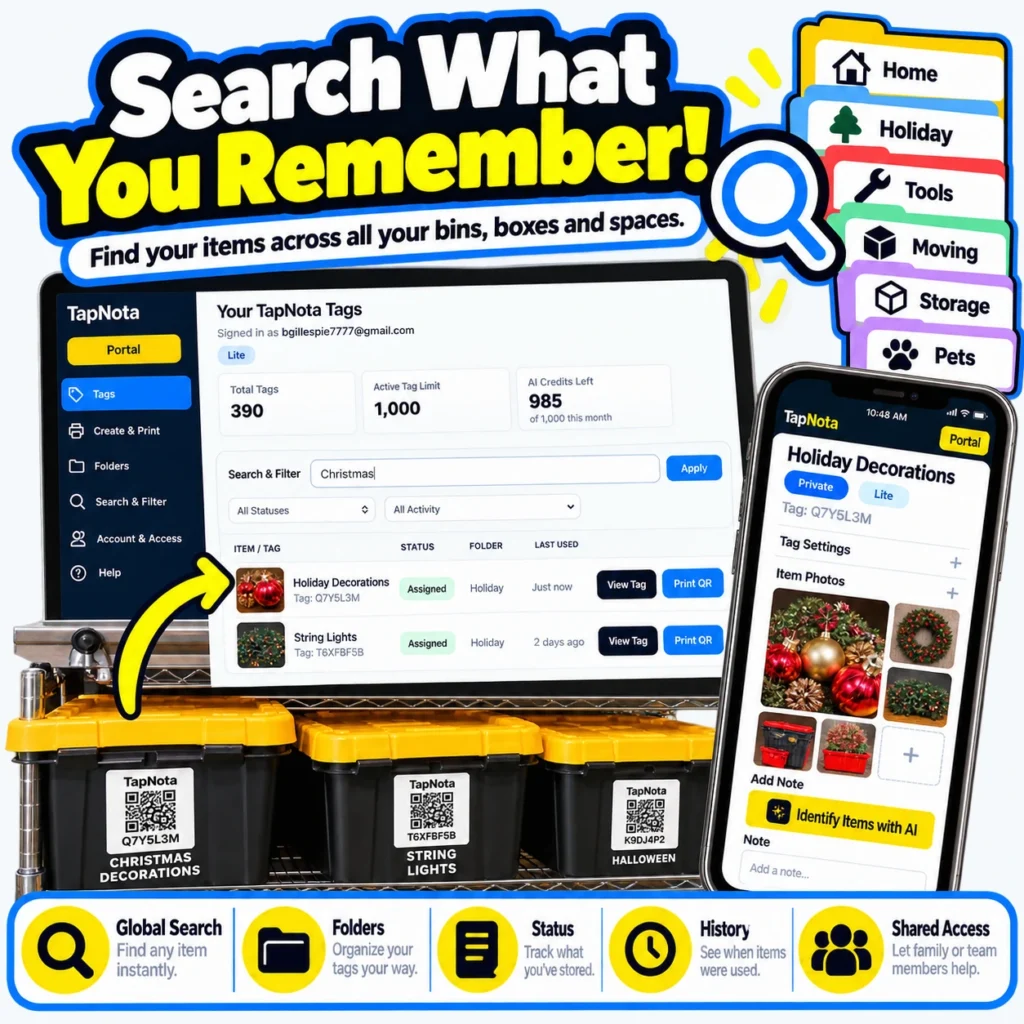
This is one of TapNota’s most useful features.
Imagine you’re inside your house and need to find a particular tool stored in your detached garage.
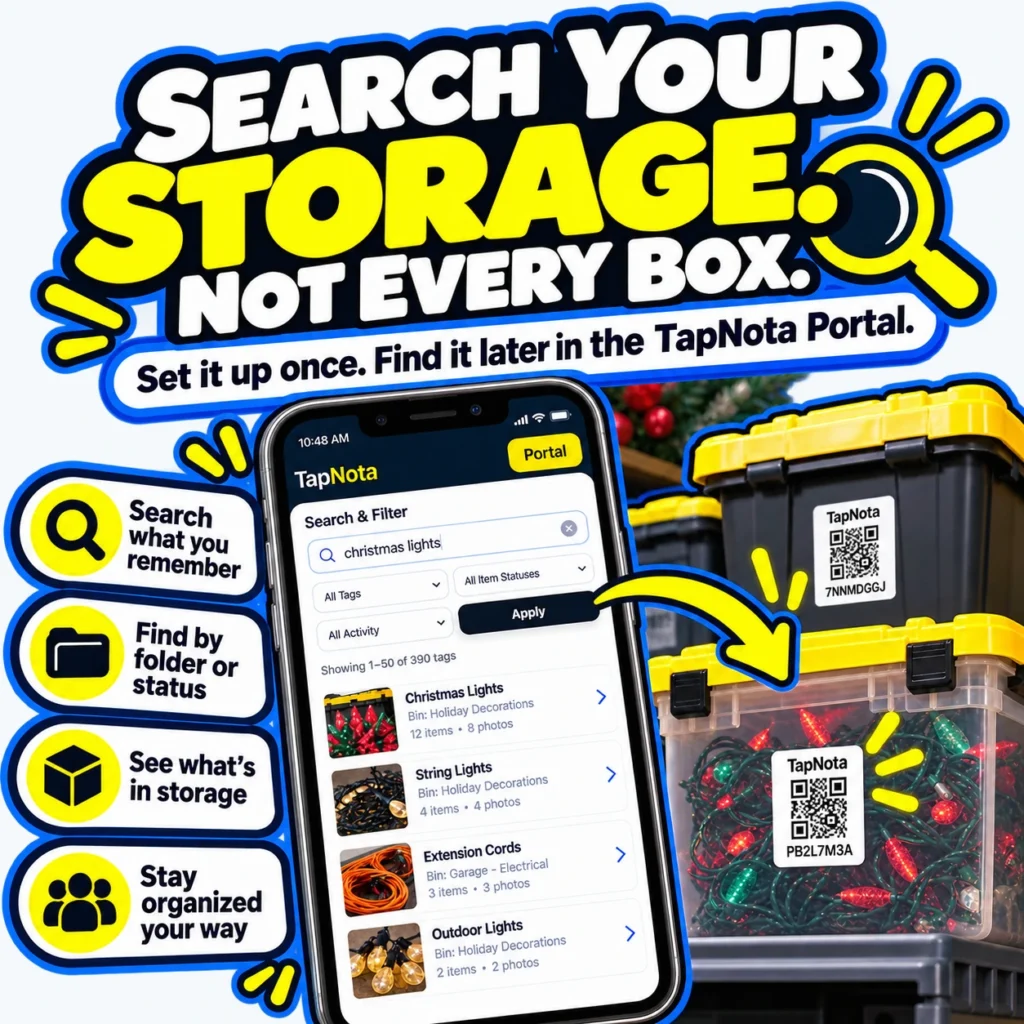
Instead of walking into the garage and opening multiple containers, open your TapNota Portal and search for the tool by name.
TapNota searches your recorded item titles, notes, folders, and tag codes.
If the tool was entered in the notes for a storage bin, you can find the matching record even when you’re nowhere near that container.
This changes storage organization from physically searching through boxes to digitally locating what you need.
3. Use AI to Identify Items From Photos
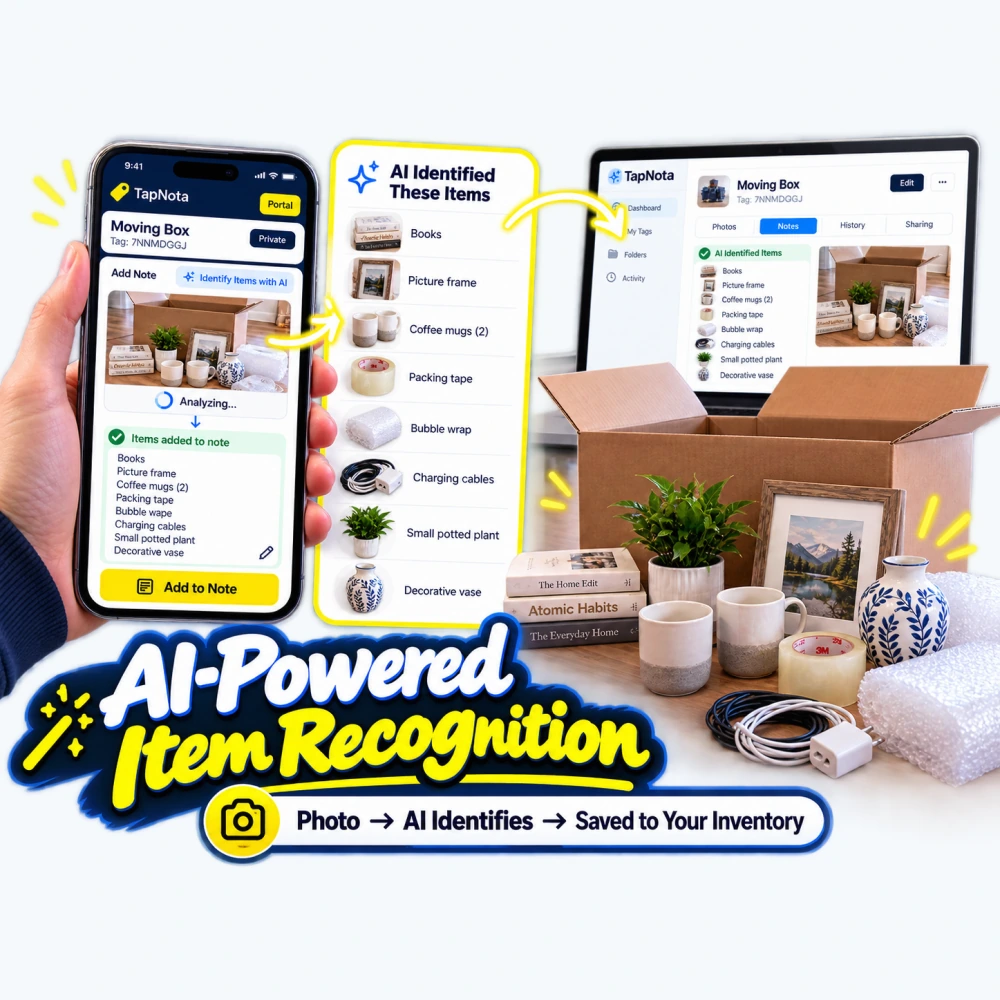
TapNota includes Identify Items with AI, designed to make documenting storage contents easier.
Instead of manually typing every item inside a container, you can take or upload a photo while signed into the appropriate TapNota account.
TapNota AI analyzes the photo and suggests a list of visible items.
You can review the results, make corrections, and save the useful details to your Item Page.
For example, a photo of a bin containing camping supplies might help you document flashlights, lanterns, rope, batteries, and other recognizable objects.
This saves time when creating inventory records for dozens of storage bins.
AI results should always be reviewed because some objects may be missed or identified incorrectly.
4. Add Photos to Your Storage Records
Words are helpful, but photos can make identifying stored belongings even easier.
Take a picture of your container’s contents before closing the lid.
Add the photo to your TapNota Item Page.
Later, when you search your Portal, you can see what was stored without opening the container.
Photos are particularly useful for collections, decorations, equipment, tools, electronics, and hard-to-describe objects.
5. Organize Storage With Folders
TapNota lets you create folders to organize your digital records.
You might create folders such as Garage Storage, Outdoor Shed, Holiday Decorations, Camping Equipment, Seasonal Clothing, or Workshop Supplies.
Folders help keep large inventories manageable.
Instead of viewing every label in one long list, you can group containers according to the location or category that makes sense for your household or business.
6. Track Item Status
TapNota includes status tracking so your digital records can show more than just a location.
Available statuses include:
- In Storage
- In Use
- Loaned Out
- Sold
- Donated
- Missing
Imagine loaning a storage bin of camping equipment to a family member.
You can update its status to “Loaned Out” and add a note documenting who borrowed it.
Later, when the equipment is returned, you can update the record.
This is useful for families, garages, tool collections, workshops, and business inventory.
7. Add Notes and Maintain a Digital History
A TapNota Item Page can grow and change over time.
Add notes when you move something, replace an item, perform maintenance, change container contents, or document a repair.
Your physical QR label can remain the same while the information connected to it continues to evolve.
A storage container that originally held gardening supplies could eventually be reassigned to holiday decorations.
You can update the title, contents, photos, folder, and status without printing a completely new QR code.
8. Share Storage Information With Family Members or Team Members
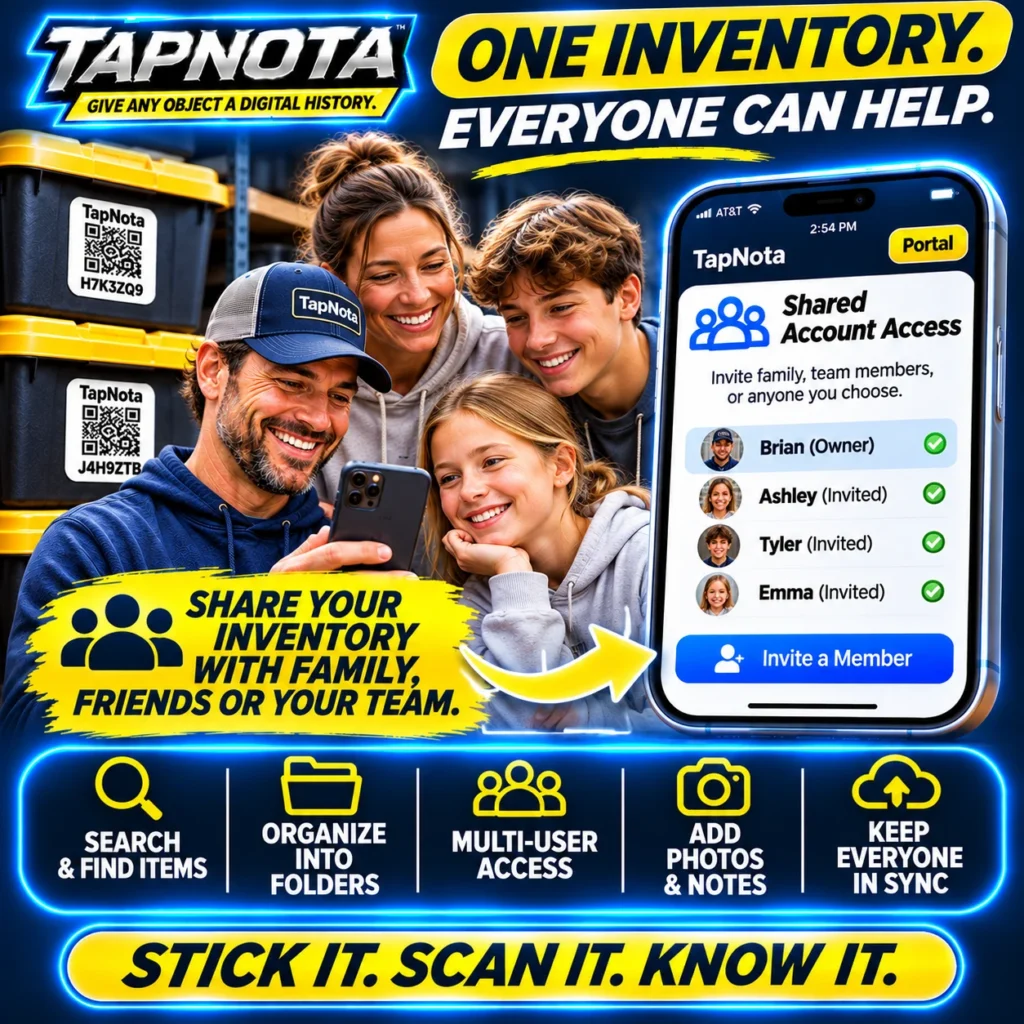
TapNota supports Shared Account Access, allowing authorized people to use their own logins to help manage the same inventory.
For a family, this means more than one person can locate items in the garage, attic, or storage unit.
For a small business, employees can help maintain equipment or inventory records.
You can also share individual Item Pages without providing access to your entire account.
9. Privacy and Optional PIN Protection
Not every storage record needs to be publicly available.
TapNota provides privacy settings, sharing options, and optional PIN protection for Item Pages.
This is useful when organizing personal belongings, private documents, valuable collections, or business equipment.
10. Reprint a Damaged QR Label Without Losing Your Inventory
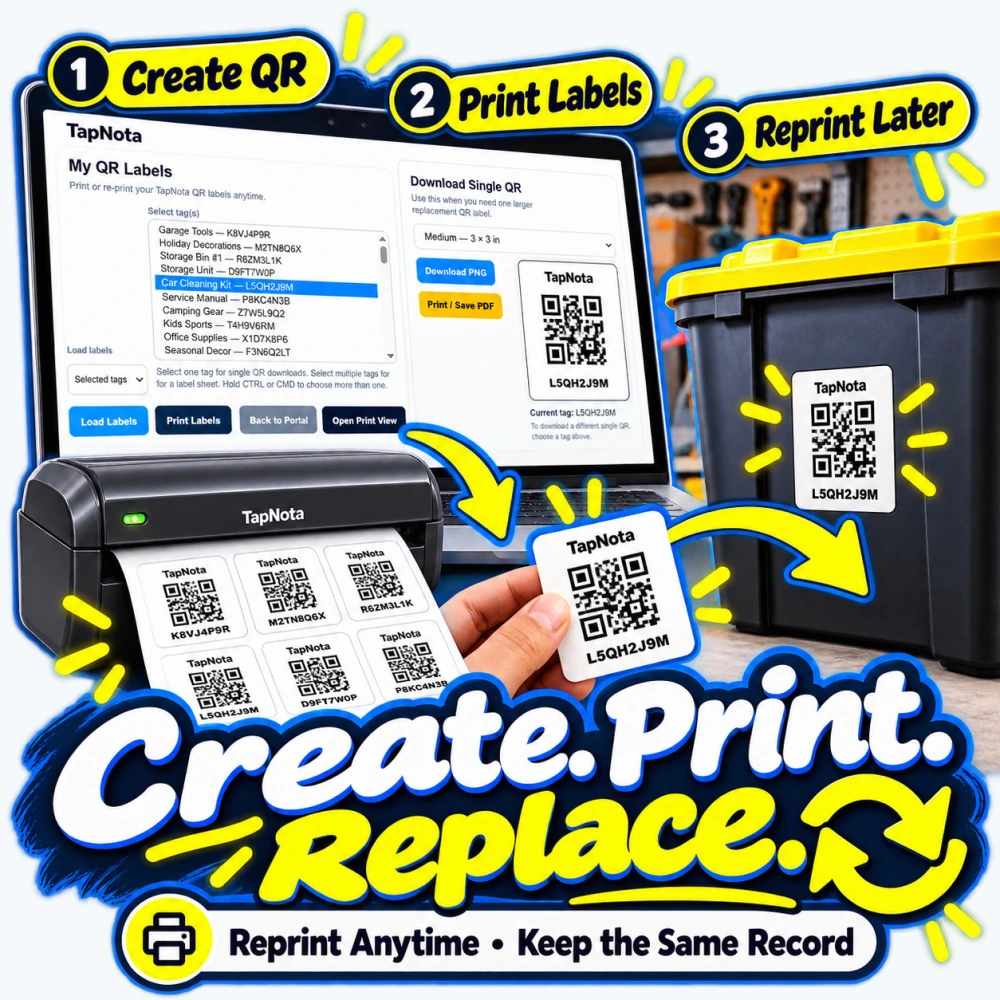
What if a label eventually becomes scratched, faded, torn, or detached?
With TapNota, the physical label is simply the connection to the digital record.
You can reprint the QR code for an existing record using the TapNota Portal.
Your saved notes, photos, and history remain connected to that record.
This makes it easier to maintain a storage system over time rather than starting over whenever a physical label needs replacement.
11. Activate an Entire Pre-Coded Pack With One Scan
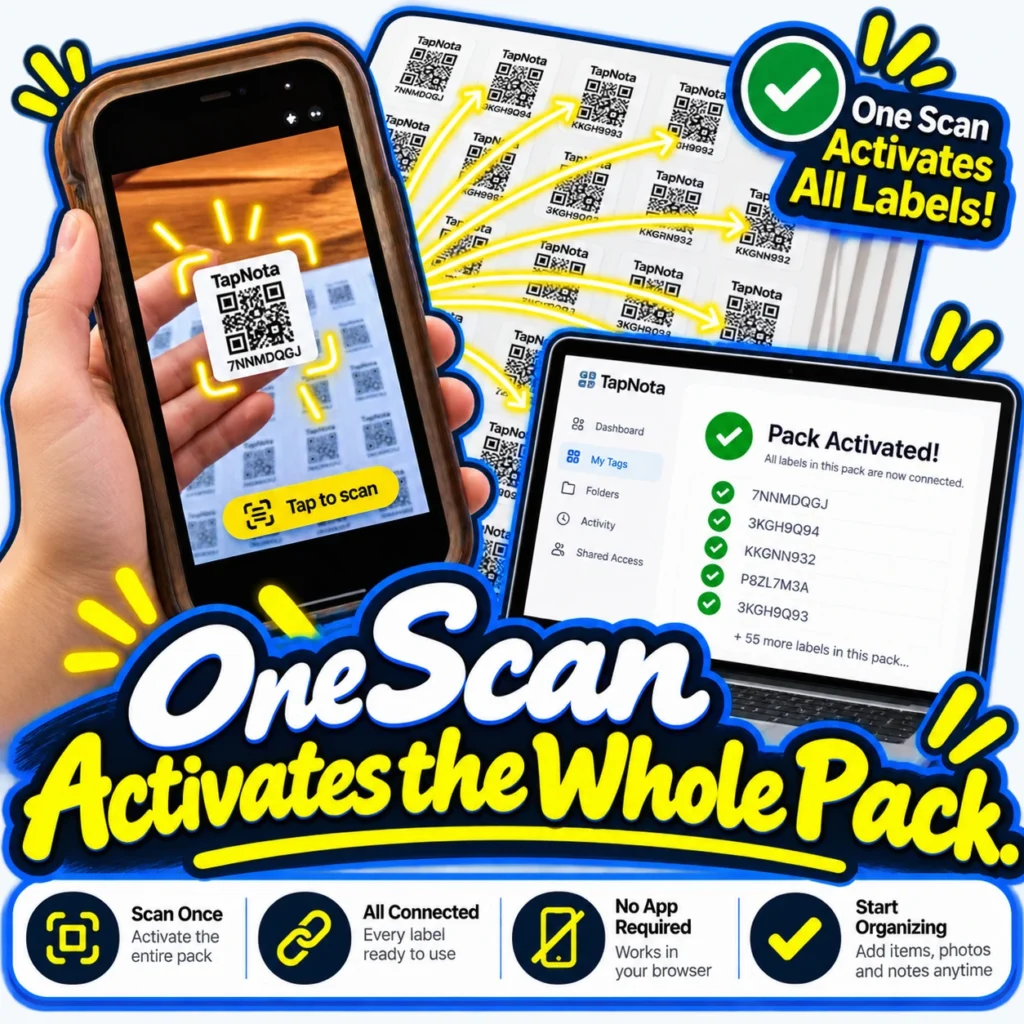
TapNota Smart Tag Packs are designed for a convenient setup process.
Scan a label from your purchased pack, follow the email verification process, and activate the entire pack together.
You do not need to individually register every label before you begin organizing.
12. Organize Far More Than Storage Containers
Although TapNota is especially useful for organizing storage bins, the same system can be used for other belongings and assets.
Examples include tools and equipment, moving boxes, electronic accessories, business supplies, spare parts, hobby collections, maintenance records, appliances, and documents.
The same concept applies: connect a physical object or group of objects to a useful digital record that can be found later.
Outdoor Storage Ideas for TapNota AI-Smart QR Labels
Outdoor and semi-outdoor storage are excellent places to combine digital inventory with additional label protection.
Backyard sheds: Label bins containing garden tools, irrigation supplies, spare parts, and lawn-care accessories.
Garage shelving: Organize automotive supplies, extension cords, hand tools, hardware, and seasonal belongings.
Covered patios: Identify storage containers holding outdoor cushions, seasonal decorations, and entertaining supplies.
RV and camping storage: Keep digital lists of camping equipment, cookware, electrical adapters, hoses, and accessories.
Holiday storage: Locate Christmas lights, Halloween decorations, inflatables, and seasonal accessories without opening every tote.
Workshop storage: Keep track of screws, fasteners, electrical components, plumbing supplies, and replacement parts.
Business storage: Maintain records of supplies, spare parts, equipment, and containers that may move between storage locations.
In all these situations, placing the QR label on the outside of a container makes the physical record easy to access, while the TapNota Portal allows you to find its contents remotely.
TapNota vs. Ordinary Storage Labels
| Feature | Ordinary Written Label | TapNota AI-Smart QR Label |
|---|---|---|
| Identify a container | Yes | Yes |
| Detailed contents list | Limited space | Digital record |
| Photos of stored contents | No | Yes |
| AI-assisted item recognition | No | Yes |
| Search remotely | No | Yes |
| Organize using folders | No | Yes |
| Track item status | No | Yes |
| Add ongoing notes and history | Must rewrite | Yes |
| Share digital inventory | No | Yes |
| Optional privacy controls | No | Yes |
| Replace damaged label while retaining information | Usually requires rewriting | Reprint existing QR |
| Add a clear tape covering | Yes | Yes |
The difference is simple: an ordinary label identifies a container, while TapNota connects that container to a searchable, evolving digital record.
Tips for Making QR Storage Labels Last Longer
For the best long-term results, combine good label placement with proper protection and routine inspection.
- Apply your label to a clean, completely dry surface.
- Choose a flat area on the container whenever possible.
- Use transparent, good-quality tape that extends beyond all four sides of the label.
- Smooth the tape carefully and remove wrinkles or bubbles.
- Do not trap moisture beneath the covering.
- Avoid excessive glare or seams that prevent the QR code from scanning.
- Position outdoor labels away from prolonged direct sunlight when possible.
- Inspect the edges periodically for peeling, trapped moisture, or damaged adhesive.
- Test QR readability after applying the tape and occasionally during use.
- Reprint any damaged label before it becomes unreadable.
For severe outdoor exposure, use a protective material specifically rated for UV exposure, moisture, and temperature conditions. Ordinary clear shipping tape is a simple supplemental covering, not a substitute for a permanently sealed industrial label.
Frequently Asked Questions About Waterproofing QR Code Storage Labels
Can I put clear shipping tape over a QR code?
Yes. A QR code can generally be scanned through clear tape as long as the tape remains transparent, smooth, and free from excessive glare or distortion.
Always test it with your phone after applying the tape.
Does clear shipping tape make a paper QR label waterproof?
Clear tape can make a paper label more resistant to splashes and moisture, especially when the tape extends beyond the label edges.
However, standard packaging tape does not guarantee a fully waterproof or permanently weatherproof seal.
Water may eventually enter at the edges, particularly during extended outdoor exposure.
Why do thermal shipping labels fade?
Standard direct-thermal labels contain a heat-sensitive coating that changes color when heated.
Heat, sunlight, environmental exposure, and aging can cause the image or background to deteriorate.
That deterioration can reduce barcode contrast and readability.
Direct thermal should not be confused with thermal-transfer printing, which uses a ribbon and can produce substantially more durable labels.
Why use conventional printed paper labels for long-term QR storage?
Conventional laser-printed paper labels avoid the chemically reactive coating found in direct-thermal labels.
This can make them a practical choice for longer-term indoor storage applications, particularly when combined with appropriate protection.
Actual longevity still depends on the print method, paper, adhesive, sunlight, moisture, and other environmental conditions.
Can TapNota QR labels be used outdoors?
TapNota labels can be used on storage containers in outdoor or semi-outdoor locations, but the environmental conditions and protective covering matter.
For covered outdoor storage, garages, and sheds, adding clear tape can provide useful additional protection.
For continuous rain, intense sunlight, or prolonged exposure, consider purpose-built outdoor-rated label protection and inspect the labels regularly.
Will covering a TapNota QR label with tape stop it from working?
Not normally.
The code should still scan through a clear, smooth covering.
If the tape produces glare, wrinkles, or significant optical distortion, however, the camera may have difficulty reading it.
Do I need to put a TapNota label on every individual item?
No.
One of the best uses of TapNota is labeling an entire storage bin and documenting everything inside it.
You can add a detailed contents list, notes, and photos to that one digital Item Page.
This is particularly useful when you want to locate stored belongings without physically searching your containers.
Can I search for belongings without scanning the actual storage bin?
Yes.
Use the TapNota Portal to search your saved Item Pages, notes, folders, and tag codes.
You can find the record for a particular container even when you’re at home, at work, or away from your storage location.
Can TapNota AI identify everything inside a storage container?
TapNota AI can help identify visible objects from a photo and suggest a list of items.
You should review the results and make any necessary corrections before saving.
Objects hidden underneath other items or not clearly visible may not be identified.
What happens if my QR label is damaged?
You can reprint the QR code connected to your existing TapNota Item Page.
Your digital notes, photos, and history remain connected to that record.
Can I update what’s inside a container without printing a new label?
Yes.
You can change the record’s name, contents list, notes, photos, folder, and status while keeping the same QR label.
That is one of the biggest advantages of using a digital storage organization system.
Final Thoughts: Protect Your Labels and Keep Your Storage Organized
A storage label is only useful if it remains readable when you need it.
Choosing conventional printed QR labels instead of relying on standard direct-thermal shipping labels avoids an important source of heat-related print deterioration.
Applying a smooth layer of clear shipping tape can add a practical barrier against moisture, dirt, and everyday wear, especially for storage bins kept in garages, sheds, and other sheltered environments.
But the real advantage is what TapNota does beyond the label.
With TapNota AI-Smart QR Storage Labels, you can create detailed digital inventories, photograph contents, identify items with AI, organize containers into folders, update status, maintain notes and history, share access, and search for belongings without standing in front of the physical container.
Your storage system becomes easier to maintain, easier to search, and more useful as your inventory grows.
Whether you’re organizing a single garage or hundreds of storage containers, TapNota helps connect your physical belongings with the information you need to find and manage them.
Stick it. Scan it. Know it.
Ready to organize your storage the smarter way?


