













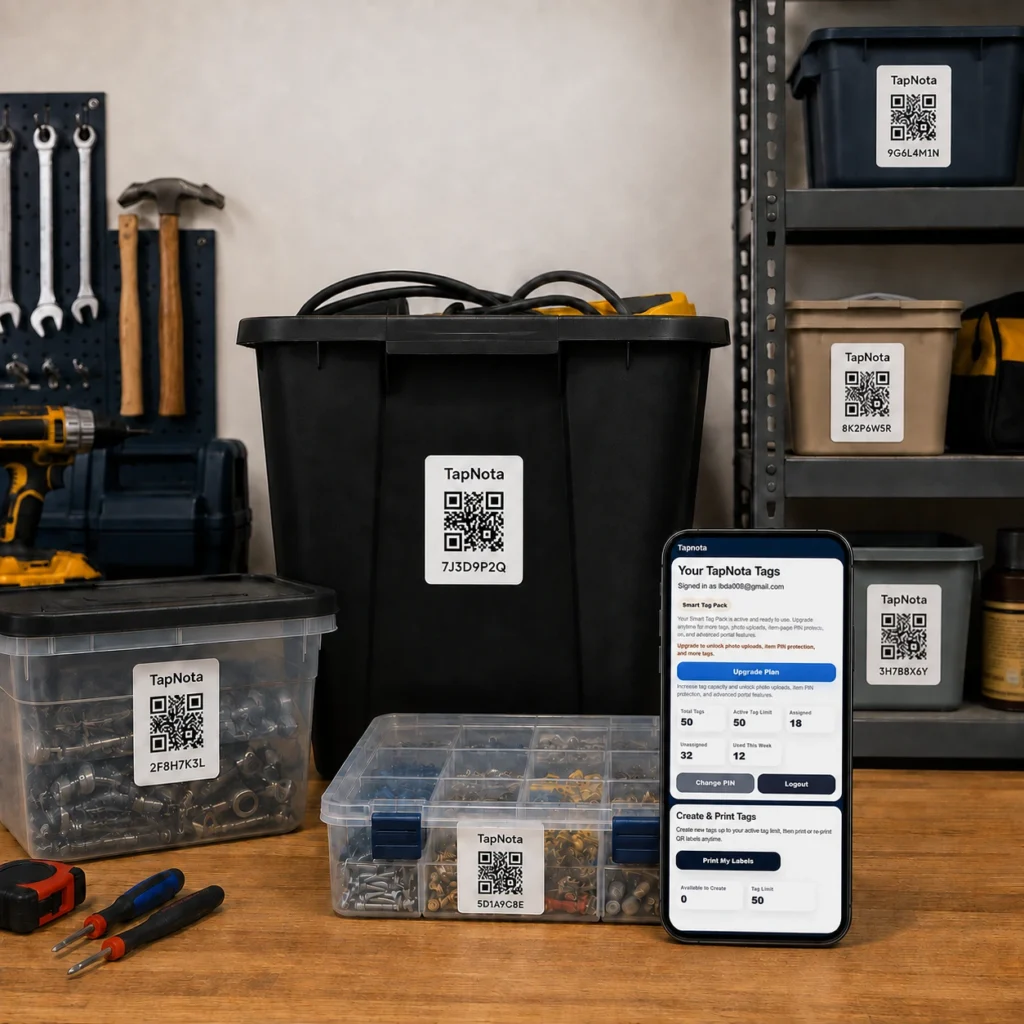
Effective storage bin organization is a challenge for many households, workshops, and small businesses. Without a clear system, it’s easy to lose track of what’s inside bins, leading to wasted time and frustration. TapNota offers a powerful solution by linking physical storage bins with a dynamic digital record system using smart QR labels. This approach makes it easy to label, track, and search for bin contents anytime from any device, without relying on complicated spreadsheets or apps.
What Makes TapNota Different for Storage Bin Organization?
Unlike traditional labeling methods or standalone inventory spreadsheets, TapNota combines a pre-coded smart QR label with a cloud-based web Portal. Each label attaches to a bin and opens a unique Item Page where you can add detailed information such as item names, notes, photos, manuals, and condition updates. This record evolves over time, so you never need to print a new label just because the contents change.
With TapNota, you can:
- Attach one QR label per bin: Each label is pre-coded and ready to activate with one scan and email verification.
- Create and edit detailed Item Pages: Add names, contents, photos, and notes to each bin’s record.
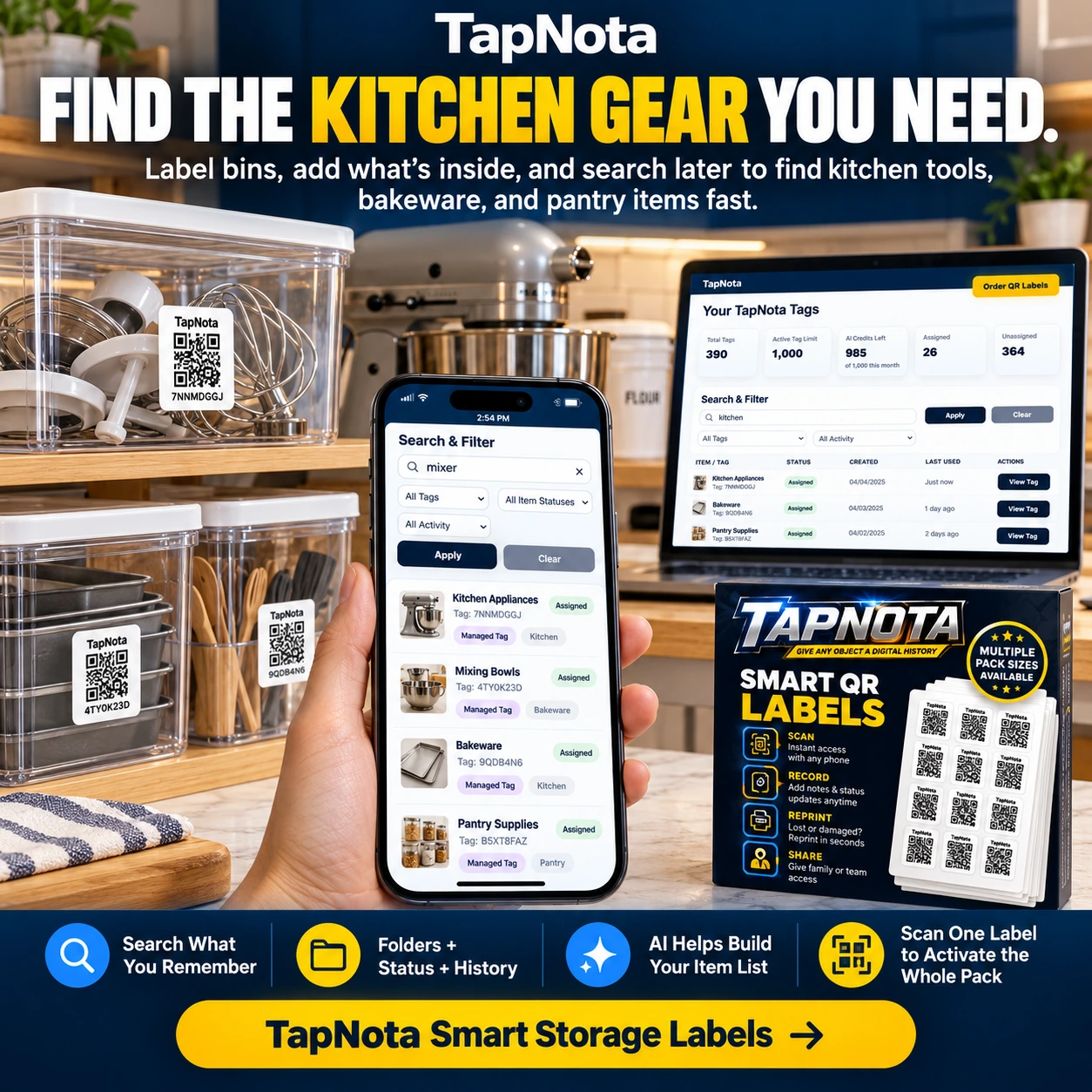
- Search across all bins: Use the Portal’s search function to find items by name, note text, tags, or folder grouping without scanning labels.
- Share selectively or invite collaborators: Share single records via links or grant shared account access to family or team members.
- Use AI to identify visible contents: Optionally add photos to get AI-generated suggestions for items inside open bins, which you can review and save.
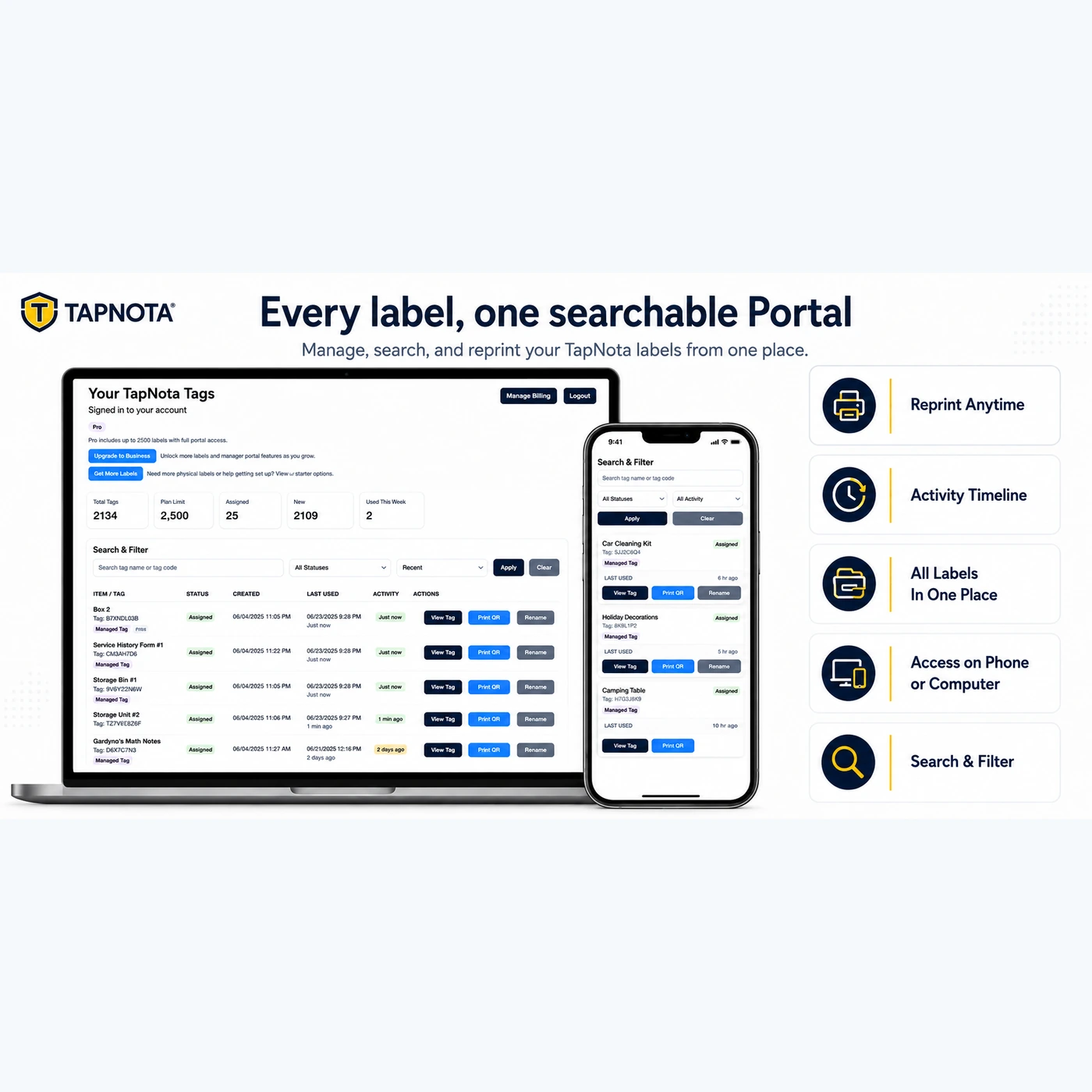
- Reprint labels anytime: Lost or damaged labels can be reprinted from the Portal without losing linked data.
Step-by-Step: Organizing Your Storage Bins with TapNota
1. Attach TapNota Labels to Your Bins
Start by ordering a pack of TapNota pre-coded labels. These come in two sizes (2×2 inch or mini 1×1 inch) suitable for different bin types. Attach one label per bin, ensuring it’s visible and accessible for scanning. For example, a workshop might label bins for screws, nails, and tools separately, while a kitchen pantry might label bins for baking supplies, utensils, or canned goods.
2. Activate Your Pack and Open Item Pages
Scan any one label in the pack with your phone and enter your email address to activate the entire pack to your TapNota account. From then on, scanning any label opens its unique Item Page in your browser. No app installation is required.
3. Add Descriptive Details to Each Bin’s Record
On each Item Page, add a clear name for the bin (e.g., “Workshop Screws Bin”), notes about contents, serial numbers if applicable, and permanent photos showing the bin’s contents or external condition. You can also add manuals or instructions if the bin contains equipment or tools.
4. Use AI to Help Build Your Item List
If you want, take a photo of visible contents inside an open bin and upload it on the Item Page. TapNota’s AI feature will suggest a list of items it recognizes, which you can review, edit, and save. This helps jumpstart your inventory without manual typing.
5. Organize Bins into Folders and Track Status
Group related bins into folders in the Portal (e.g., “Workshop Hardware,” “Pantry Supplies”) for easier browsing. You can also assign item statuses like stored, in use, loaned, or missing to track availability.
6. Search and Manage Your Inventory Anytime
The TapNota Portal allows you to search by item name, tag codes, note text, or folder names without needing to scan labels physically. This means you can find what you need even if you don’t have the bin in front of you.
7. Share Access or Individual Records Securely
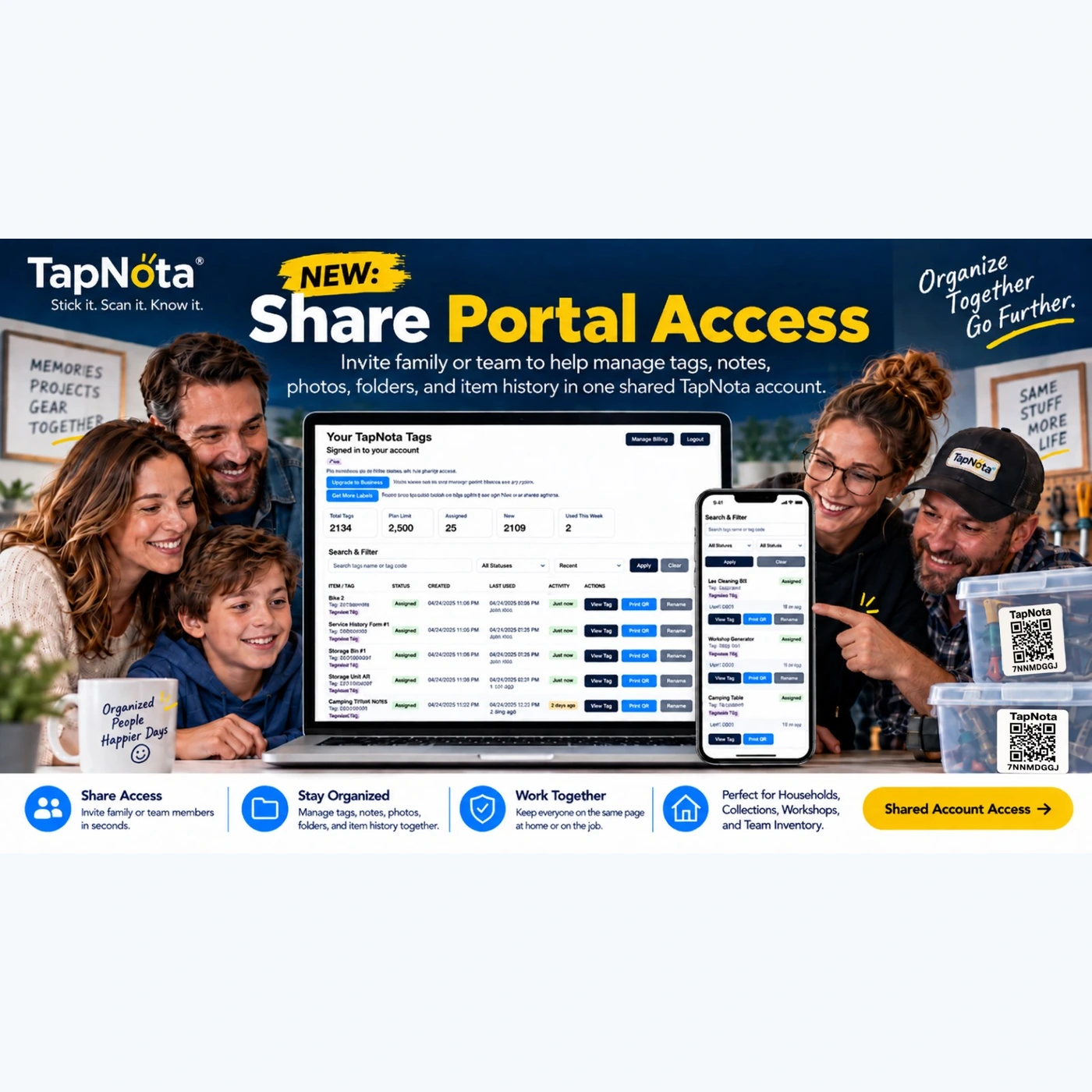
Invite family members, helpers, or team members to join your shared TapNota account so everyone can collaborate on managing the inventory. Alternatively, share individual Item Pages with secure links when needed. This flexibility helps keep everyone on the same page.
Real-World Use Case: Workshop Storage Bins
Imagine a workshop with bins for screws, nails, drill bits, and hand tools. Each bin has a TapNota label. The owner scans a label, adds a name like “Screws Bin,” uploads a photo of contents, and notes the sizes included. Later, a collaborator can search “screws” in the Portal and see all relevant bins, their contents, and usage history. If a label gets damaged, it’s easy to print a new one without losing the record. The AI feature can suggest common screw types from photos, speeding up inventory creation.
Why Choose TapNota Over Traditional Labeling?
Traditional labeling methods often rely on handwritten notes or generic barcodes that don’t link to detailed digital records. Spreadsheets can be cumbersome, hard to update, and disconnected from the physical item. TapNota bridges this gap with a physical-to-digital system that evolves over time and supports powerful search, sharing, and AI-assisted identification.
Additional Tips for Maximum Efficiency
- Consistent Naming: Use clear, consistent names for bins and items to improve search accuracy.
- Regular Updates: Update Item Pages when contents change to keep records current.
- Use Folders: Group related bins logically to reduce clutter in your Portal.
- Leverage Sharing: Invite trusted helpers to collaborate and keep inventory accurate.
- Backup Photos: Add permanent photos to document condition or contents for insurance or resale.
By following these steps and tips, you can transform your storage bin organization from chaotic to streamlined using TapNota’s smart QR labels and intuitive web Portal.
For more detailed guides, see How to Organize Storage Bins for Easy Access and Labels For Storage Bins.
Frequently Asked Questions
Do I need to scan every TapNota label to activate it?
No. When you scan and activate one label from a purchased pre-coded pack and verify your email, the entire pack becomes associated with your account. You do not need to activate each sticker individually.
Can I search my inventory without having the physical labels?
Yes. The TapNota Portal allows you to search item names, notes, tags, and folder names without scanning any labels, so you can find items even if you don’t have the physical bin in front of you.
How does the AI feature help with inventory?
The optional AI feature lets you upload photos of visible bin contents to get suggested item lists. You review and edit these suggestions before saving. It does not automatically detect contents from scanning and cannot see inside closed containers.
Can I share my inventory with family or team members?
Yes. You can invite approved members to your shared TapNota account for collaborative management, or share individual Item Pages via secure links. Shared Account Access and individual sharing are different features.
What happens if a QR label gets damaged or lost?
You can reprint any label from the TapNota Portal without losing the linked Item Page or history, ensuring your records stay intact.


