













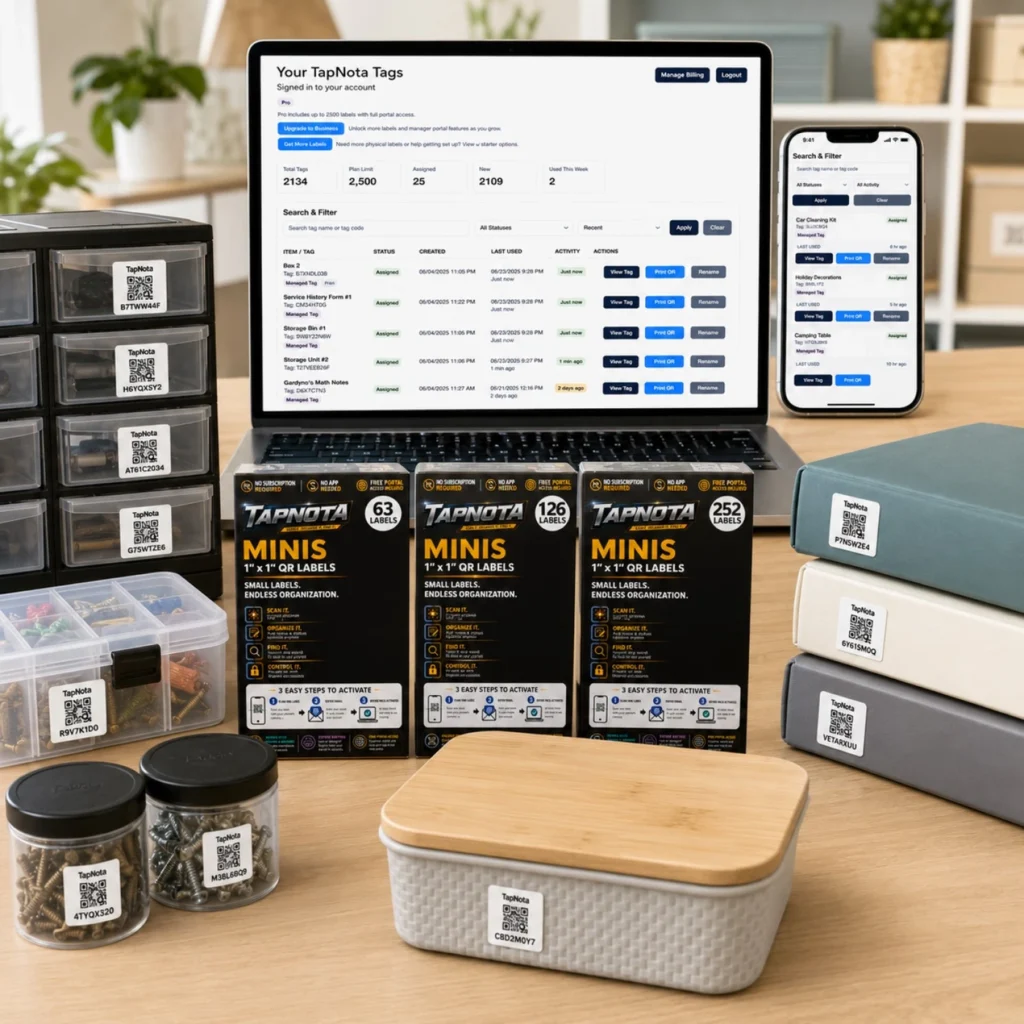
Keeping track of small items, tools, or supplies in your home, office, or workshop can quickly become overwhelming without a reliable system. TapNota Mini QR Labels provide an innovative solution that bridges physical organization with digital management through a user-friendly web Portal. This article walks you through how TapNota’s Mini labels and Portal work together to streamline your inventory, making it easy to find, update, and manage your belongings.
What Are TapNota Mini QR Labels?
TapNota Minis are small, 1″ x 1″ pre-coded QR labels designed for tagging small bins, drawers, containers, or individual items. Unlike generic QR stickers or simple spreadsheets, each label connects to a unique, evolving Item Page in the TapNota web Portal. This means one label equals one specific digital record that you can update continuously without printing new labels.
Activating and Using Your Mini Label Pack
When you purchase a pack of TapNota Minis, activation is simple and efficient. You only need to scan one label from the pack and verify your email address to associate the entire pack with your account. This eliminates the hassle of activating each sticker individually. If you get additional packs later, scanning one label with the same email adds those labels to your existing Portal account.
Setting Up Your Item Pages
Once you attach a Mini label to an item or container, scanning the QR code opens its dedicated Item Page in your browser—no app required. Here you can add or edit details such as:
- Item name or description
- Notes about contents or condition
- Permanent photos, manuals, or serial numbers
- Instructions or service history
Because the Item Page updates dynamically, you don’t need to print new labels if contents change or if you want to add more information over time.
Powerful Searching and Management in the TapNota Portal
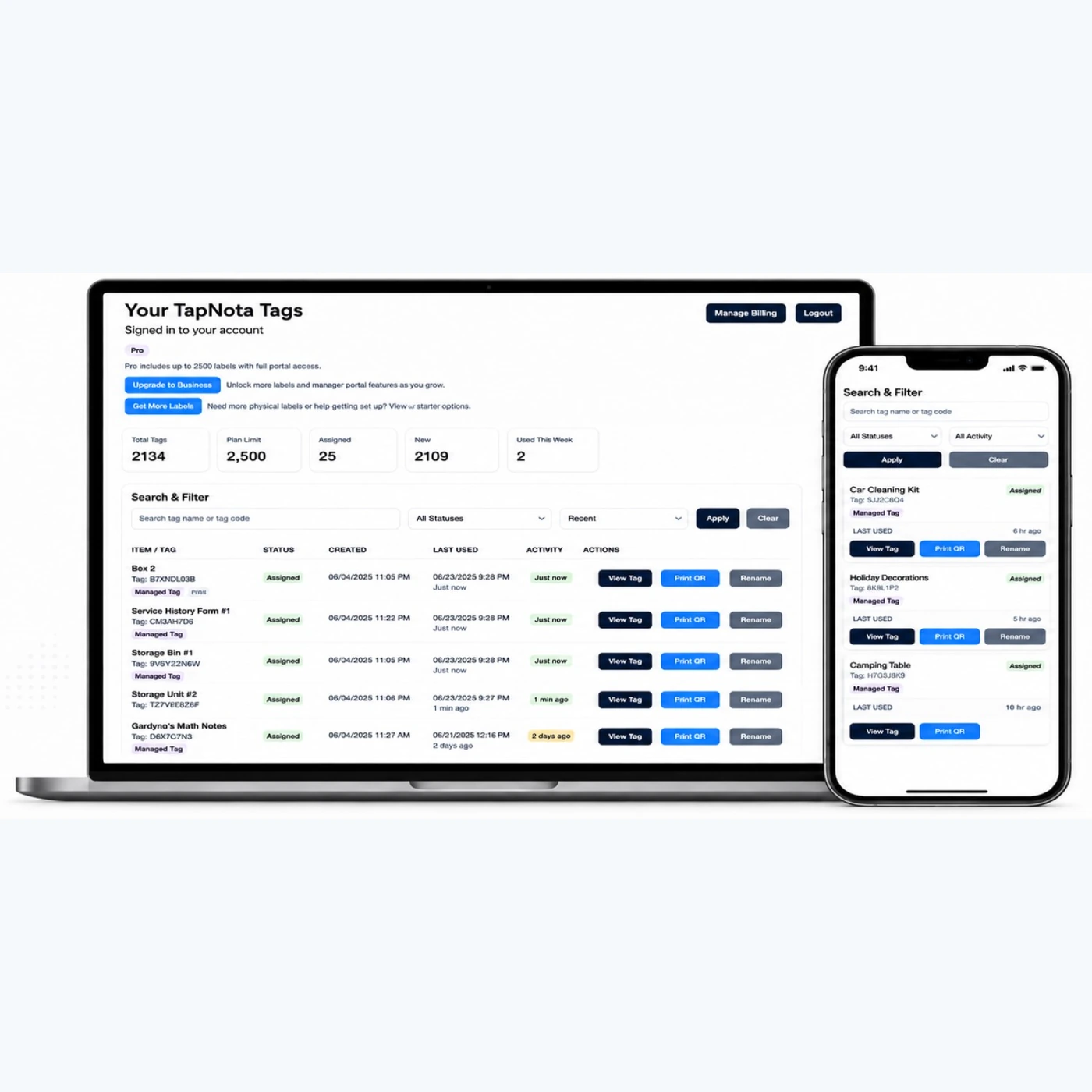
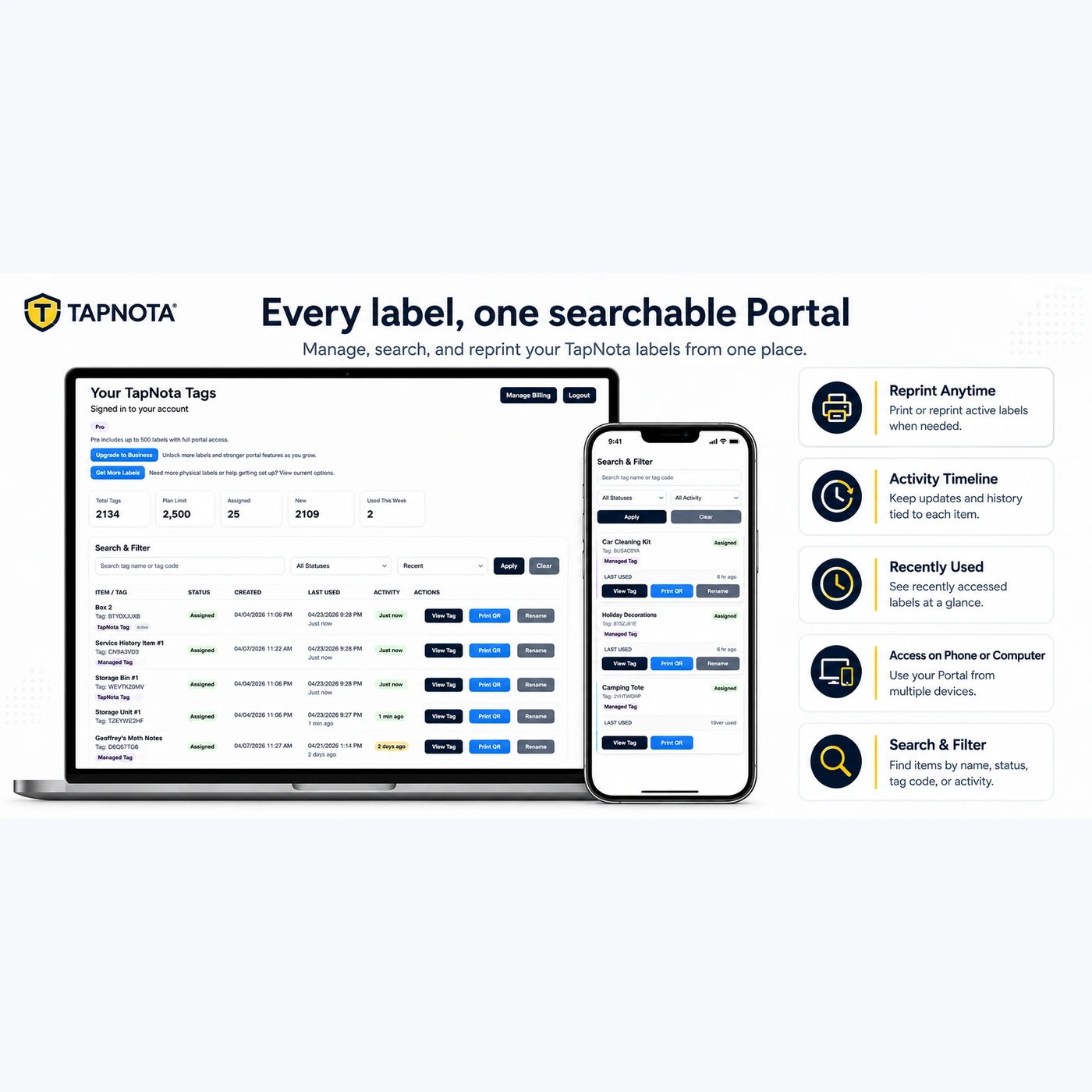
The TapNota web Portal is the heart of your organization system. It stores and indexes all your Item Pages and labels, letting you:
- Search by item names, notes, tag codes, or folder names without needing to scan a label physically
- Filter items by status such as stored, in use, or missing
- View recent activity and history for each item
- Print or reprint labels if any get damaged, without losing data
- Access your inventory from any device with a browser, including phones, tablets, and desktops
This centralized, searchable Portal means you can find any item quickly, even if you don’t have the physical label at hand.
Optional AI Identification Feature
TapNota offers an optional AI-powered identification tool on the Item Page for signed-in owners. You can take or upload a photo of visible items (such as the contents of an open box or drawer), and the AI suggests a starting list of recognized objects. You review, edit, and save this list to the Item Page. This feature helps jumpstart your notes but requires credits and manual confirmation, ensuring accuracy and privacy.
Sharing and Privacy Controls
Item Pages can be set to Private, Share (with a revocable link), or Public modes. You can optionally add PIN protection depending on your plan. For collaborative management, TapNota supports Shared Account Access, allowing family members or team helpers to log in with their own credentials while you maintain full account control.
Practical Use Case: Organizing Workshop Drawers
Imagine you have multiple small drawers filled with screws, nails, and hardware. Attach a TapNota Mini label to each drawer. Scan the label to create an Item Page, then add details like contents, quantity, and photos. Later, you can search “screws” or filter by “in use” status to find exactly what you need. If you move or repurpose a drawer, update the Item Page without changing the physical label.
Summary
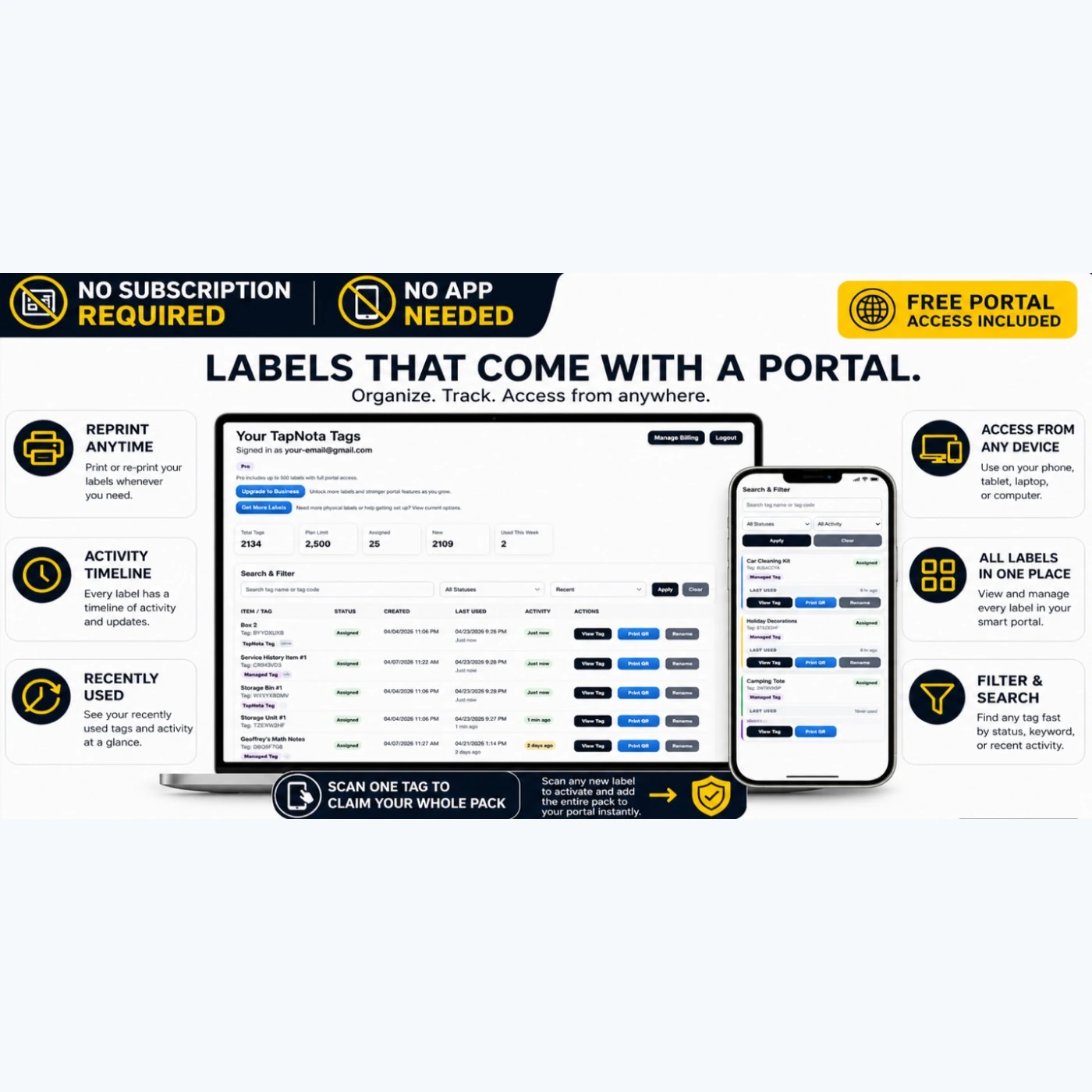
TapNota Mini QR Labels combined with the TapNota web Portal offer a seamless, scalable way to connect physical items to digital records. This system eliminates guesswork, reduces clutter, and saves time by making your inventory searchable and manageable from anywhere—no app installation or subscription required for core functions. Whether for home, office, or workshop, TapNota Minis bring order to small-item chaos.
For more detailed setup tips and ideas, explore How to Organize Storage Bins for Easy Access and Scan Here, Search Anywhere: Mastering Inventory with TapNota’s Smart QR Labels.
Frequently Asked Questions
Do I need to activate each TapNota Mini label individually?
No. Scanning and activating any one label in a purchased pack associates the entire pack with your account, so you don’t have to activate each label separately.
Can I use TapNota without installing a mobile app?
Yes. TapNota works entirely through your web browser on phones, tablets, or computers—no app installation is necessary.
What happens if I lose or damage a label?
You can reprint or create a replacement label from the TapNota Portal without losing any linked Item Page information or history.
How does the AI identification feature work?
The AI feature suggests items visible in a photo you take or upload on the Item Page. You review and edit the suggested list before saving. It requires credits and does not automatically see inside closed containers.
Can I share my inventory with family or team members?
Yes. TapNota supports Shared Account Access, allowing approved members to log in with their own credentials while you maintain full control over the account.


