













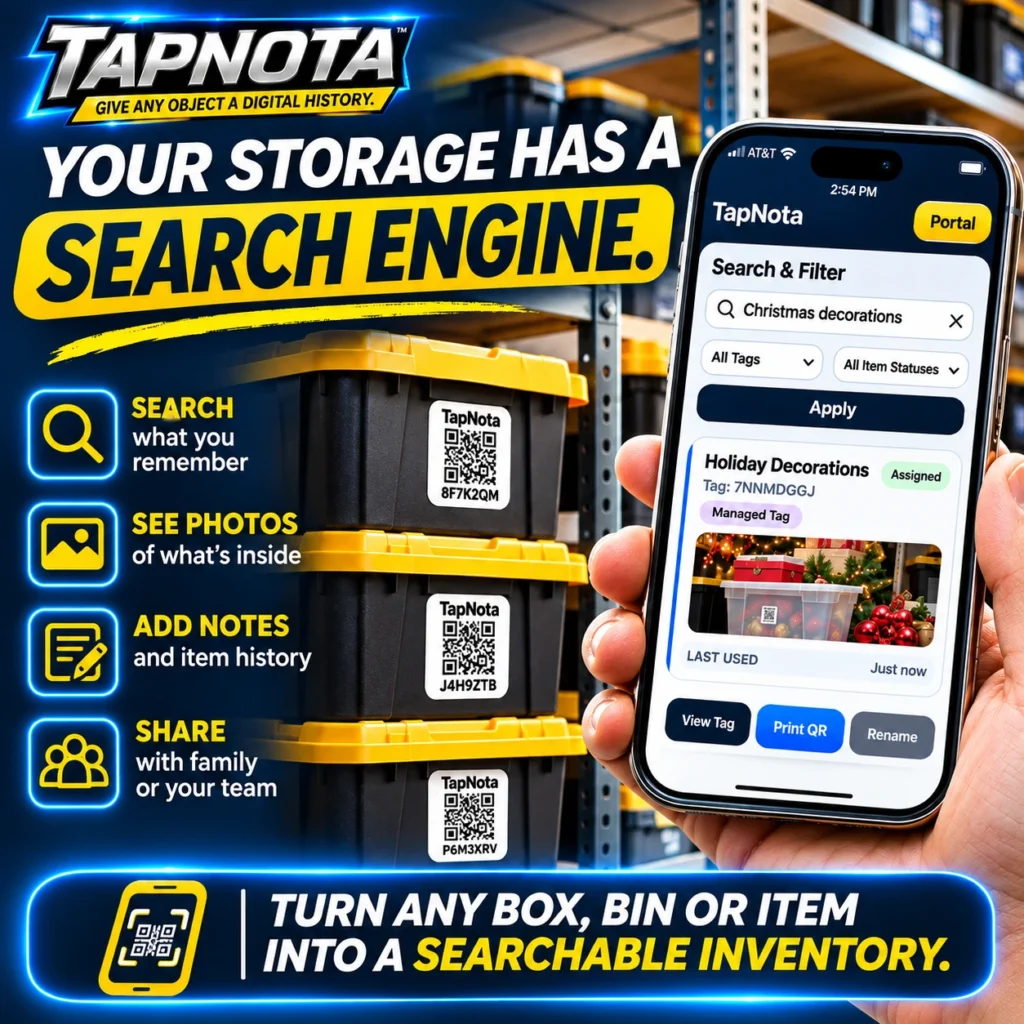
When it comes to storage, the biggest challenge is often finding what you need without wasting time opening every box or bin. TapNota solves this with a powerful yet simple system that turns your physical storage into a searchable digital inventory. By attaching pre-coded smart QR labels to your boxes, bins, or individual items, and using the TapNota web Portal, you can instantly search, view photos, add notes, and share your inventory—no app installation required.
How TapNota Creates a Searchable Inventory from Physical Storage
At the heart of TapNota is a unique physical-to-digital record system. Each TapNota QR label is pre-coded and linked to its own evolving Item Page online. When you scan a label, you open that specific Item Page where you can add detailed information such as item names, contents, photos, manuals, serial numbers, and condition updates. This means your records grow and change over time without needing to replace the QR label.
However, the real magic is in the TapNota Portal’s search engine. You don’t need to scan every label to find what you want. Instead, simply log in to the web Portal and search across all your saved records by item name, notes, tags, or folder names. For example, searching “Christmas decorations” instantly shows all related bins and items, complete with photos and status, so you know exactly where to find them.
Key Features That Simplify Storage Management
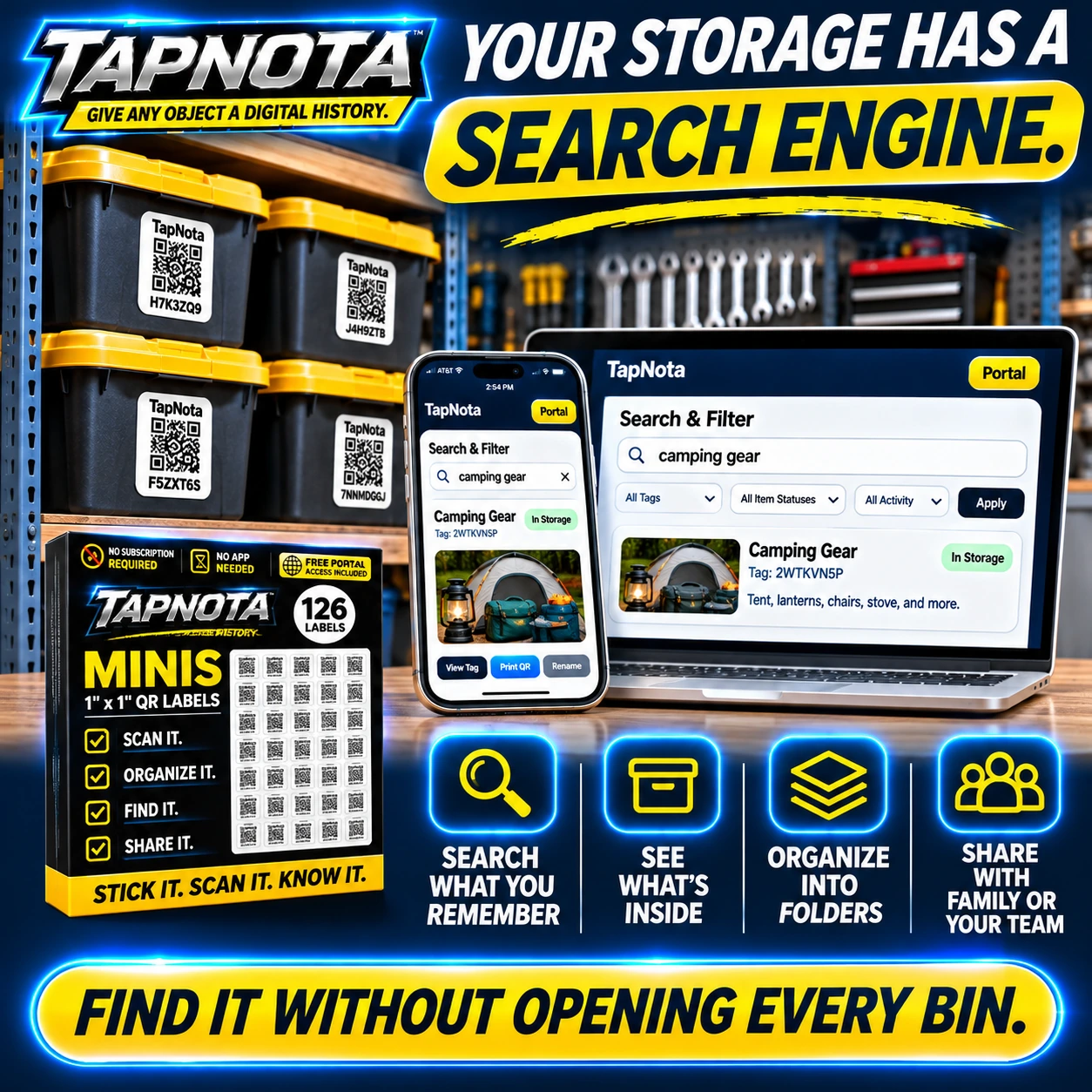
- Search What You Remember: The Portal’s search and filter tools let you find items by keywords, tags, or status without needing the physical label.
- See Photos of What’s Inside: Add permanent photos to each Item Page to visualize contents, helping you identify bins without opening them.
- Add Notes and Item History: Keep track of service dates, condition changes, or packing notes to maintain an evolving record.
- Organize into Folders: Group related items or bins into folders for structured inventory management.
- Share with Family or Team: Share individual Item Pages via links or invite collaborators to your account with controlled access.
These features work together to turn any box, bin, or item into a searchable, organized, and shareable inventory. Whether you’re managing seasonal decorations, camping gear, tools, or business equipment, TapNota helps you find it without opening every box.
Step-by-Step Example: Organizing Holiday Decorations
Imagine you have several bins of holiday decorations stored in your garage. With TapNota, you attach a smart QR label to each bin. Then, using your phone or computer:
- Scan one QR label to activate your purchased pack and associate it with your email account.
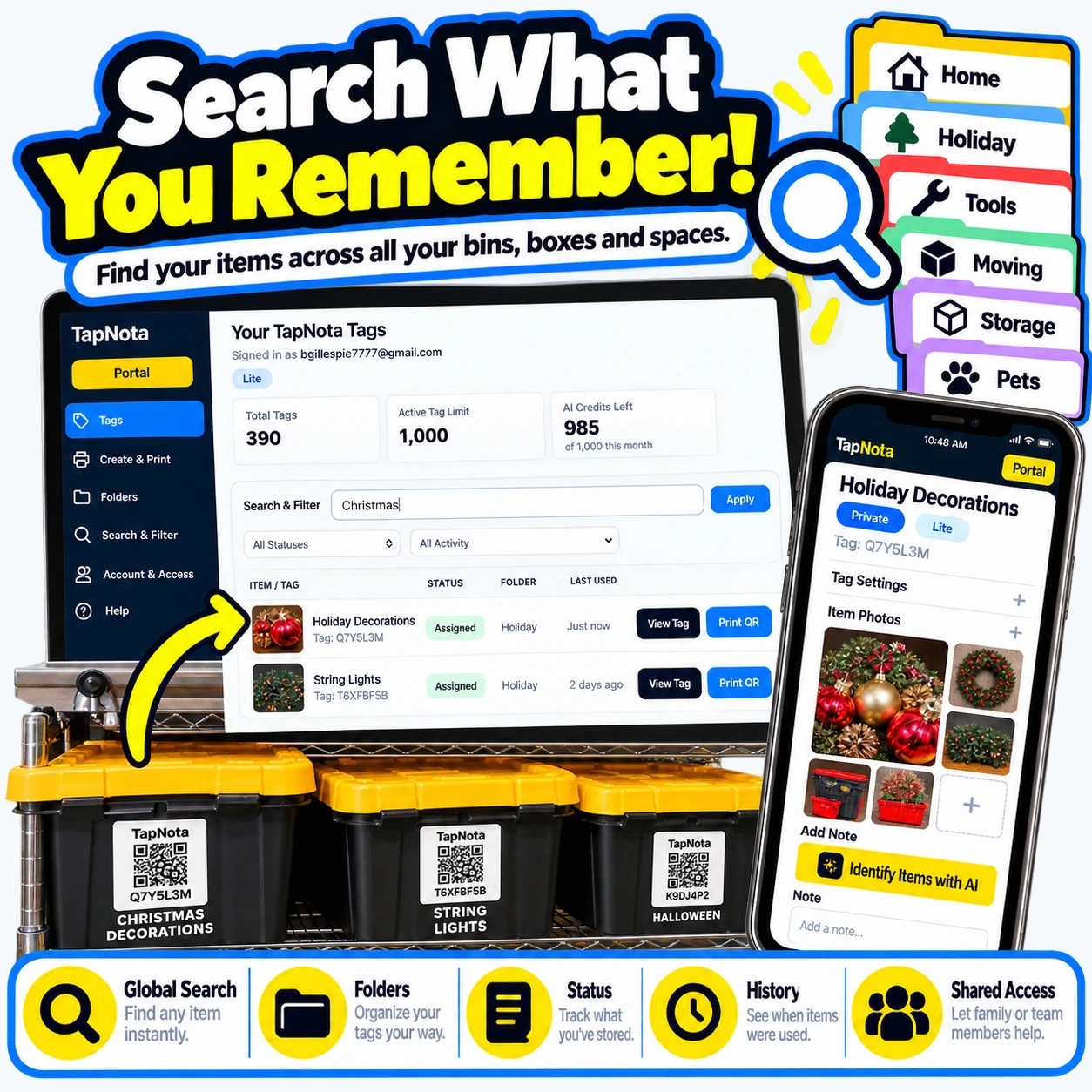
- Open the Item Page for each bin and add a name like “Holiday Decorations,” plus notes about contents (e.g., wreaths, ornaments, string lights).
- Upload photos showing the contents of each bin for quick visual reference.
- Assign tags or folders such as “Holiday” to group related bins.
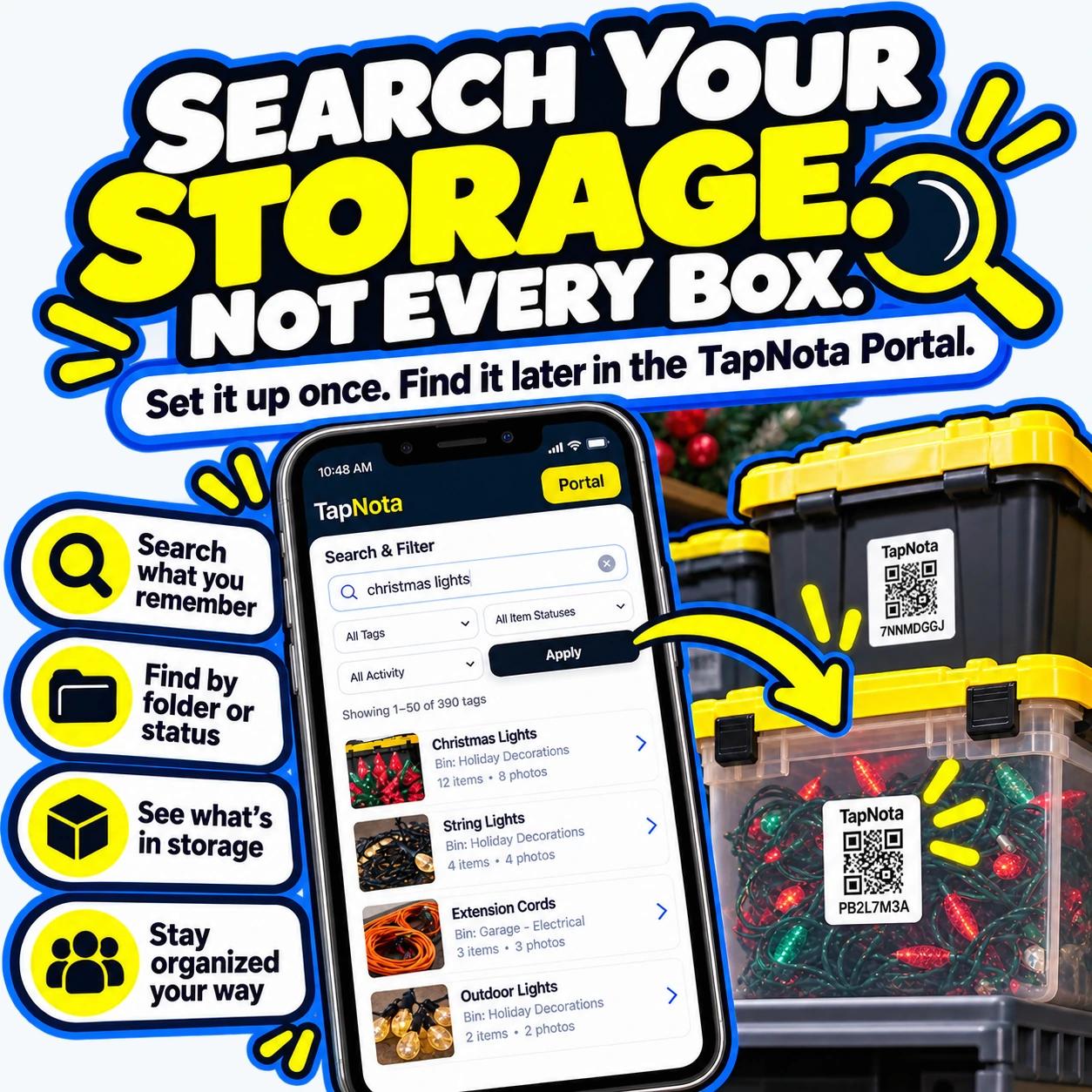
- Later, when you need your Christmas lights, simply search “Christmas lights” in the Portal—no need to open every bin.
This workflow saves time, reduces frustration, and keeps your storage smartly organized. You can even share access with family members so everyone knows where to find decorations or other stored items.
Why TapNota Is Different from Traditional Labeling or Inventory Spreadsheets
Unlike handwritten labels or spreadsheets, TapNota connects a physical QR label to a dynamic online record that evolves as your inventory changes. There’s no need to print new labels when contents change. The system’s searchable Portal means you can find items by keywords or tags without scanning each label. Plus, the optional AI-powered feature can suggest item lists from photos you take, speeding up note entry.
TapNota also supports sharing and collaboration with family or team members through shared account access or individual Item Page links. And since it’s web-based, there’s no app to install—just scan or log in via your browser.
Getting Started with TapNota
To begin, purchase a pack of pre-coded TapNota QR labels (available in different sizes and quantities). Scan any label once to activate the entire pack with your email, then attach labels to your storage bins or items. Use the Portal to add detailed info, photos, and notes. Organize your inventory into folders and tag items for easy searching.
With TapNota, your storage becomes a smart, searchable system that saves time and hassle. No more opening every box or digging through spreadsheets—just scan, search, and find.
For more tips on organizing storage bins efficiently, see How to Organize Storage Bins Efficiently with TapNota Smart QR Labels. To explore seasonal storage solutions, check out Master Seasonal Storage: Find Your Backstock Fast with TapNota. And for a detailed home inventory guide, visit How to Inventory Your Home Step by Step.
Frequently Asked Questions
Do I need to scan every TapNota label to find an item?
No. Once you have entered information into the TapNota Portal, you can search your entire inventory by item names, notes, tags, or folders without scanning each label.
Can I add photos of my storage bin contents?
Yes. You can upload permanent photos to each Item Page in the Portal to visually document what’s inside each bin or box.
Is a mobile app required to use TapNota?
No. TapNota works entirely through your mobile or desktop browser. You scan QR labels with any standard QR code reader or camera app and manage your inventory via the web Portal.
Can I share my storage inventory with family or team members?
Yes. You can share individual Item Pages with a link or invite collaborators to your TapNota account with controlled access for team or family inventory management.
What happens if I change the contents of a bin?
You can update the Item Page associated with the bin’s QR label with new notes, photos, and details. The QR label remains the same, so your digital record evolves without needing a new label.


