













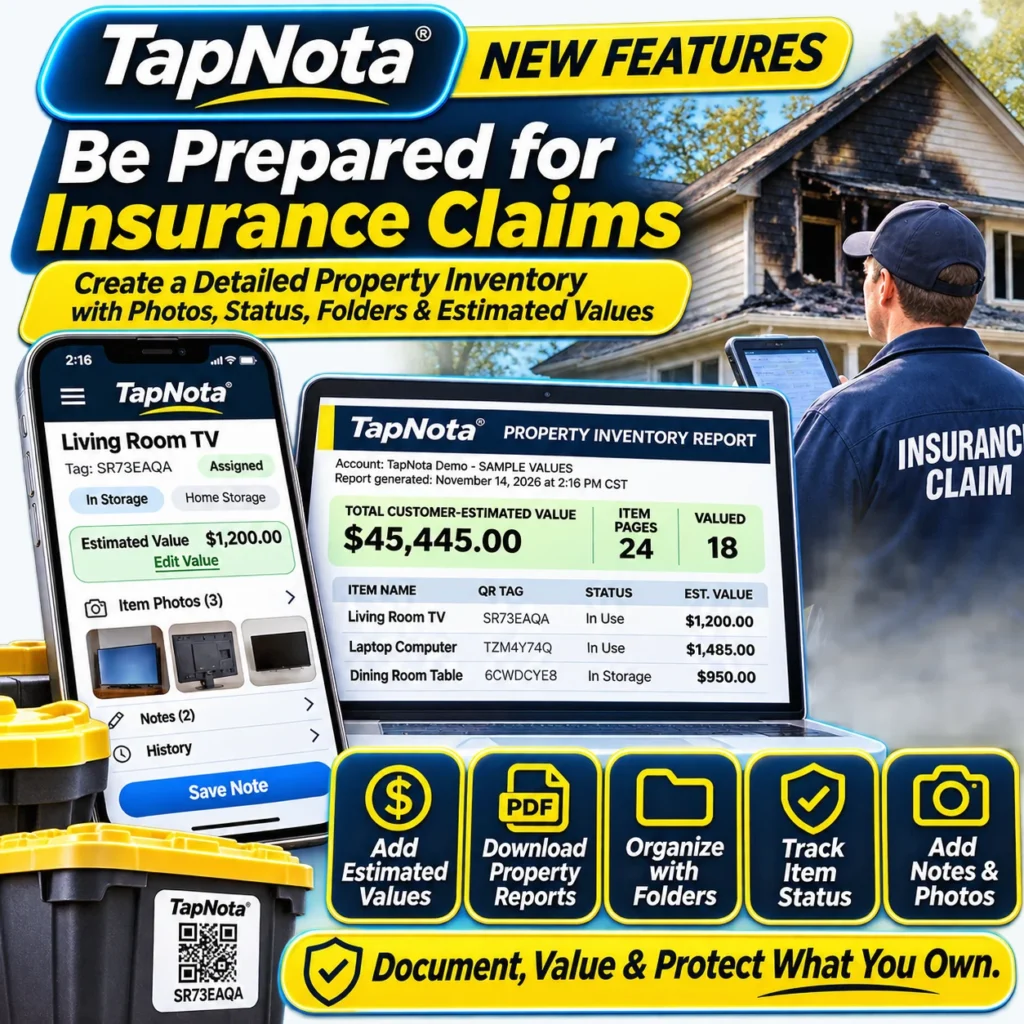
When disaster strikes, whether a fire, theft, or natural event, having a thorough and easily accessible home inventory can make insurance claims faster, smoother, and more accurate. TapNota offers a powerful physical-to-digital inventory system that helps you document, value, and protect your possessions with smart QR labels linked to evolving digital Item Pages.
Why Create a Detailed Home Inventory for Insurance?
Insurance companies often require detailed proof of ownership and value for claim settlements. A comprehensive home inventory with photos, notes, estimated values, and item status can:
- Speed up claim processing by providing organized documentation.
- Help you remember all your belongings, even items stored away or forgotten.
- Provide evidence of condition and value before any loss.
- Make filing claims less stressful during difficult times.
How TapNota Simplifies Insurance Claim Preparation
Unlike handwritten lists or spreadsheets, TapNota connects each physical item or storage container to a unique, pre-coded smart QR label. Each scan opens a dedicated Item Page that you can update anytime with:
- Photos: Add permanent images to document the item’s appearance and condition.
- Notes and History: Record serial numbers, purchase details, maintenance, or any relevant information.
- Estimated Value: Manually enter your own value estimates for insurance purposes.
- Item Status: Track whether items are in use, stored, loaned, missing, or sold.
- Folders and Tags: Organize items by room, category, or priority.
All this data lives in your TapNota web Portal, searchable without needing to scan labels again. When you need to submit a claim, you can download a comprehensive Property Inventory Report (PDF) that summarizes your items, values, and organized folders for easy sharing with your insurer.
Step-by-Step Guide to Building Your Insurance-Ready Home Inventory
- Activate Your TapNota Pack: Scan any one label from your purchased pack and verify your email. Your entire pack is linked to your account automatically.
- Label Your Items and Storage Bins: Attach a TapNota QR label to each item, box, or grouping you want to track.
- Scan and Add Details: Scan the QR code to open the Item Page, then add a descriptive name, notes, serial numbers, manuals, and photos to document each item.
- Enter Estimated Values: In the Portal’s Your TapNota Tags list, assign estimated values to your items for insurance documentation.
- Organize with Folders and Status: Group items by rooms or categories and update status to reflect current condition or location.
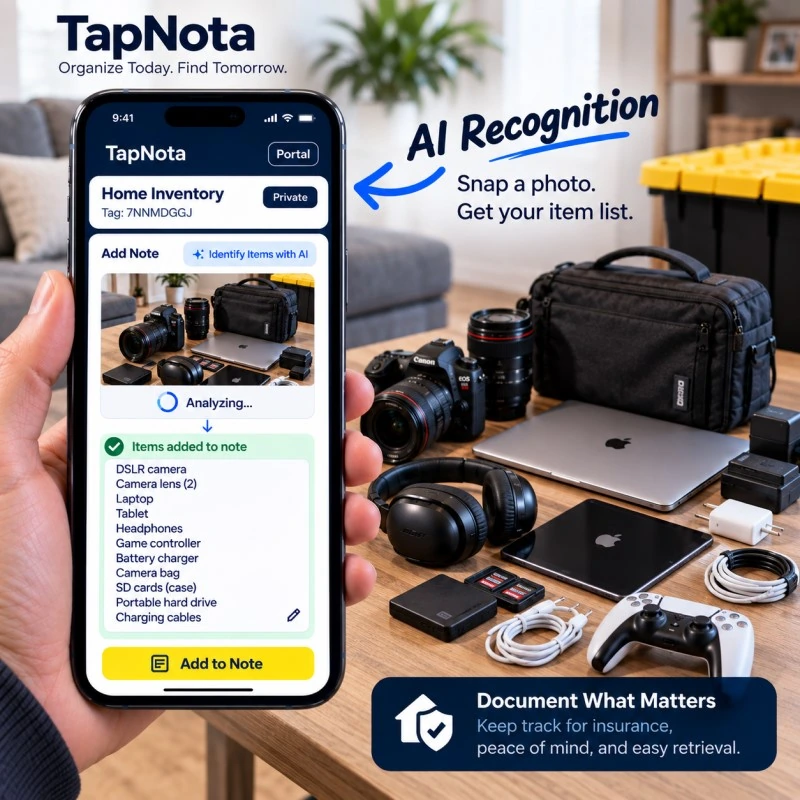
- Use AI Recognition (Optional): Snap a photo of visible items to get AI-generated identification suggestions, then review and save to speed up note-taking.
- Regularly Update Your Inventory: Keep your records current by adding new items, updating values, and changing statuses as needed.
- Download Your Property Inventory Report: When needed, export a PDF report that compiles your entire inventory with values and organization for insurance claims.
Benefits of TapNota’s Insurance Claim Features
- Detailed Documentation: Photos and notes provide visual and written proof of your belongings.
- Easy Organization: Folders and tags help you quickly locate items in your inventory.
- Value Tracking: Customer-entered estimated values assist in claim justification.
- Accessible Reporting: Exportable PDF reports save time and improve communication with insurers.
- Flexible Updates: Your Item Pages evolve over time—no need for new labels if contents or values change.
Preparing for insurance claims doesn’t have to be overwhelming. With TapNota, your home inventory is always up to date, easy to manage, and ready to share when you need it most.
Using AI to Speed Up Your Home Inventory Process
TapNota’s optional AI recognition feature can help you quickly identify and list visible items in a photo. This is especially useful when documenting groups of electronics, collections, or tools. Simply take a photo of your visible items through the Item Page, and the AI suggests a list of item names. You review, edit, and save the note, saving time and improving accuracy.
Remember, AI recognition requires you to be signed in and uses credits from your plan. It cannot see inside closed boxes or automatically add items without your review.
Additional Resources and Support
For detailed setup instructions, troubleshooting, and tips, visit the TapNota Product Support & Setup Guide. To learn more about generating and using the Property Inventory Report for insurance, see the Property Inventory Report Guide.
For ideas on organizing your belongings efficiently, explore the Home Inventory category and Storage Bin Organization category on TapNota’s website.
Frequently Asked Questions
Can I add estimated values for insurance on individual items?
Yes, you can manually enter estimated values for each item in the Your TapNota Tags list within the web Portal. These values help create a detailed Property Inventory Report for insurance claims.
Do I need to scan every label to search my inventory?
No, once you have saved item details, you can search your entire inventory by item names, notes, folders, or tags directly in the TapNota web Portal without scanning labels.
How does TapNota’s AI recognition help with home inventories?
The AI feature suggests item names from a photo of visible objects, helping you quickly add notes to your inventory. It requires review and editing before saving and cannot identify items inside closed containers.
Is the Property Inventory Report automatically sent to my insurer?
No, the report is generated as a downloadable PDF in your TapNota Portal. You must manually share or submit it to your insurance company as needed.
Can I update item information after labeling?
Absolutely. TapNota’s Item Pages are dynamic and can be updated anytime with new photos, notes, values, or status without needing to replace the physical QR label.


