













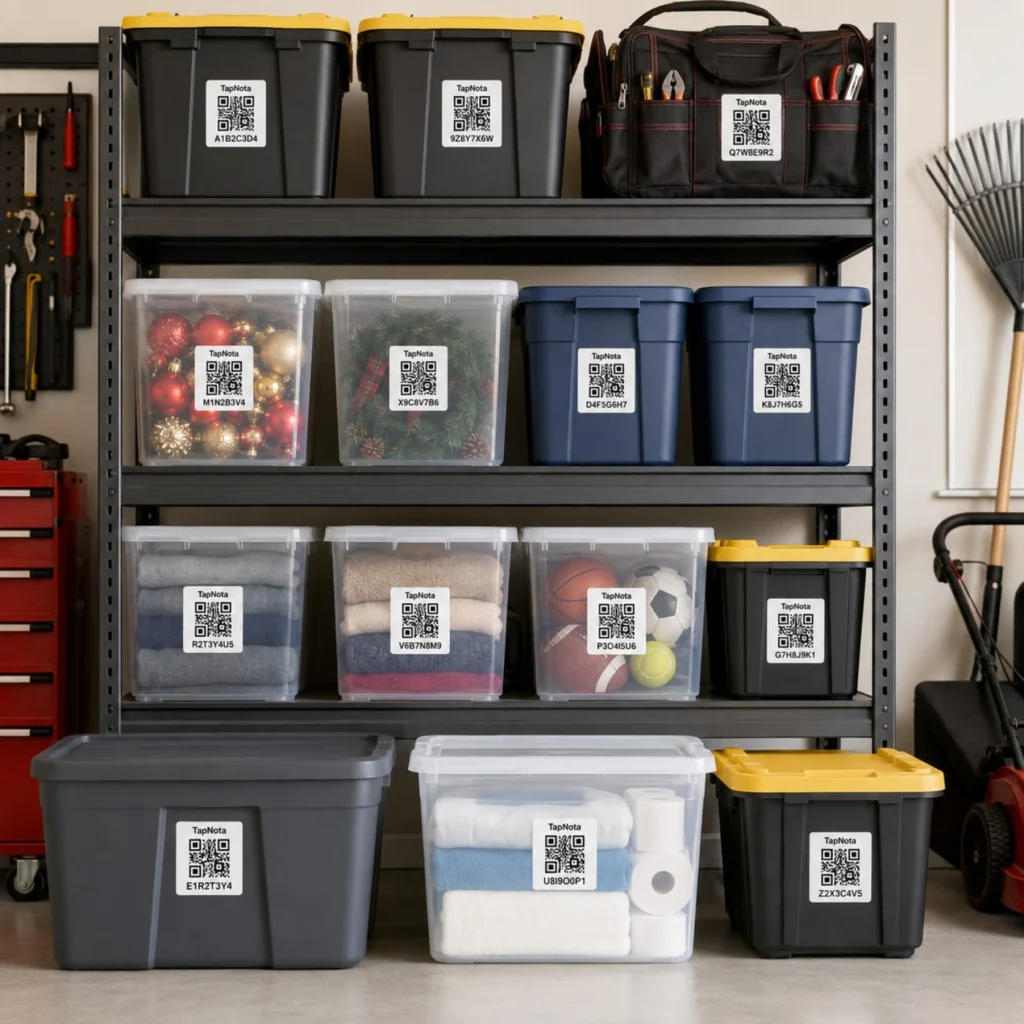
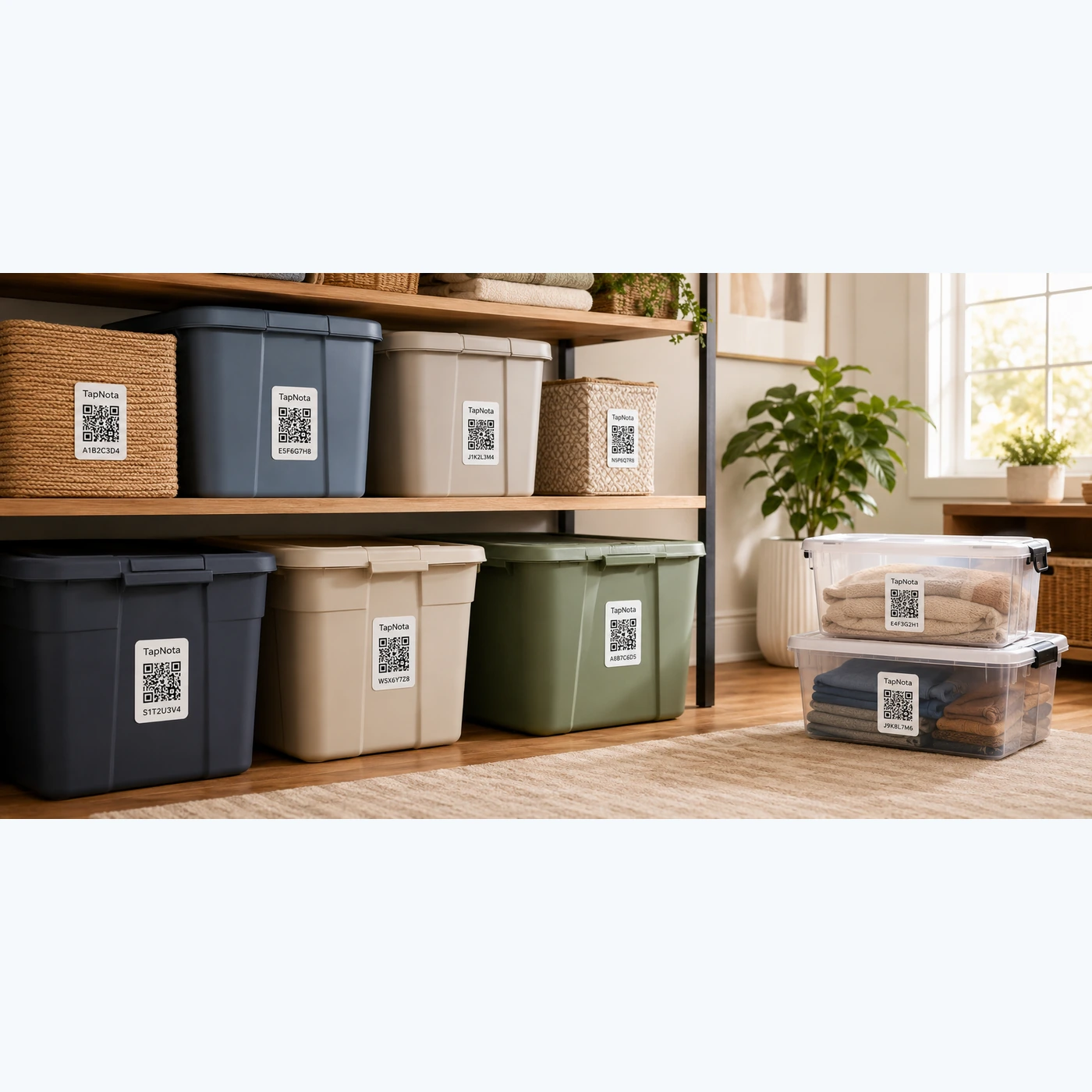
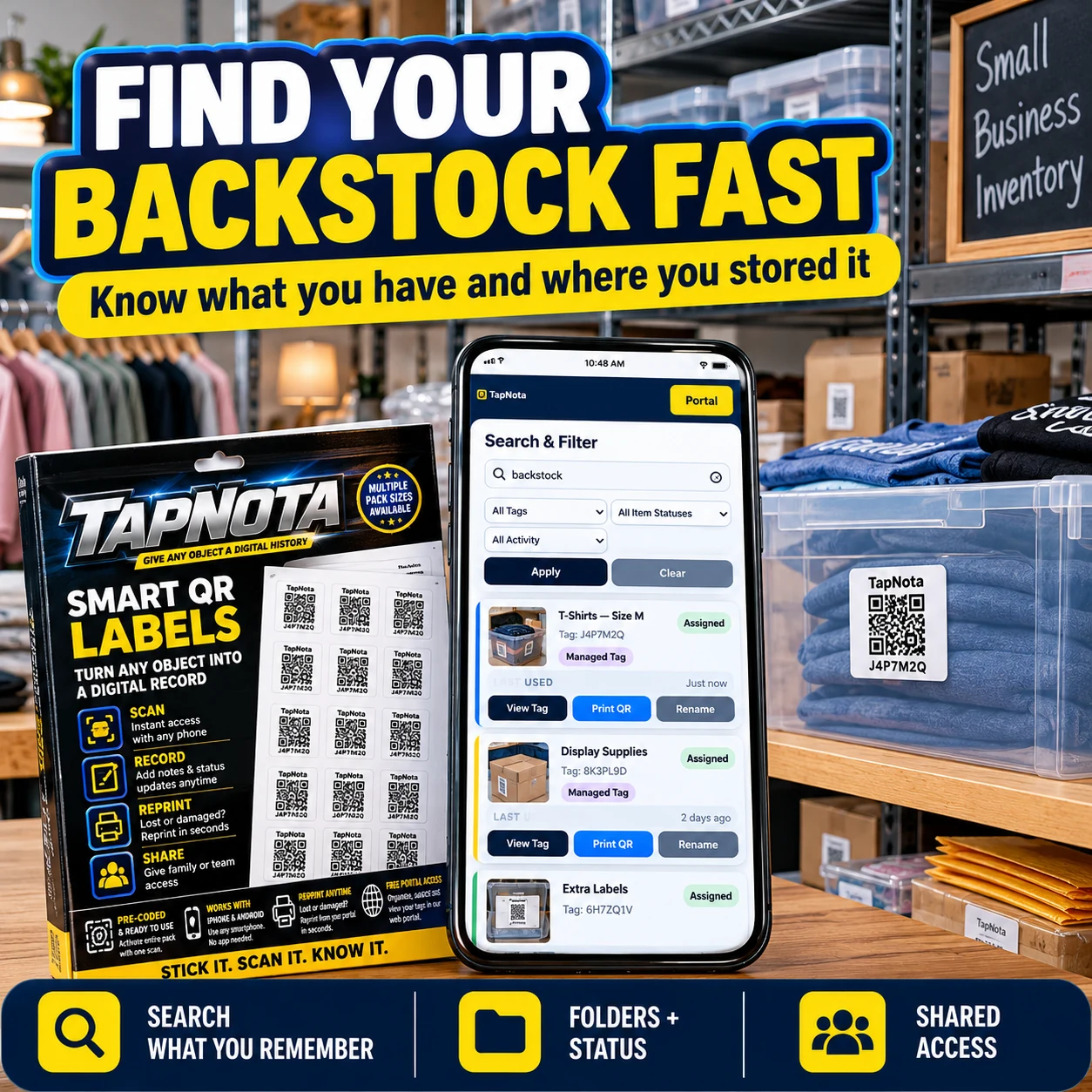
Plastic storage totes are a popular choice for organizing household items, seasonal decorations, tools, and more. However, without a clear system, they can quickly become a source of clutter and frustration. TapNota offers a smart, physical-to-digital solution that elevates plastic tote organization beyond simple labeling. By attaching pre-coded TapNota QR labels to each tote, you create a dynamic, searchable Item Page in the TapNota web Portal that evolves as your storage needs change.
Why Organize Plastic Storage Totes with TapNota?
Traditional labeling methods often fall short because they provide limited information and are difficult to update. TapNota’s system links each physical tote to a unique digital record, accessible by scanning the QR label or browsing the Portal. This means you can:
- Track contents precisely: Add names, detailed notes, photos, serial numbers, or manuals to each tote’s Item Page.
- Update anytime: Modify the record as contents change without replacing the label.
- Search without scanning: Use the Portal’s full-text search to find totes by item names, notes, or tags.
- Share selectively: Share individual Item Pages via links or invite family/team members to collaborate with shared account access.
These features make TapNota ideal for various use cases, from seasonal storage and garage bins to business backstock and hobby collections.
Step-by-Step Guide to Organizing Plastic Storage Totes
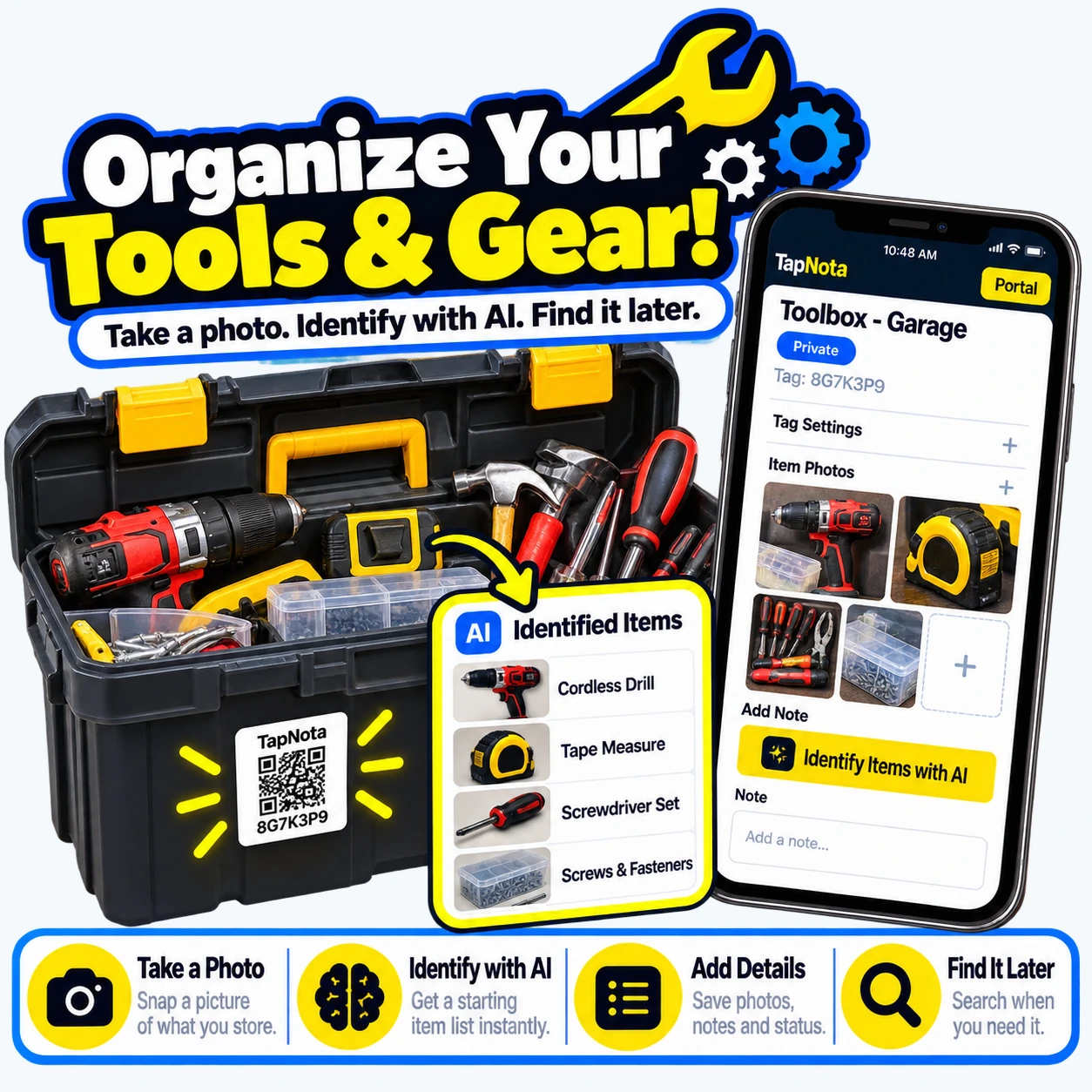
- Attach a TapNota QR label: Choose a visible spot on each tote and affix a pre-coded TapNota label. For purchased packs, activate once by scanning any label and verifying your email; all labels in the pack link to your account automatically.
- Open the Item Page: Scan the label with any smartphone or open the Portal and enter the unique tag code to access the tote’s digital record.
- Add detailed information: Name the tote (e.g., “Holiday Decorations 2023”), add notes about contents, upload permanent photos showing the items inside, and include any manuals or instructions.
- Use AI identification (optional): Take a photo of visible contents and let TapNota’s AI suggest item names. Review and edit before saving to enhance your record quickly.
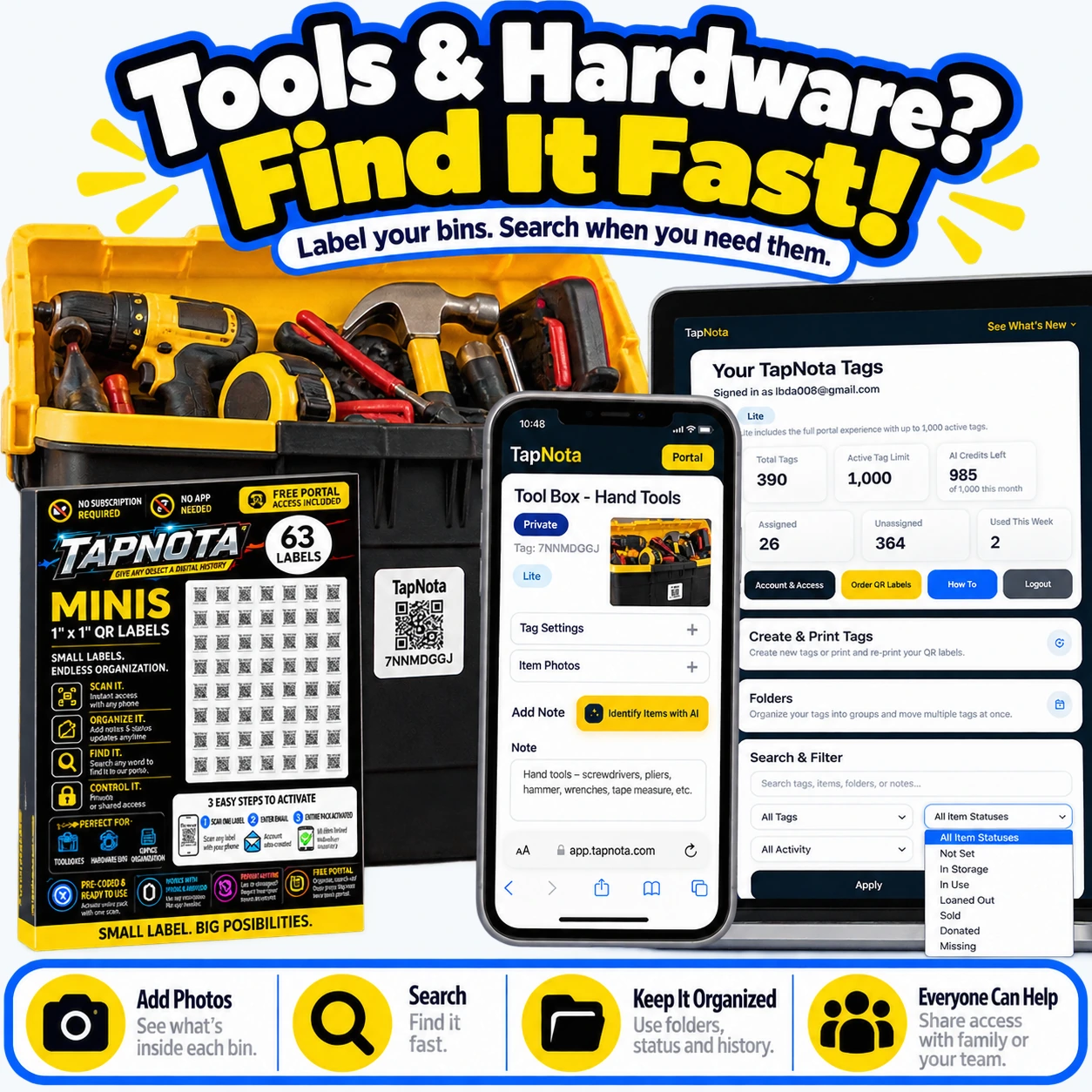
- Organize with folders and tags: Group totes by category such as “Seasonal,” “Tools,” or “Sports Gear” using folders. Use Item Status to mark if a tote is “In Storage,” “In Use,” or “Loaned Out.”
- Search and find easily: Later, search the Portal by any keyword or tag to instantly locate the tote you need without physically scanning every label.
Practical Example: Garage Storage Tote Organization
Imagine your garage shelves lined with plastic totes containing everything from Christmas ornaments to sports equipment and tools. By applying TapNota labels, each tote becomes a searchable record. For example, you can scan the label on a tote filled with holiday decorations and see photos of the ornaments inside, notes about fragile items, and instructions on how to unpack carefully.
If you forget which tote holds the soccer balls, simply search “soccer” in the Portal to find the exact tote tag and location. This eliminates the need to open multiple bins guessing their contents.
Benefits Beyond Organization
TapNota’s system also supports:
- Inventory management: Track how many totes you have, what’s inside, and their condition or service history.
- Collaboration: Share access with family members or helpers so everyone can update and find items.
- Reprinting labels: If a QR label gets damaged, reprint it without losing the linked Item Page or history.
Maximize Your Storage Efficiency
Combine TapNota’s QR labels with sturdy plastic totes to create a streamlined storage system that saves time and reduces frustration. Whether you’re organizing a home garage, a workshop, or business backstock, this approach provides clarity and control over your stored items.
For more on garage organization with TapNota, see How to Organize Your Garage Efficiently with TapNota Smart QR Labels. To dive deeper into bin labeling, visit How to Label Storage Bins Like a Pro. For a complete storage bin organization guide, check Storage Bin Organization.
Summary
Organizing plastic storage totes with TapNota smart QR labels transforms your storage from a guessing game into a manageable, searchable digital system. This method saves you time, helps preserve fragile contents, and makes sharing and updating your inventory simple. Start by labeling your totes, adding detailed records, and using the Portal’s powerful search and collaboration features to maintain an efficient, organized space.
Frequently Asked Questions
Can I update the contents of a storage tote after labeling it with TapNota?
Yes, TapNota allows you to update the Item Page associated with each QR label anytime. You can add or change notes, photos, contents, or status without needing a new label.
Do I need to scan every QR label to search my inventory?
No, searching does not require scanning. You can open the TapNota web Portal and search by item names, notes, tags, or folders to find your totes quickly.
Is there an app required to use TapNota QR labels?
No app installation is required. You can scan QR labels with any smartphone camera and manage your inventory through the browser-based TapNota web Portal.
How does TapNota’s AI feature help with organizing storage totes?
The optional AI feature lets you take a photo of visible items inside a tote. It suggests item names to help you start your notes quickly, though you must review and save the information yourself.
Can I share access to my storage tote inventory with family or team members?
Yes, TapNota supports shared account access, allowing approved members to log in with their own credentials and collaborate on managing the inventory.


